


Keep income, expenses and cash in one Excel workbook
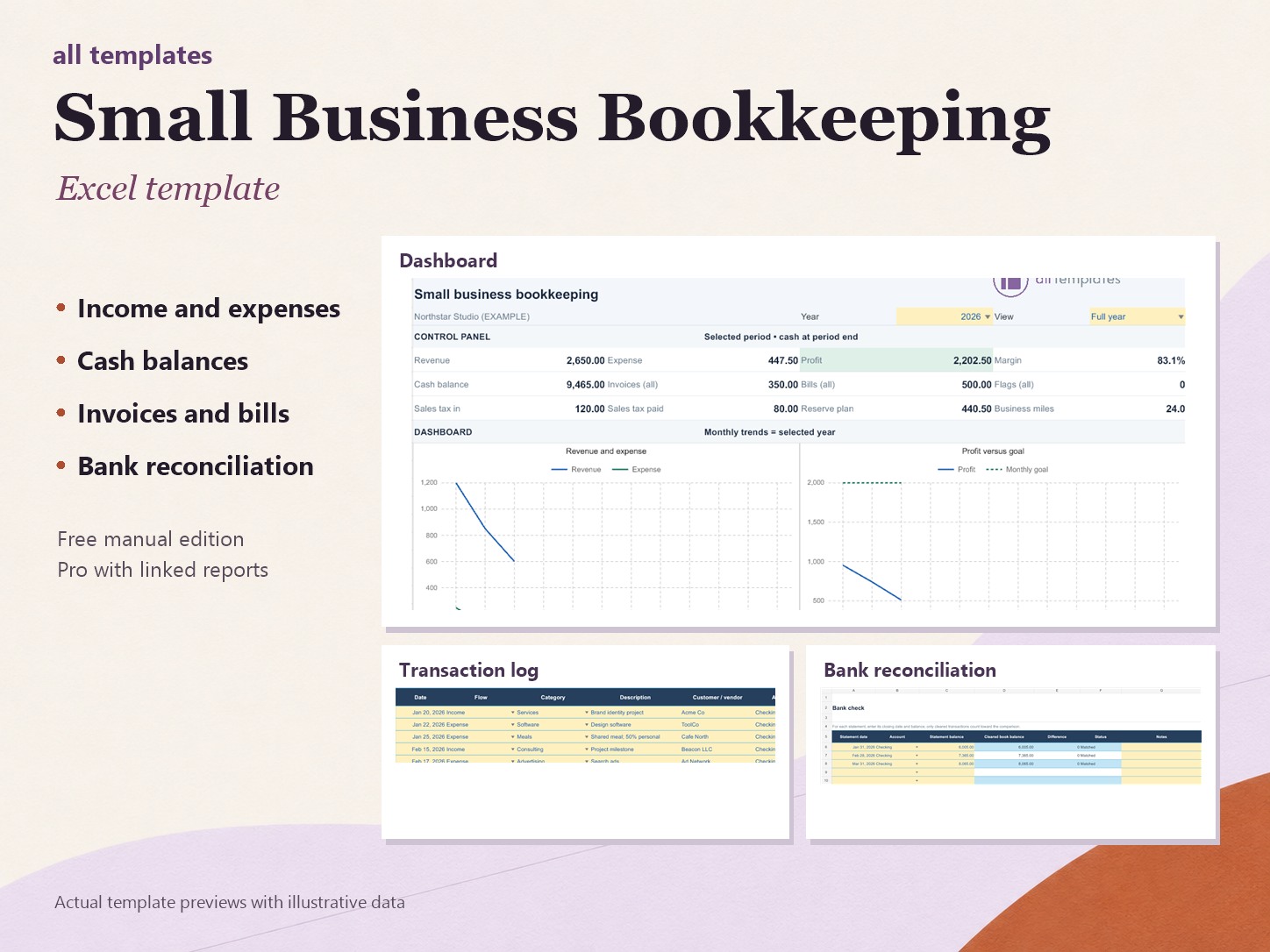
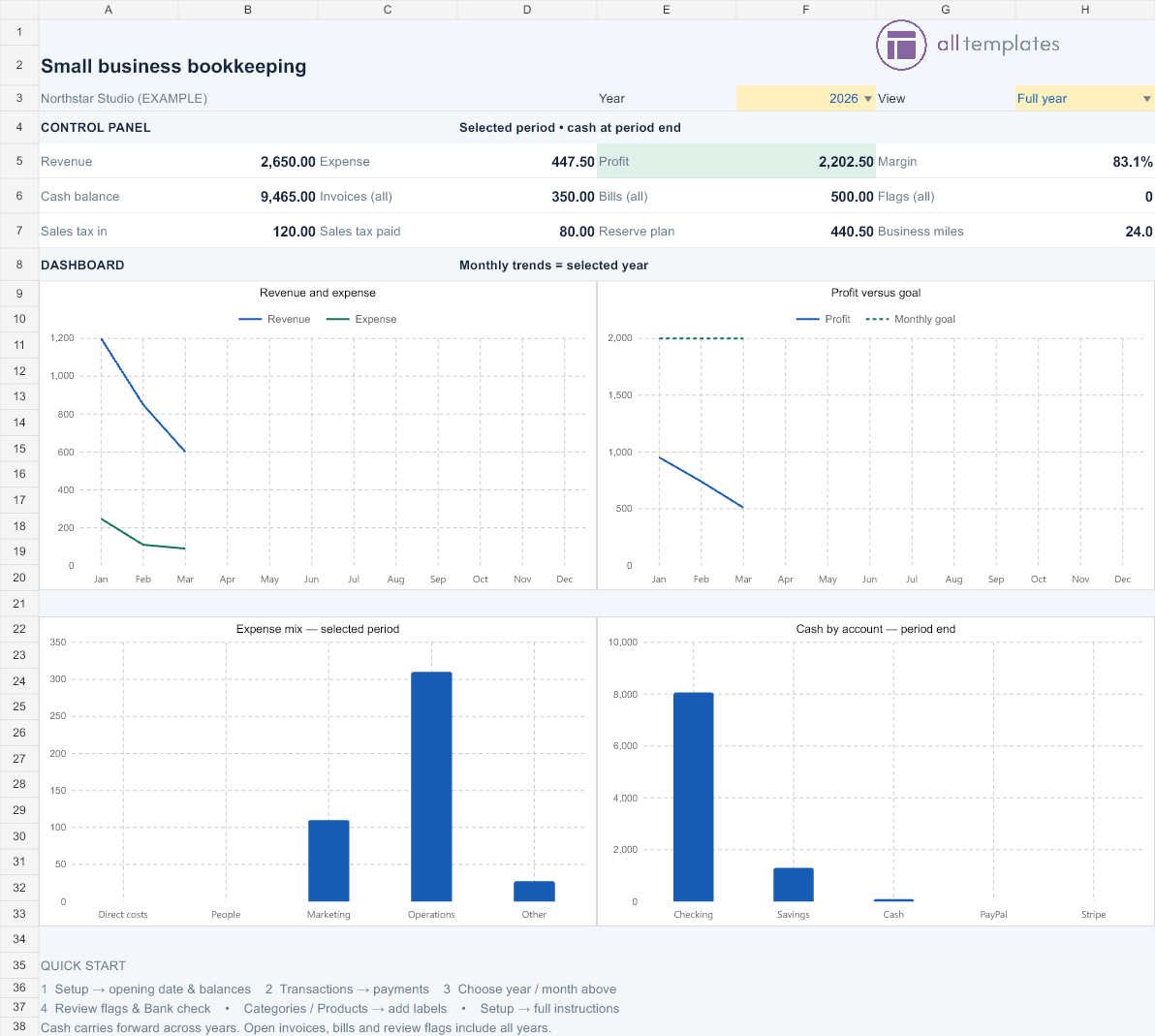
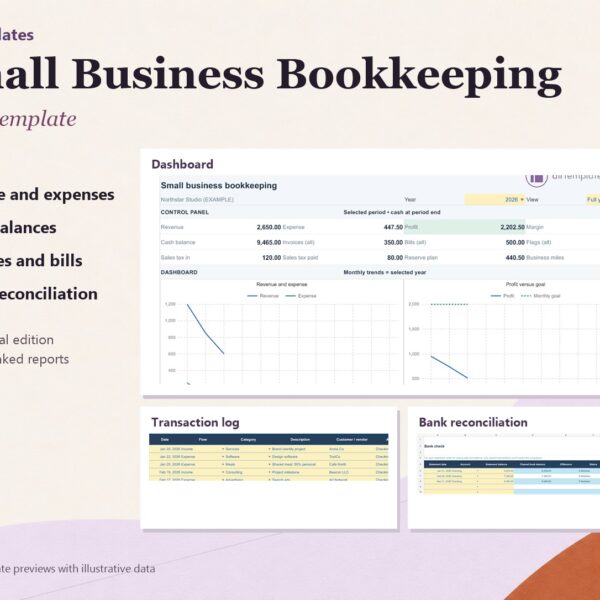
Small Business Bookkeeping PRO connects a payment log to monthly reports, open invoices, unpaid bills and bank checks. Record settled money once, then use the compact control panel and four dashboard charts to review your business. Choose a year or month without starting a new file every January.
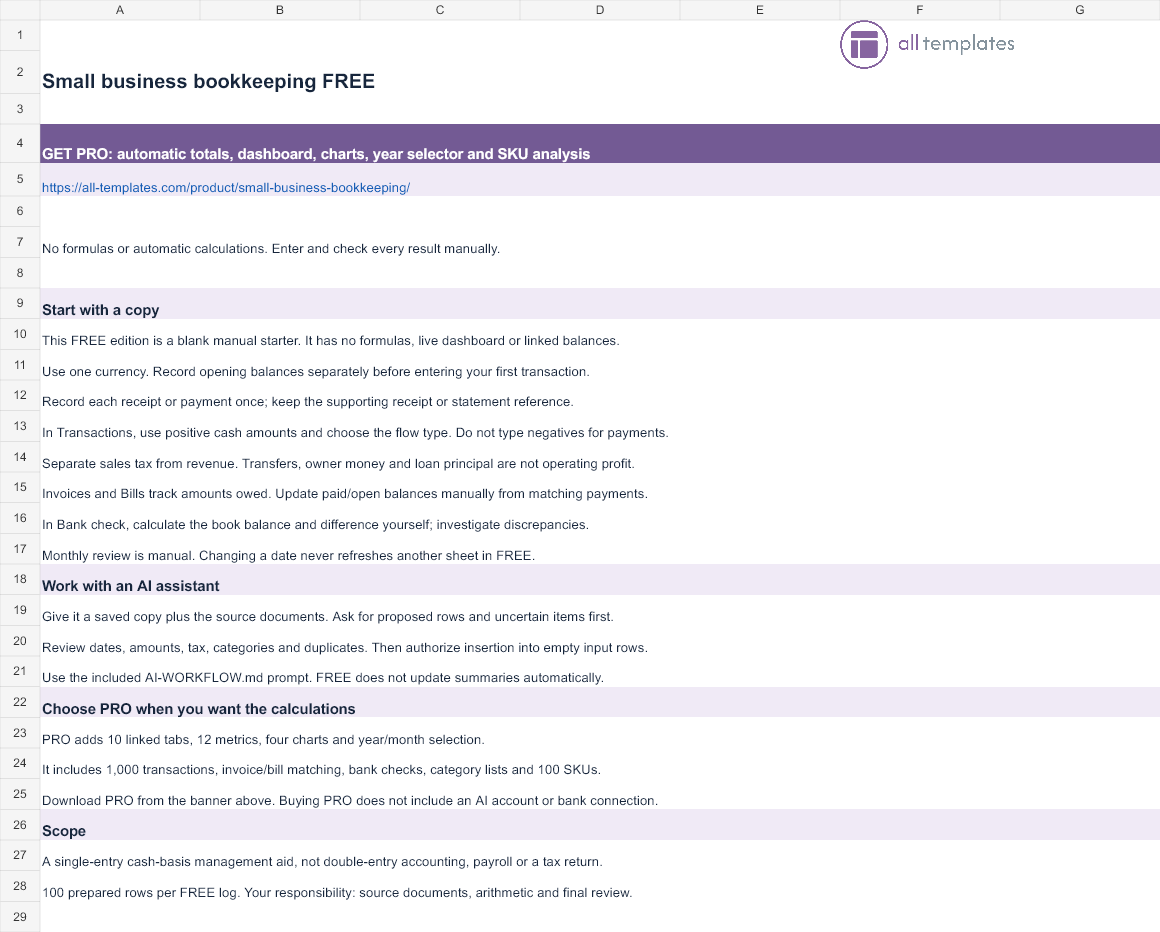
Six blank sheets and 100 prepared rows per log. AI prompts are available in the linked article. FREE contains no formulas or automatic dashboard. Its upgrade banners link back to this page.
What PRO includes
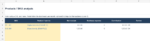
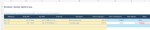
- Ten connected tabs: Dashboard, Reports, Transactions, Invoices, Bills, Bank check, Mileage, Setup, Categories and Products.
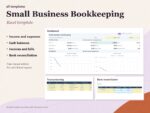
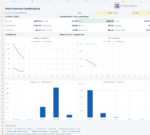
- A compact Control panel: 12 metrics covering revenue, expense, cash-basis profit, margin, cash, invoices, bills, review flags, collected and paid sales tax, a reserve plan and business miles.
- Four first-sheet charts: revenue versus expense, profit versus monthly goal, expense groups and cash by account.
- Year and month dropdowns: analyse a period while preserving all earlier transactions and carrying cash forward from a fixed opening date.
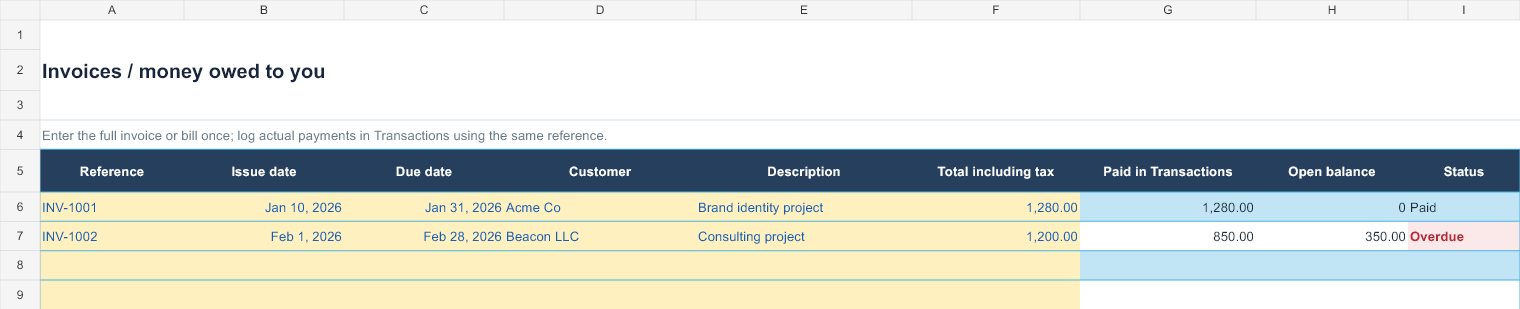
- Invoice and bill matching: track full and partial payments by reference without counting an unpaid invoice as revenue.
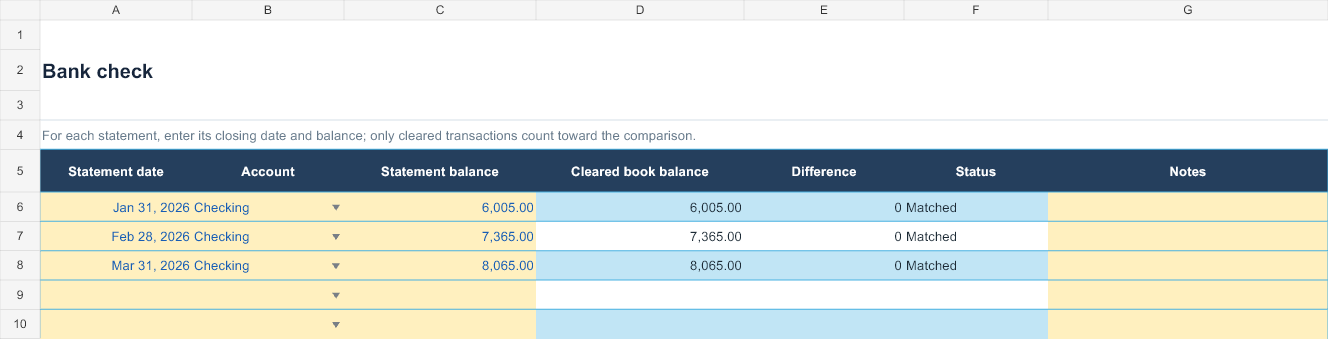
- Bank reconciliation: compare statement balances with cleared cash movements and investigate differences.
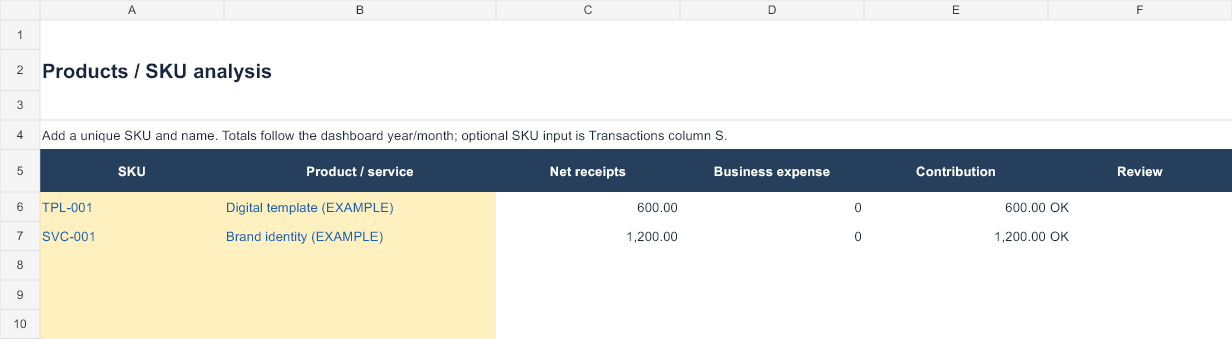
- Expandable reference lists: 50 income categories, 50 expense categories and 100 unique product or service SKUs.
- Prepared capacity: 1,000 transactions and 100 rows each for invoices, bills, bank statements and mileage. Expand formulas and report ranges before exceeding those limits.
- Fictional worked example: replace the sample inputs using the instructions in Setup.
- Companion online guide: two-stage prompts, input ranges and checks for using an AI assistant to propose and apply entries.
FREE versus PRO
| Feature | FREE manual starter | PRO |
|---|---|---|
| Format | Excel workbook (.xlsx), direct download | Excel workbook (.xlsx), direct download |
| Worksheets | 6 blank manual sheets | 10 connected sheets with fictional example |
| Formulas and automatic results | None; calculate and enter results manually | Linked calculations for reports, payments and balances |
| Dashboard charts | None | 4 charts on the first sheet |
| Year/month reporting | Manual | Dropdowns and cash carry-forward |
| Transaction rows | 100 prepared rows | 1,000 prepared rows |
| Invoices, bills and bank checks | Manual trackers | Formula-linked trackers and checks |
| Category/SKU analysis | Manual category text | Category lists and 100 SKU slots |
| AI prompts and review workflow | Available in the companion article | Available in the companion article, with PRO input ranges |
Practical use cases
- Freelancers and consultants: track project receipts, operating costs and unpaid invoice balances.
- Small studios and agencies: review collections and spending by month, then reconcile the account balances.
- Early-stage businesses: distinguish customer income from founder contributions, draws and loan principal.
- Digital-product sellers: use SKUs to review documented receipts and allocated expenses. This does not track stock or calculate inventory cost.
- Owners working with an AI assistant: give it source documents and a copy, review proposed rows, then authorize insertion into the prepared input cells.
Use it with ChatGPT or a local coding agent
The companion article explains how to ask an assistant to inspect the workbook, propose entries, identify duplicate candidates and preserve formulas and charts when saving a new copy. Use a session or tool that can actually edit Excel files. There is no built-in AI integration, automatic bank feed or bundled AI subscription. Owner review and bank reconciliation remain part of the workflow.
Set up once, keep the history
- Open the downloaded Excel file and save a working copy. Read Setup and remove the fictional inputs without deleting formulas.
- Set the business name, currency, fixed opening date and opening account balances.
- Record actual receipts and payments in Transactions. Use matching references for invoices and bills.
- Reconcile bank statements, resolve flags and choose the dashboard year/month.
- Next year, continue the same dated history. Keep the original opening balances fixed.
Format and scope
Editable .xlsx, tested in Microsoft Excel. No macros. Google Sheets compatibility has not been validated for this product. This is a single-entry, cash-basis management workbook using one currency and five configured cash accounts. It is not double-entry accounting, payroll, a balance sheet, a tax return, stock valuation or an invoice generator. Reserve and mileage figures are planning estimates. Open invoice/bill totals and review flags are all-time; cash is through the selected period end. SKU contribution includes only allocated expenses.
Read the illustrated guide: How to keep small-business books in a spreadsheet with an AI assistant.
Try it with a worked example
Trace one week’s bank activity to the underlying paperwork. A $600 customer payment and a $600 transfer between your own accounts can look identical in a statement. Label the transfer separately before reviewing sales for the week.
All you need to know about small-business bookkeeping in Excel
Keep business and personal activity distinguishable. Use dedicated accounts where practical and classify owner transfers separately.
Build the foundation
- Keep business and personal activity distinguishable. Use dedicated accounts where practical and classify owner transfers separately.
- Record each transaction consistently. Keep date, amount, account, category and a source reference together.
- Retain source documents. Link receipts, invoices and statements so you can explain balances later.
- Separate sales from collections. Track when the invoice is issued and when money arrives.
- Separate bills from payments. Keep unpaid obligations visible before they affect the bank balance.
Put it into practice
- Reconcile accounts monthly. Match bank transactions and explain outstanding or unmatched items.
- Record transfers only once economically. Link both account movements and keep them out of income and expense totals.
- Check category consistency. Use stable labels and review miscellaneous transactions regularly.
- Close each period. Resolve exceptions, save a dated copy and review receivables, bills and cash.
- Know when to change tools. Consider dedicated accounting software when imports, multiple users or reporting needs become difficult.
Frequently asked questions
Can I do bookkeeping in Excel?
Yes for a manageable transaction volume with reliable entry, reconciliation and backups.
What should I record for an expense?
Record date, amount, payee, category, account and a reference to supporting evidence.
Is an owner contribution revenue?
In ordinary bookkeeping it is recorded separately from sales. Confirm the right account treatment for your entity.
How do I record money moved between bank accounts?
Record linked transfer entries so the move does not inflate sales or expenses.
How do I reconcile a statement?
Match cleared entries and identify timing differences, errors and missing transactions.
What is the difference between cash and accrual tracking?
Cash focuses on receipts and payments. Accrual records revenue and expenses when earned or incurred under the applicable accounting method.
How should I handle an unpaid customer invoice?
Track its amount, due date and status, then link the eventual receipt.
Should I import bank data or enter it manually?
Use imports where available and check duplicates, dates and categories before posting.
Can AI categorize bookkeeping transactions?
It can suggest categories. Verify against source records and review unusual items yourself.
What should a monthly close leave behind?
Reconciled accounts, dated records, a receivables and bills review, and a list of items still needing follow-up.
Templates and references
10 reviews for Small Business Bookkeeping Excel Template
Clear filters
Marisol Vega –
Cash by account is a nice touch. I’d like one larger preview of the monthly sheet.
Anjali Nair –
Cash and unpaid invoices in one place looks useful.
Noémie Laurent –
One place for bills and invoices sounds good. The overview made me want to give the free file a look.
Freya Iversen –
Monthly cash view is just what I was looking for.
Elliot Mercer –
The monthly cash view caught my eye. Having unpaid bills and open invoices in the same workbook makes sense for a small business. I appreciated the clear breakdown of what comes with the free version.
Bhavna Menon –
The combination of monthly cash reporting and open invoice tracking makes sense for a small team. The capacity limits are clearly stated, which helps when evaluating whether the workbook will scale.
Lucía Navarro –
I like that invoices and actual cash are treated separately. The comparison table helped me see which parts come with the free file.
Keira Walsh –
That monthly cash view looks handy. I just wanted something I can keep in Excel.
Gabriel Reis –
The dashboard looks straightforward. One bigger image of the transaction log would make the page even better.
Ester Costa –
Monthly cash and open invoices in the same workbook makes sense for a small operation. The dashboard preview is nice and clean.