
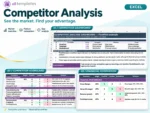
Competitor Analysis Excel Template
5,00 $
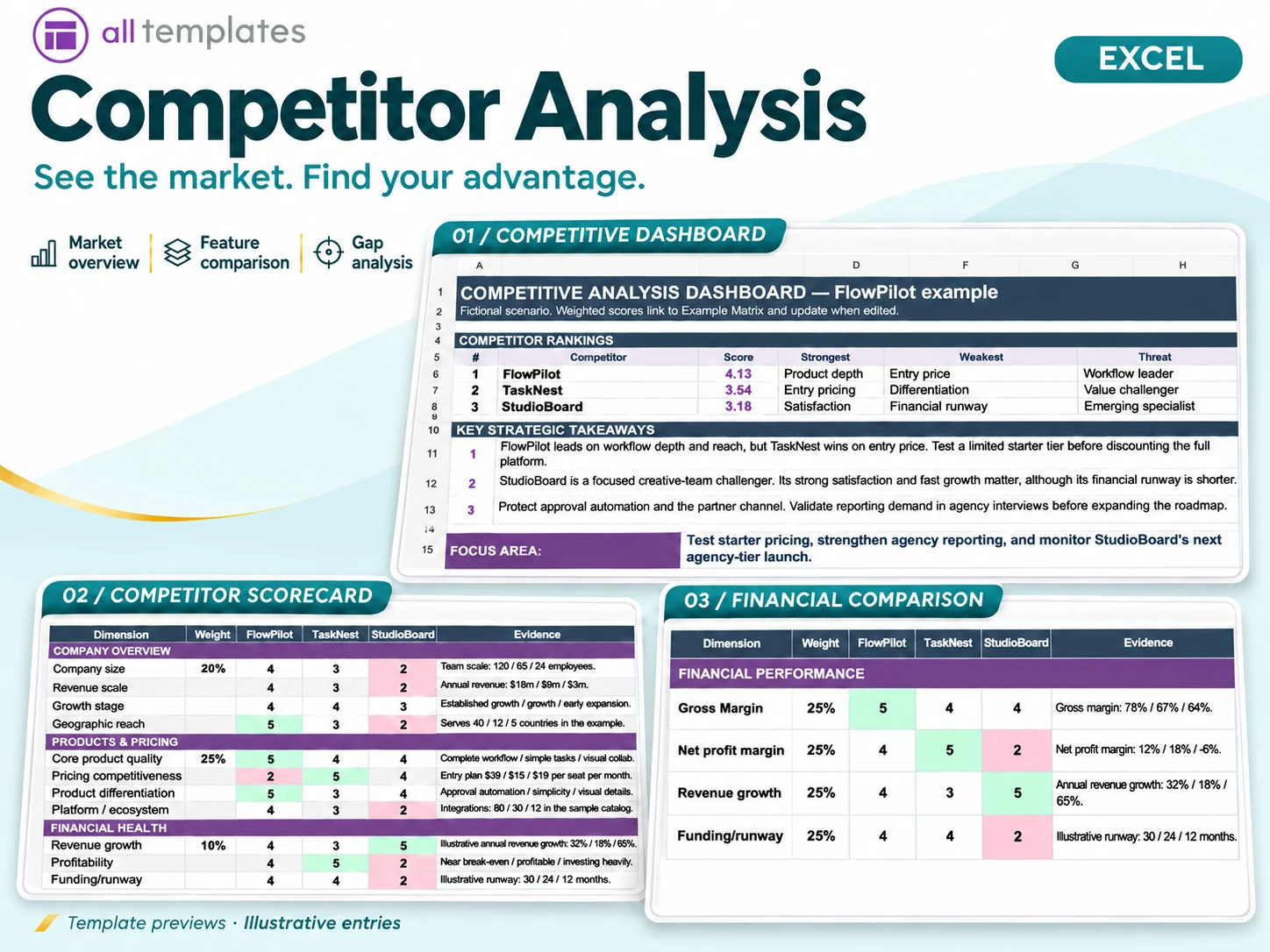
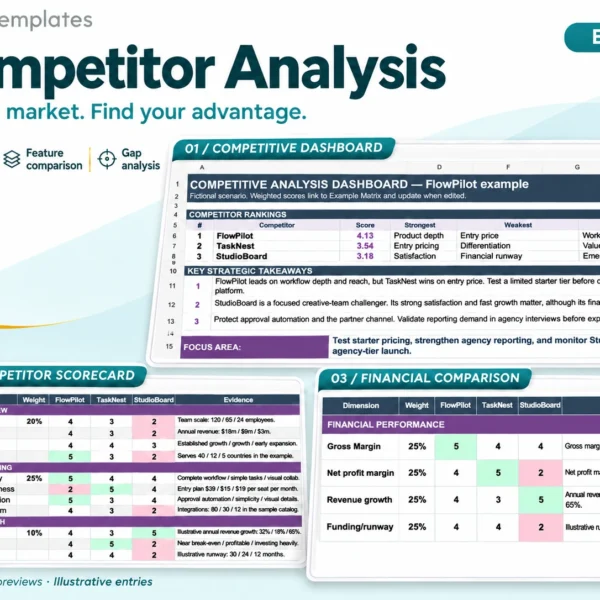
Compare competitors with an editable Excel scorecard. Start free with a competitor roster and weighted matrix, or get Pro for $5 to add pricing, feature comparisons, gap analysis, win/loss tracking, worked examples and a summary dashboard.
- AI-friendly. Give a file-capable AI agent a copy and your source material. Ask it to fill the labeled inputs and check the result before using it.
Free downloads vary by product. See the description below for exactly what is included, or get the complete Pro version.
Get the complete, ready-to-use version with all features — for the price of a cup of coffee
Competitor Analysis Excel Template
Compare your company with competitors, document the evidence behind your scores, and turn your research into practical marketing decisions. This editable Excel workbook brings competitor profiles, weighted scoring, pricing, feature comparisons and strategic priorities into one place.
Start with the free version
- Instructions: a short guide to setting up your analysis.
- Competitor Roster: organize the companies you want to compare.
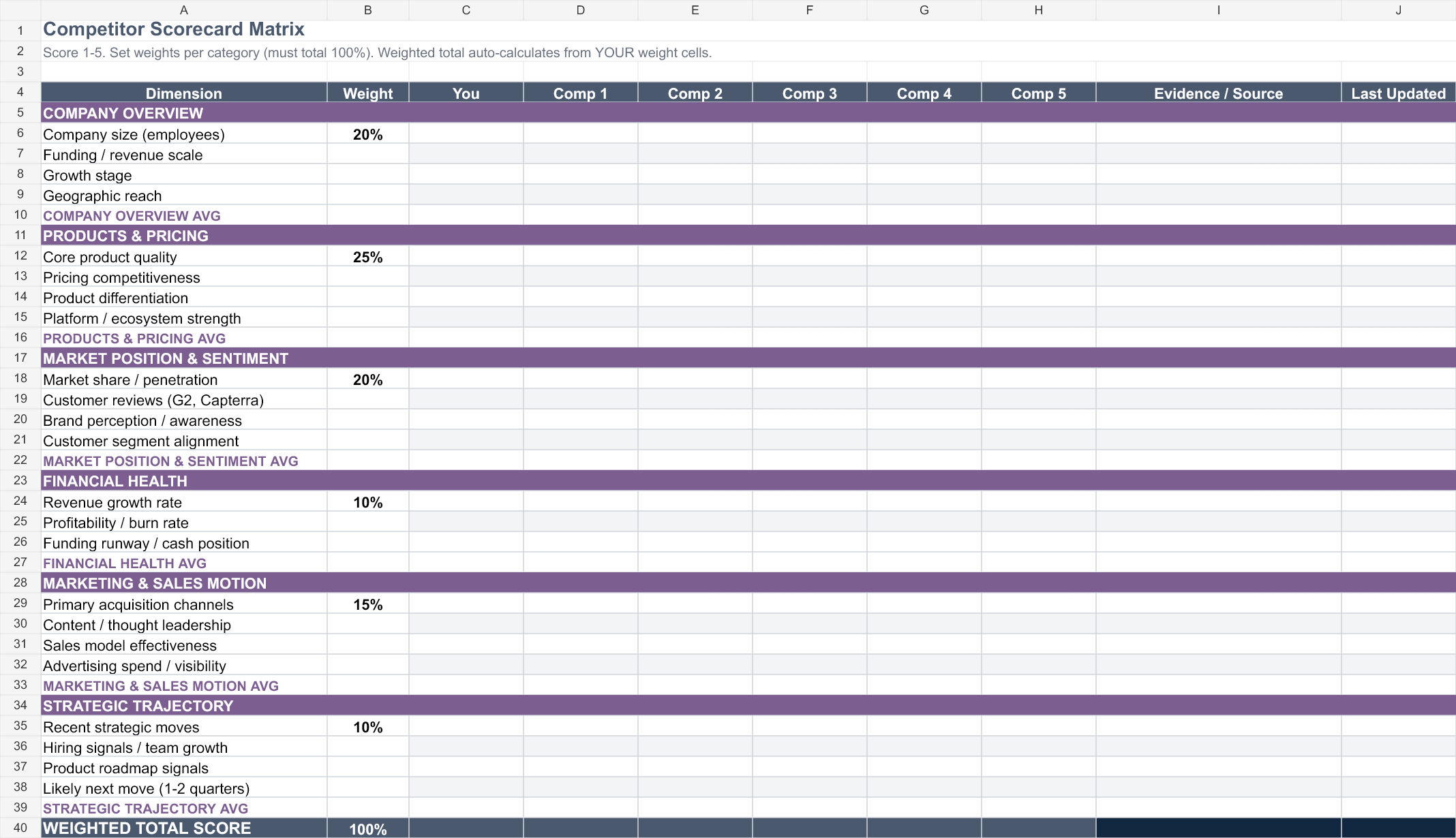
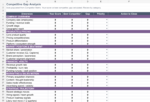
- Competitor Matrix: score six companies across six weighted categories, record your evidence and review date, and calculate category averages and weighted totals.
The free workbook includes these three working sheets. The remaining tabs show which tools are available in Pro and link back to this page.
What is included in Pro?
The complete version includes all 10 worksheets:
- Instructions
- Competitor Roster
- Competitor Matrix
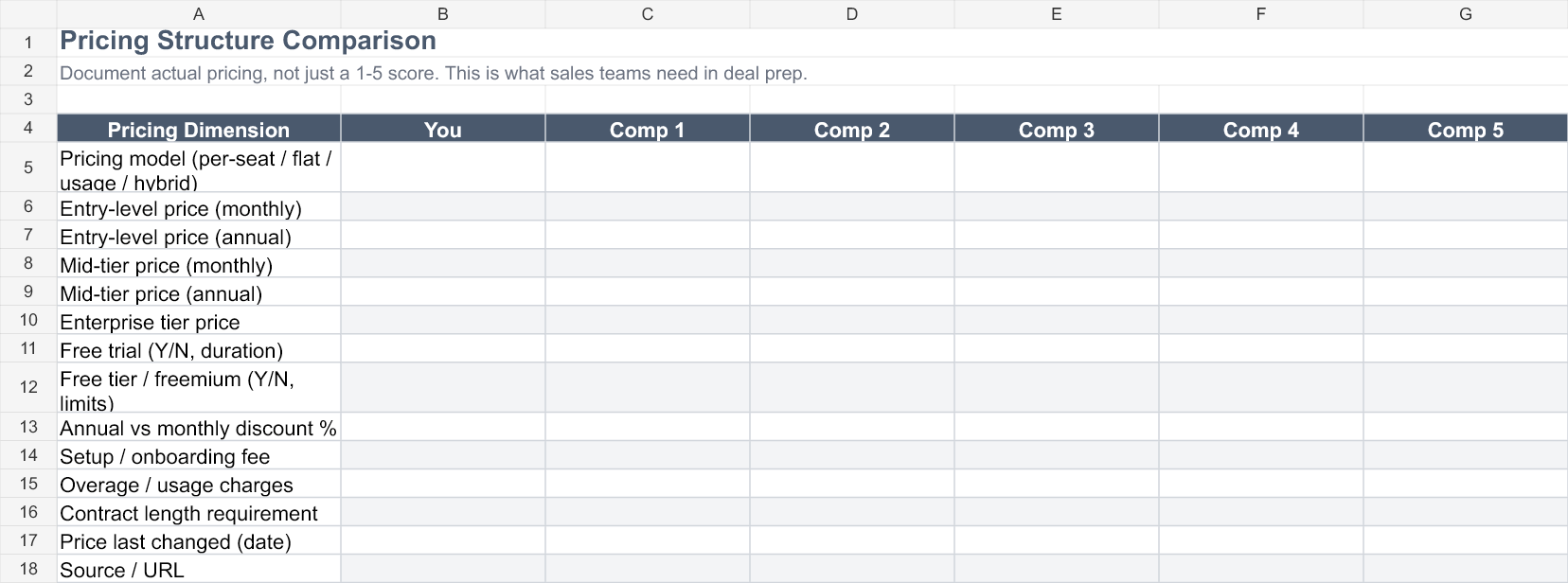
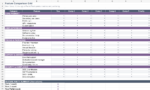
- Pricing Detail: compare plans, pricing and commercial terms.
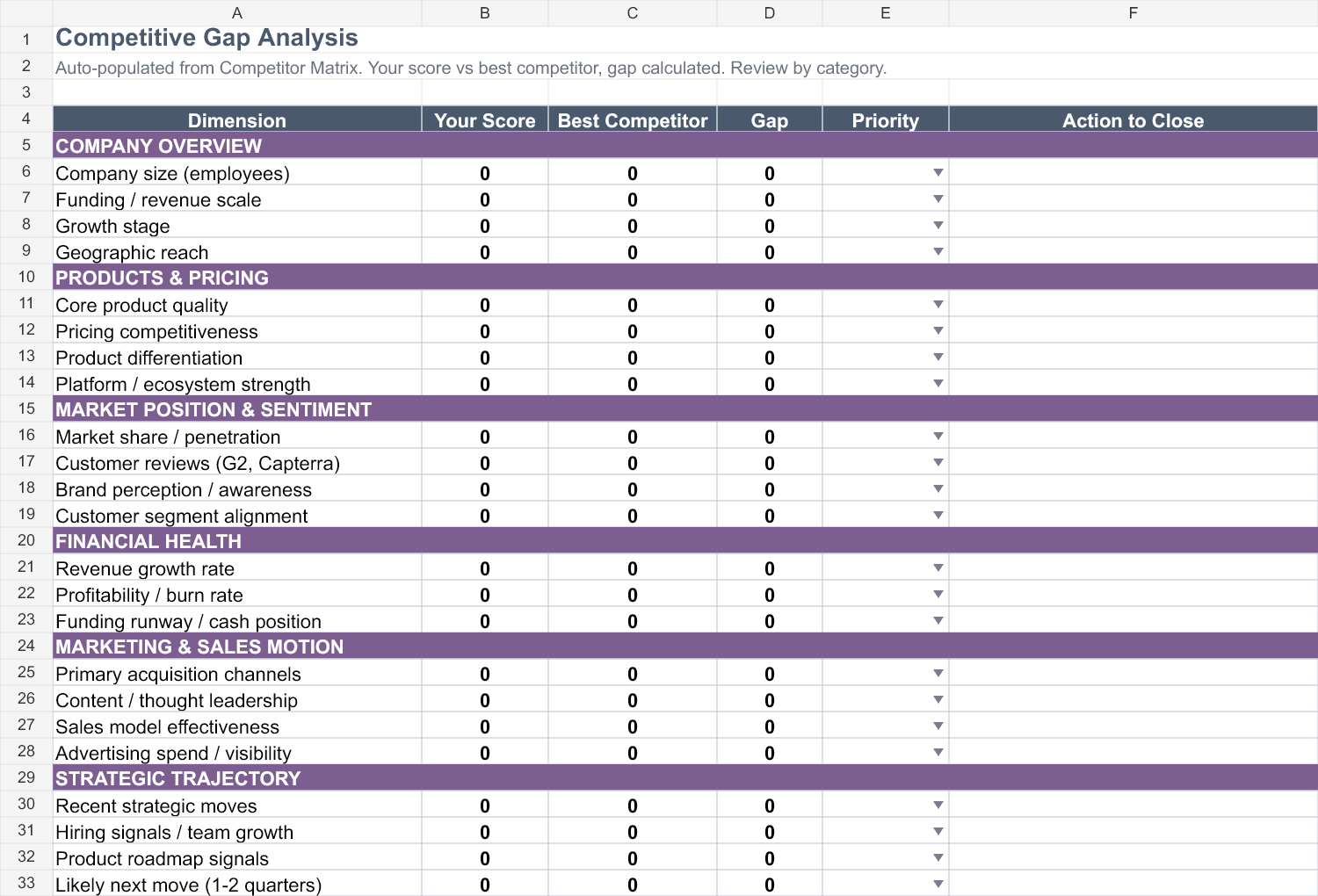
- Gap Analysis: identify weaknesses, opportunities and actions.
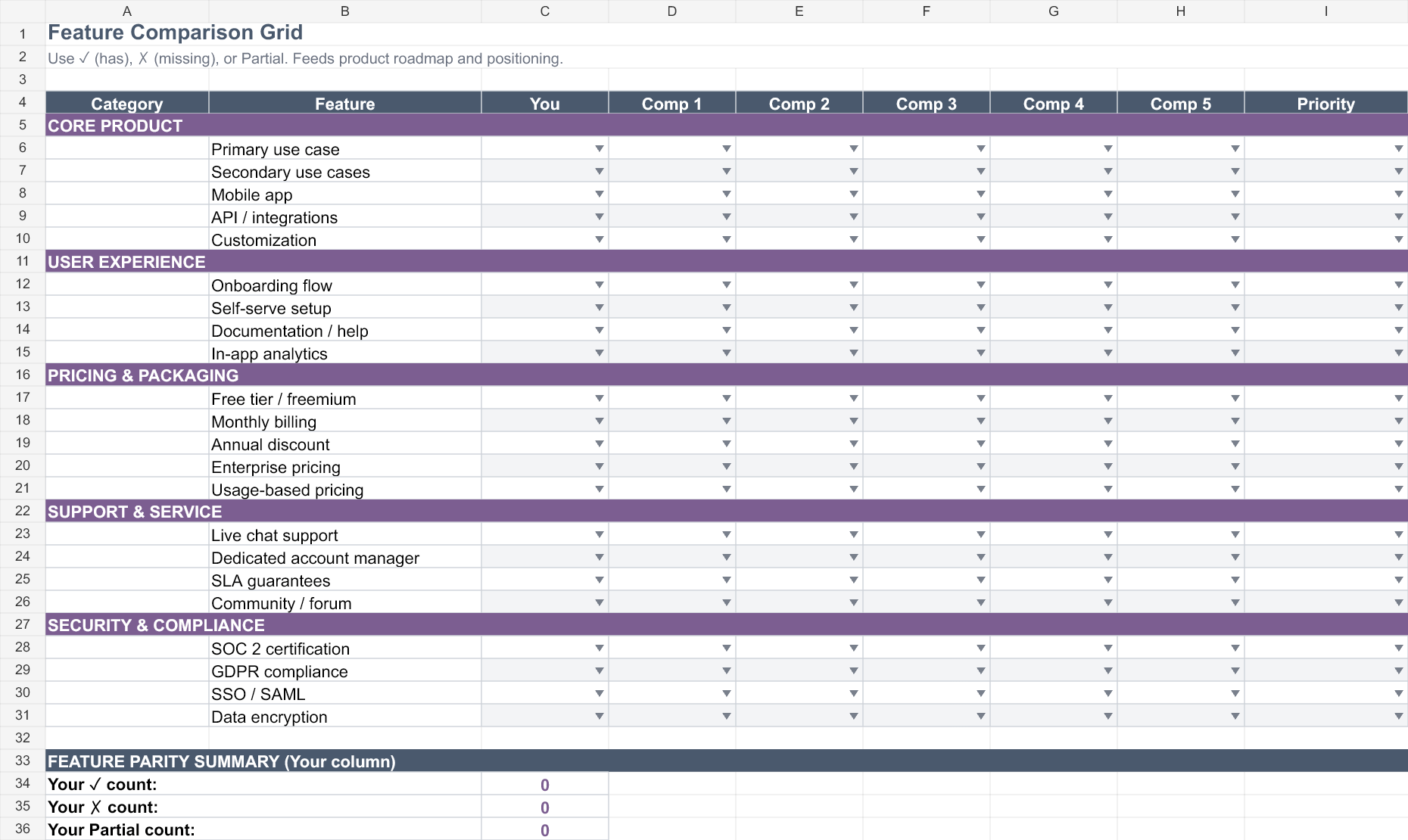
- Feature Comparison: compare product capabilities side by side.
- Example Matrix: see a completed scoring example.
- Example Summary: see how research becomes a concise strategic review.
- Win-Loss Analysis: record competitive outcomes and reasons.
- Summary: bring weighted scores and key findings into an executive dashboard.
How to use it
- List your company and the competitors that matter to your target customer.
- Set the six category weights to total 100%.
- Collect evidence, record sources and dates, and score each dimension from 1 to 5.
- Review the calculated totals. Use the Pro worksheets to investigate pricing, feature gaps and win/loss patterns.
- Choose your next actions and revisit the analysis as the market changes.
Use cases
Use the free competitor roster and weighted matrix for a first comparison. The Pro workbook adds the pricing, feature, gap, win/loss and summary sheets used in the more detailed scenarios below.
- Small business competitor analysis: compare your business with the alternatives customers actually consider. Score up to six companies, including your own, against six weighted criteria such as value, service or convenience, and keep a source and review date for each finding.
- Competitive landscape review: build a consistent view of direct and indirect competitors before entering a market or expanding into a new segment. Use the roster to define the comparison set and the matrix to see where each alternative is strong or weak.
- Product launch and go-to-market planning: research competing offers before choosing a launch position. In Pro, compare features and pricing, then use Gap Analysis to turn the differences into specific product, marketing or sales actions.
- Competitor pricing analysis: record prices alongside billing periods, plan limits and commercial terms in Pro’s Pricing Detail sheet. Compare like with like before changing your own price or packaging.
- Feature comparison and product roadmap: put competing product or service capabilities side by side in Pro’s Feature Comparison sheet. Record evidence for meaningful gaps, then prioritize the improvements that matter to your target customer.
- Market positioning and messaging: use the weighted scores and documented gaps to identify defensible points of difference. Summarize what your offer does well and which claims need stronger evidence before using them in a campaign or sales pitch.
- Sales win-loss analysis: log outcomes and stated buyer reasons in the Pro Win-Loss Analysis sheet. Look for recurring objections, feature gaps or pricing concerns that the scorecard alone might miss.
- Agency or quarterly competitive report: refresh sources, dates and scores as the market changes. Use the Pro Summary dashboard to present key findings and next actions to a client, founder or leadership team.
Who is it for?
Marketing teams, founders, product marketers, consultants and agencies preparing a positioning review, a product launch or a competitive strategy.
Format and download
Format: editable Microsoft Excel workbook (.xlsx). Pro price: $5, one-time purchase. Use Free Download to try the core matrix, or Add to Cart to purchase the complete workbook.
The worked example uses fictional companies and illustrative scores. The workbook is a research template; it does not collect live competitor data automatically.
Try it with a worked example
Compare three competitors for one buyer and one use case. Record the advertised price, what it includes, the source and observation date. Mark unavailable information as unknown so it cannot accidentally score like a confirmed weakness.
All you need to know about competitor analysis
Define the buying decision. Identify the customer and problem before deciding which competitors to compare.
Build the foundation
- Define the buying decision. Identify the customer and problem before deciding which competitors to compare.
- Include indirect alternatives. Record whether customers can solve the problem manually, internally or by switching category.
- Choose observable criteria. Turn broad terms such as support into checks a buyer can verify.
- Compare equivalent tiers. Match the buyer’s usage, number of seats and essential add-ons.
- Capture evidence and date. Link each relevant feature or price to a source you can revisit.
Put it into practice
- Agree weights before scoring. Weight criteria according to customer evidence and review the weights before seeing totals.
- Distinguish unknown from absent. Leave an uncertainty flag where a claim could not be verified.
- Evaluate total cost. Include onboarding, limits, contract length and operational work the buyer must do.
- Check whether rankings are robust. Change the most uncertain weights and see whether the conclusion flips.
- Translate evidence into action. Pick a gap, identify who values it and decide what you can validate or improve.
Frequently asked questions
How many competitors should I compare?
Start with a manageable set of direct and indirect options buyers actually consider.
How do I identify direct competitors?
Look for companies serving a similar buyer with a substitute offer for the same job.
What if a competitor hides prices?
Record pricing as unknown and compare public limits or request a quote through normal channels.
How do I compare annual and monthly prices?
Put both on the same horizon and note contract or cancellation terms.
Should I score my own product?
Yes. Use the same criteria and evidence standard for all offers.
Can reviews be a source?
Use them to identify themes and verify concrete claims through current evidence.
How do I avoid feature-count bias?
Weight outcomes customers value and score depth where a capability matters.
How often should I update a matrix?
Refresh before important decisions and after consequential price or positioning changes.
What is a competitive gap?
A relevant need that available alternatives serve poorly and the buyer cares enough to address.
What should I do if scores are close?
Inspect the high-weight criteria and test whether uncertain ratings change the ranking.
Olesia Bondar –
Nice to have a place for the gaps as well as the side-by-side comparison. The preview looks straightforward.
Rina Mehta –
The side-by-side comparison is the best bit.
Laras –
Thta’s a a good doc! thnx guys
Camila Neves –
Good starting point for a competitor review. I’d love to see one more worked example.
Mikko Pulkkinen –
The comparison grid looks practical. I wanted a fuller example showing what goes in the gap analysis after the research is done.