
How to Track Inventory in Excel: Stock, Reorders and Locations

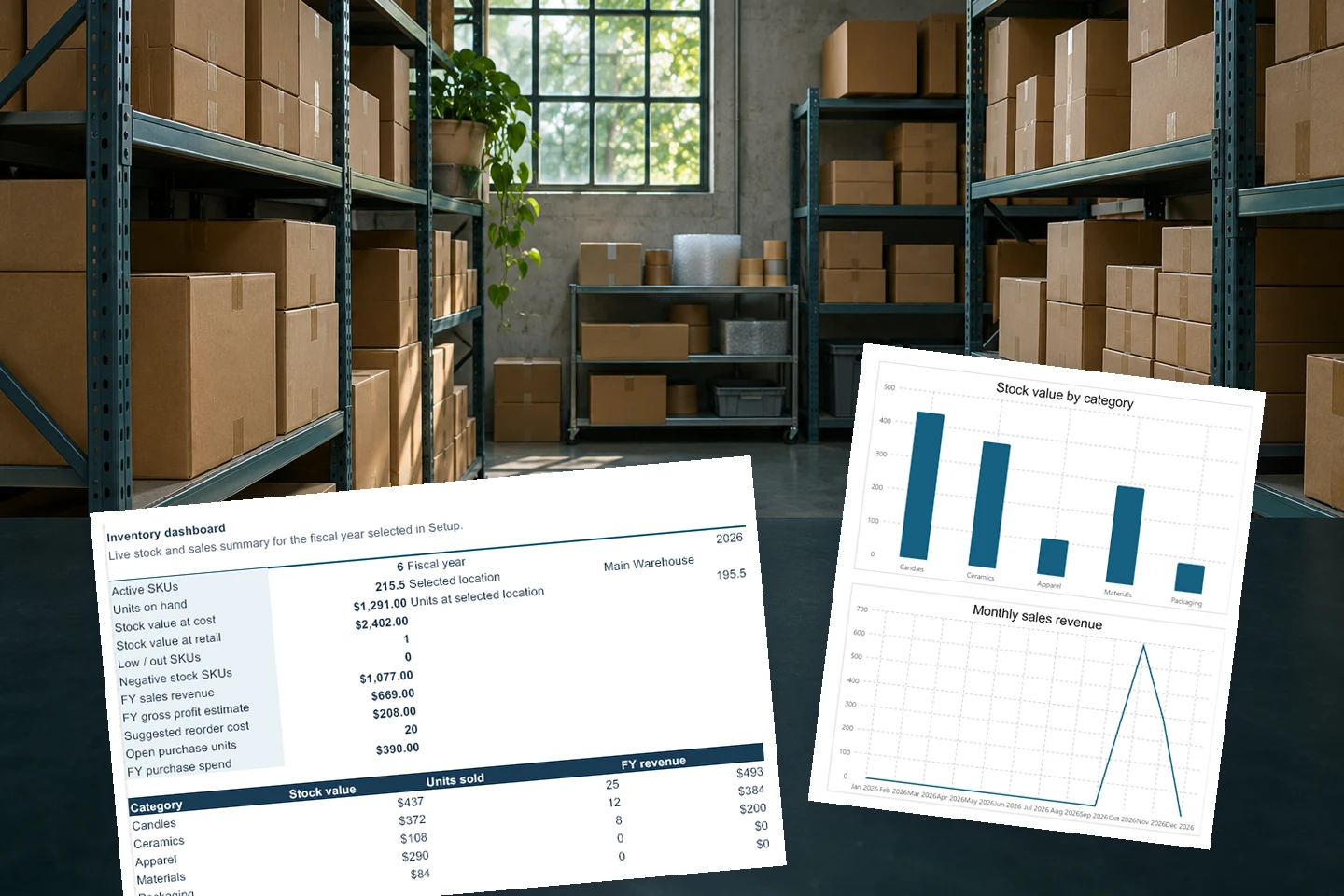
An inventory count is useful only when it answers two questions: what can you sell now, and what should you order before you run out? A small shop can start with a spreadsheet, provided every stock change is recorded consistently. This guide walks through that process with the All Templates Inventory Tracker.
Give every sellable variant its own SKU
A candle in two scents or a shirt in three sizes needs a separate SKU for each variant. Otherwise, a sale of one version can make the other look unavailable. Set up a product list with an item name, category, supplier, opening location, unit cost, sell price, reorder point and target stock. Use the same SKU in every purchase, sale and stock correction.
Square’s small-business inventory guide recommends a complete item list, consistent tracking, vendor lead times, receiving against orders and regular counts.

Separate an order from a physical movement
A purchase order for 40 units is not 40 units on the shelf. Record the ordered quantity, then enter the quantity actually received. The difference remains open. Apply the same rule to customer orders: an order reduces stock only when units ship. This prevents an open order from distorting what is available today.
| Event | Change to company stock | Where to enter it |
|---|---|---|
| Purchase placed | None until receipt | Purchases: ordered quantity |
| Purchase received | Increase by received units | Purchases: received quantity |
| Customer order placed | None until shipment | Sales: ordered quantity |
| Customer order shipped | Decrease by shipped units | Sales: shipped quantity |
| Count correction or damage | Increase or decrease | Adjustments: signed quantity |
| Transfer between locations | None overall; one location falls and another rises | Transfers: completed movement |
Keep a reference number and date on each row. When a physical count differs from the spreadsheet, investigate the difference and enter a documented adjustment instead of overwriting the calculated balance. Shopify’s inventory guidance explains why regular stocktaking and a record of changes matter.
Set reorder points before stock reaches zero
A reorder point tells you when to place an order. A target stock level is the amount you want after replenishment. In the workbook, a product at or below its reorder point appears in the filterable reorder view. Its suggested quantity is the target less stock on hand and units already on order, with a floor of zero.
| Input or result | Units |
|---|---|
| Target stock | 40 |
| On hand | 4 |
| Open purchase quantity | 10 |
| Suggested order: max(0, 40 − 4 − 10) | 26 |
Set each threshold using demand and supplier lead time. A starting formula is average daily unit sales multiplied by lead time, plus safety stock. Shopify explains the assumptions behind this formula. Review it when demand becomes seasonal or delivery times change.

Track production materials and location moves
If you make products, list each component and the quantity required for one finished unit in a bill of materials. One candle might need 0.25 kg of wax and one jar. A completed run of eight candles adds eight finished items and deducts two kilograms of wax and eight jars. Planned or cancelled runs should make no stock change.
A completed transfer reduces the source location and increases the destination by the same quantity. The company total stays the same. Use the location view to catch shortages at a shop or stall while stock remains at the warehouse.

Review the dashboard, then count the shelf
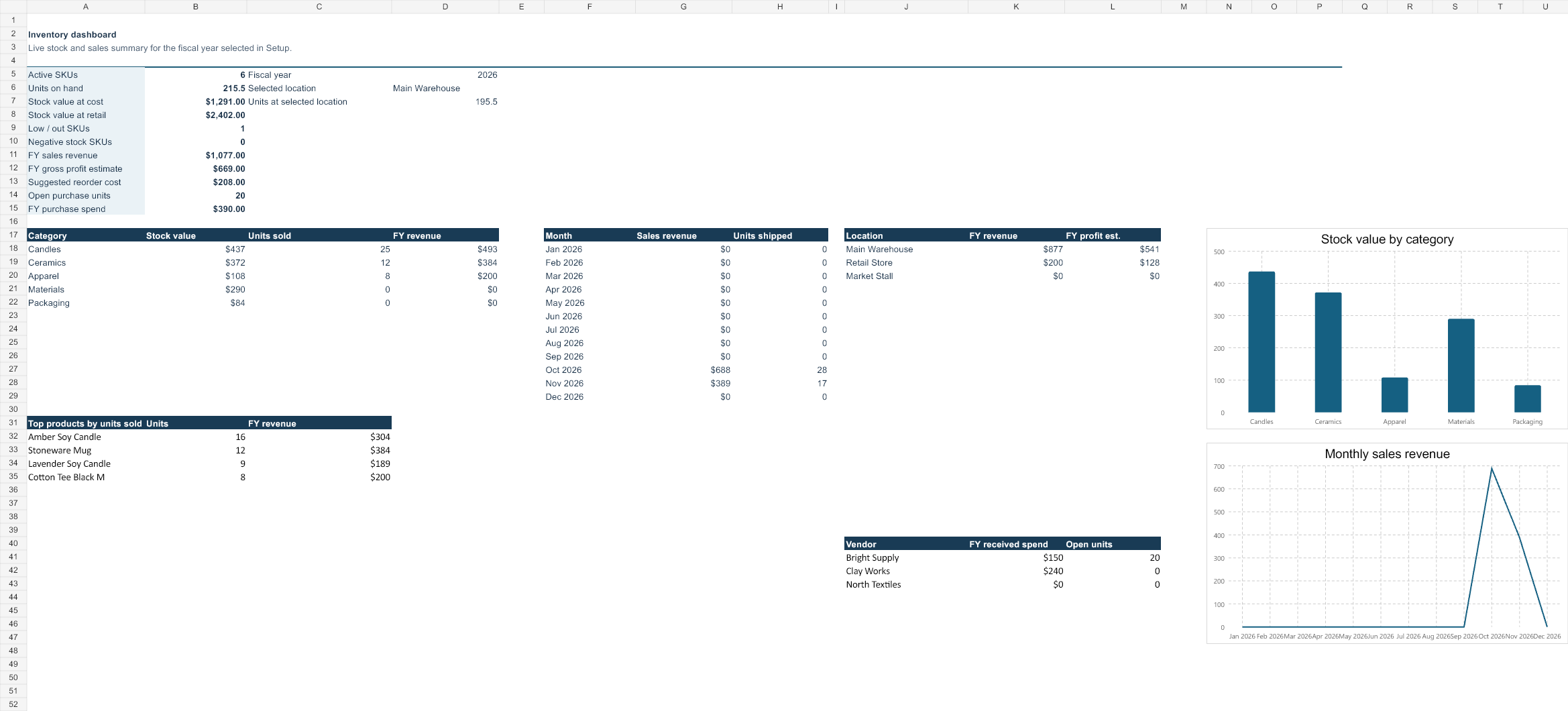
Each week, check low and out-of-stock items, stock value at cost, sales by month, category value and sales by location. Look for slow-moving items before ordering more. Then count selected shelves or high-value SKUs and record differences. Square recommends pairing full inventory counts with smaller, more frequent cycle counts.
Stock value multiplies on-hand units by the current unit cost entered for each SKU. Gross profit is also an estimate using that current cost. The workbook does not calculate historical FIFO, weighted-average cost or accounting COGS. Intuit’s inventory accounting guide explains how a dedicated accounting system treats inventory assets and cost of goods sold.
Work through a reorder before you buy
Start with an estimate of demand while the supplier replenishes you, then add a buffer for variation. If you normally ship 4 units a day and a supplier takes 7 days from order to usable stock, you expect to sell 28 before the next delivery. Add 8 units of safety stock and start with a reorder point of 36. Use the same time units for demand and lead time. Review the buffer after promotions, supplier delays or changes in demand. Oracle’s reorder point guide explains the underlying method.
Suppose the shelf has 30 units, your target is 60 and a purchase order for 20 is open. If the 20 arrive as promised, 10 more units bring the combined quantity to 60 before further sales. But at 4 units per day, 30 on hand cover only about 7.5 days. If the purchase arrives in 10 days, you could run short before it lands. Check the delivery date and consider expediting or transferring stock before placing a duplicate order. In the Pro workbook, use Delivery Schedule alongside Reorder to make that distinction.
Use actual receipt dates to check lead times. If you only use the supplier’s quoted turnaround, a recurring delay stays invisible. Likewise, a week with zero shipments can mean you were out of stock rather than that demand disappeared. Mark those weeks when choosing a daily rate.
Use four exceptions to decide what to do next
| What you see | Check first | What to do |
|---|---|---|
| Negative on hand | Missing receipt, wrong location, duplicate shipment or inconsistent units | Reconcile the transaction trail before entering a correction. |
| Stock low at one location | Surplus at another site and time to transfer | Move stock if the source can spare it and the transfer beats the supplier. |
| High stock value and few shipments | Units sold, seasonality and whether inbound orders can still be changed | Review the next purchase and document when to check the item again. |
| Open purchase due after likely stockout | Confirmed arrival, partial receipts and customer commitments | Ask for a split delivery, transfer stock, or update the promised ship date. |
Count the items where a mistake would be expensive or disrupt orders. Use a count cutoff so you can reconcile a shipment made just before or after the count. If Excel shows 42 and you count 39 at the same location and time, recount and check unposted movements first. If the difference remains, record an adjustment of −3 with a date, location and reason. Track repeat discrepancies by SKU and location. The pattern may point to a receiving or picking error that adjustments alone will keep masking.
Give each stock number a clear meaning
On hand means physically present. Inbound units are still expected. If you have 18 on hand and 7 already promised to customers, only 11 are uncommitted. Keep a separate commitments check when taking new orders, since stock in the workbook moves when units ship. If you sell multipacks, choose a base unit and convert consistently. Receiving two cases of 12 as two individual units leaves the tracker short by 22.
Close the weekly review with a short action list: SKU, decision, owner and date. A low-stock alert is a prompt to investigate. Record whether someone will order, expedite, transfer or recount, and check the outcome at the next review.
Use the Inventory Tracker template
Download the free Inventory Tracker to test the item list, receipts, sales, adjustments, reorder view and dashboard. Pro adds 1,000 SKU rows, 20 locations, production with BOM, transfers and vendor details.
Enter transactions manually or paste them into input columns. Keep a dated backup before changing historic orders or replacing sample data. A spreadsheet is only as current as the entries you maintain.
Cool artivle but very short
The distinction between placing a purchase order and moving stock is the part that clicked for me. I’d probably put those definitions right above the columns so everyone entering receipts uses the same rule.