
How to Run a Business Model Canvas Workshop in Google Slides

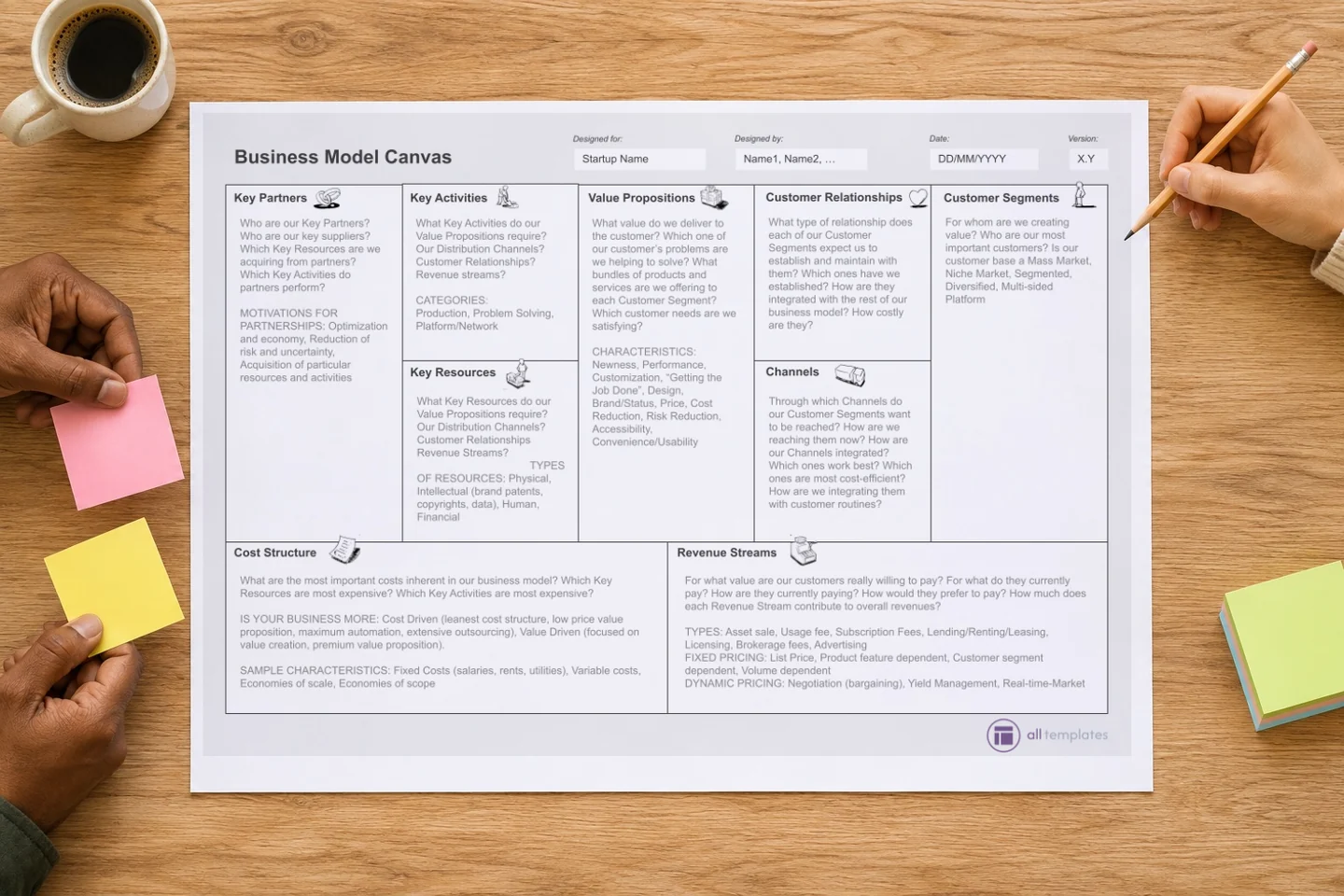
A Business Model Canvas workshop helps a team agree how a particular offer creates value for a particular customer and how the business can deliver it. Google Slides gives everyone a shared page for discussion and a dated copy to revisit. Use the meeting to make assumptions visible and choose what evidence the team will collect next.
Set one decision for the workshop
Choose one offer, one customer segment and one decision the team needs to make in the coming weeks. For example: “Can an office meal-prep subscription work for people who commute three days a week?” That question is easier to test than “How do we grow food sales?” Add the decision, workshop date and source or file owner to the working copy. If two teams are discussing different customers, make a separate slide for each business model.
Ask each participant to bring one piece of evidence about customers, acquisition, delivery or cost. It might be a customer interview, an actual delivery schedule, a service price or a supplier quote. Identify which observations relate to the selected segment. The facilitator needs someone who knows the customer, someone who knows how the offer is delivered and someone who understands cost and revenue. One person can fill several roles in a small team.
Fill the nine blocks in an order that supports a discussion
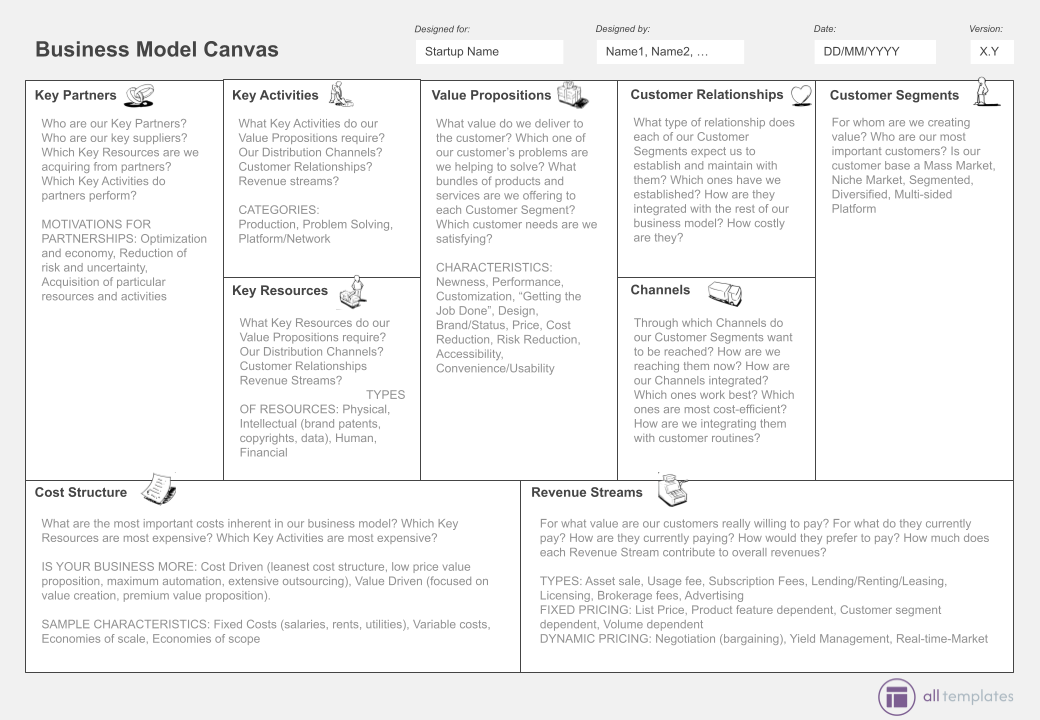
Start with customer segments and value propositions. Write who the customer is, what progress they want to make and why they would choose this offer. Choose the channels the customer uses to discover, buy and receive the offer. Define customer relationships, including the help or ongoing contact they need. Sketch revenue streams with a price, payment unit and timing you can test.
Then use key activities, key resources and key partners to describe what makes delivery possible. End with the cost structure and link it to the price and operations assumptions. Invite the operations and finance participants to check whether the revenue side fits the capacity and cost side. See Strategyzer’s original Business Model Canvas for the framework and nine blocks.
Run the session in 60 minutes
| Time | Activity | Output |
|---|---|---|
| 0–5 min | State the decision, audience and evidence rules | One scope statement |
| 5–20 min | Draft customer segment, offer, channels and relationship | Initial customer assumptions |
| 20–35 min | Estimate revenue, operations, partners and costs | First economics and delivery picture |
| 35–48 min | Challenge contradictions and label uncertain assumptions | Short list of high-risk questions |
| 48–60 min | Choose tests, owners and dates | Three decision-ready actions |
Before the meeting, create a working copy. Use the same visual convention across the slide, such as a small E for evidence and A for an assumption. Write one thought per note and use a short reference to the underlying evidence. Give participants a minute to write individually before discussion so everyone has a starting point. Put comments on the specific block being discussed. Move larger debates to a separate notes slide and return to the question you need to decide.
When people disagree, record the competing claims and ask what evidence would change the commitment. “Customers want flexibility” could mean a choice of delivery day, the option to cancel or shorter order lead time. A better note identifies behavior the team can observe, such as whether commuters choose a fixed pickup time when a real alternative is available. Mark the claim as untested until you have that evidence.
Worked example for a commuter meal subscription
Assume a small meal-prep company serves a cluster of nearby offices. It is considering a prepaid pickup subscription for commuters. The team writes an early hypothesis for each area and labels the claims it needs to verify. Numbers are illustrative only.
| Canvas block | Initial hypothesis |
|---|---|
| Customer segments | People working in the office at least three days per week within walking distance. |
| Value propositions | Reserve a lunch in advance and pick it up at a predictable time. |
| Channels | Office newsletters and a pickup sign with a tracked preorder link. |
| Customer relationships | Self-service selection and reminders, with help for missed pickups. |
| Revenue streams | $36 prepaid for three meals per week. |
| Key resources | Kitchen time, pickup refrigeration, ordering page and in-person access. |
| Key activities | Plan, prep, pack, batch deliveries and manage changes. |
| Key partners | Office managers who approve access and a food packaging supplier. |
| Cost structure | $7 variable cost per meal plus a $120 weekly pickup staffing cost. |
At $36 for three meals and a variable cost of $21 per subscriber, the weekly contribution per subscriber is $15 before other costs. Eight subscribers contribute $120, enough to cover only the pickup staffing figure in this simplified view. The team still needs to know whether both the demand and cost assumptions hold and which costs are missing. It records kitchen overhead, spoilage and missed-pickup handling as assumptions to validate before expanding.
Turn the canvas into three tests with decision rules
- Demand. Offer a limited pilot to eligible office workers at the stated price. Decide in advance how many accepted reservations are needed to run it and what happens if demand is lower. Track how many eligible people saw the offer and how they heard about it.
- Delivery. Run a short pickup trial during a real lunch period. Measure handoff time, late pickups and staff time. Ask staff and customers to record where the process slows down. Confirm the maximum number of orders you can serve in that window.
- Economics. Count ingredients, packaging, waste and paid staffing for the trial. Compare the actual variable cost and time with the assumptions. Include fixed costs that would recur at the proposed scale and agree which price or operating change is needed before expanding.
Write each test as hypothesis, method, measure and decision threshold. Name an owner, date and evidence location. Use the Strategyzer Test Card as a reference. When the evidence arrives, add it to a new dated slide and show which assumption changed, what the team now believes and which next decision it affects. Preserve the first version so changes can be traced.
Review conflicting assumptions before you leave the room
Walk across the slide from the customer segment to the cost structure. If the customer needs same-day cancellation and operations depends on a fixed prep schedule, mark that conflict in both blocks and decide what to test. If office newsletters look like the cheapest channel, verify who actually approves the distribution, how frequently messages can appear and whether the offer can be counted independently of other channels. Add a partner assumption when access depends on a third party. Those dependencies are easier to address before work is assigned.
Ask the team to write a success case and a failure case in plain language. For example, “We can staff one pickup window and the subscription supports it if enough commuters renew at the tested price.” The failure case might be “Initial orders are high, but too many pickups are missed and the employer cannot offer a better window.” Put the earliest evidence that would distinguish those cases into the first test. A good decision slide lets a reader who missed the workshop see why you chose it.
Use Google Slides to capture the decision and keep the original usable
Use one slide per coherent model. Keep separate slides for supporting evidence, tests and decisions. Before the workshop, confirm which participants can edit the working copy and which should comment or review. Test the file on the device used for the workshop. Avoid overfilling each block. If a participant needs more than one line for a note, keep a short label on the canvas and add the details to the evidence slide. Save a dated snapshot after the meeting.
In the Free edition of the All Templates Canvas, the nine-block layout is a single image. Use it to preview or present the structure and discuss what evidence is needed. Use the Pro Google Slides copy when participants need to edit the separate blocks during a workshop. If running separate sessions, duplicate the editable slide before each session so every group starts from a known version. Check that links and comments needed for the handover are accessible to the intended readers.
Is one canvas enough when serving multiple customer groups?
Use separate canvases when customer needs, acquisition channels, delivery or economics differ substantially. Label the assumptions each model shares. Compare the risks and contribution of each model before trying to combine them in one slide.
What if we cannot answer a block during the session?
Mark it as a hypothesis or an open question. Write what evidence would answer it and who can collect that evidence. A blank block with a clear owner and test can be more useful than a crowded block of unsupported claims.
Open the Business Model Canvas for Google Slides, choose one segment and book a review date before the workshop ends. Bring back the test results, revise the specific blocks they affect and decide what to test next.