
How to Do Small Business Bookkeeping in Google Sheets

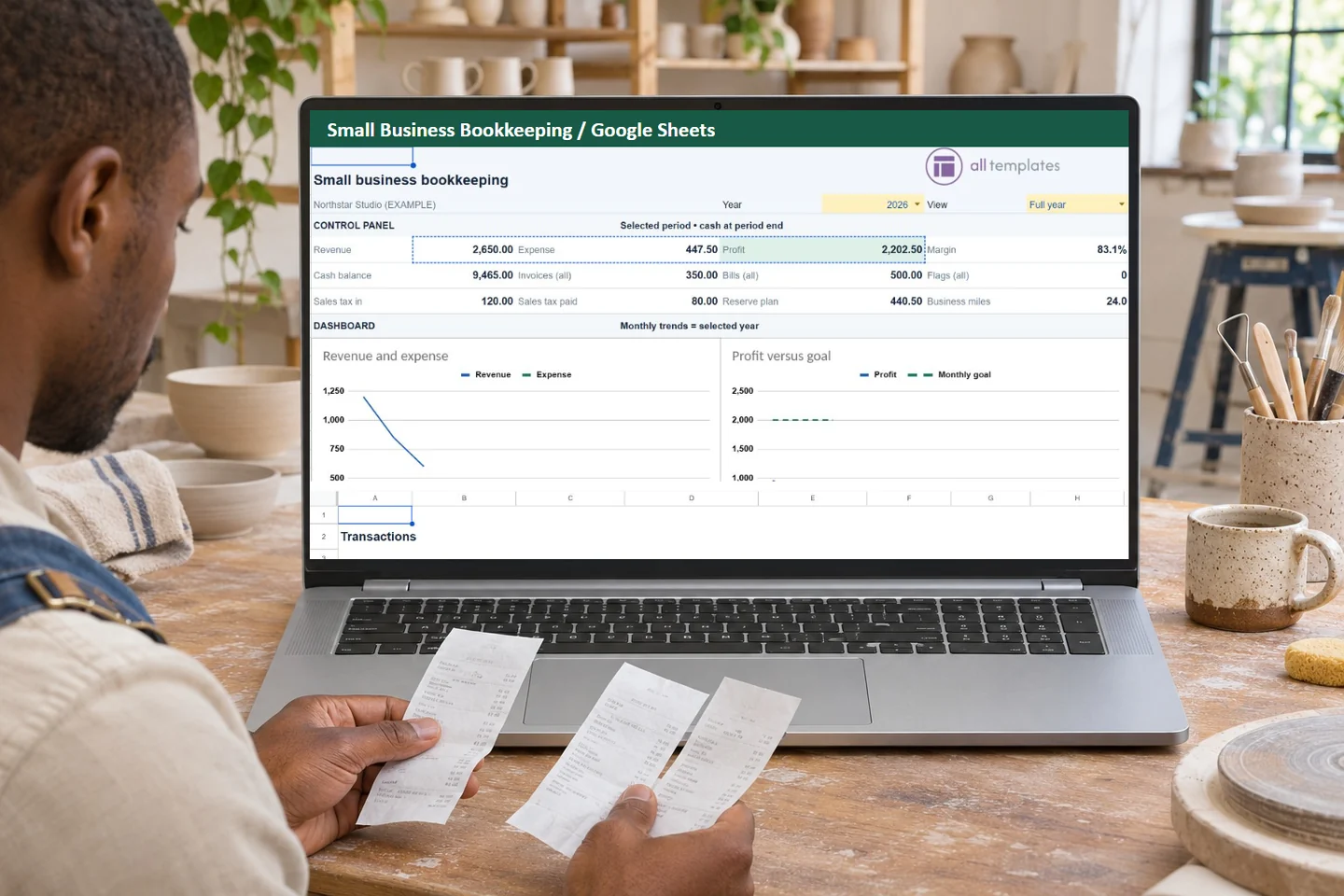
Use Google Sheets for small-business bookkeeping when you want one shared view of money received, money paid and open invoices. Start with a transaction log and an agreed opening balance. Give each receipt and payment a source reference. A short weekly review and a monthly bank check make the numbers useful long after the first copy of the spreadsheet is set up.
Decide what the spreadsheet needs to explain
Write down the decisions the owner makes from the sheet. Common examples are whether a customer still owes money, whether a bank deposit has been recorded, and which expense categories changed this month. Choose a clear period, currency and set of cash accounts. Use one name for each account. Business and personal movements should be distinguishable in the source records and in the owner’s report.
Decide who enters payments and who reviews exceptions. Pick a fixed opening date and enter the balances you can verify from your source records at that cutoff. If the ledger uses opening balances as of the start of the first period, import only subsequent movements according to that convention. If an opening balance already includes a transaction, importing that transaction again overstates or understates cash. Test one account manually after setup.
Build one transaction log with decisions in mind
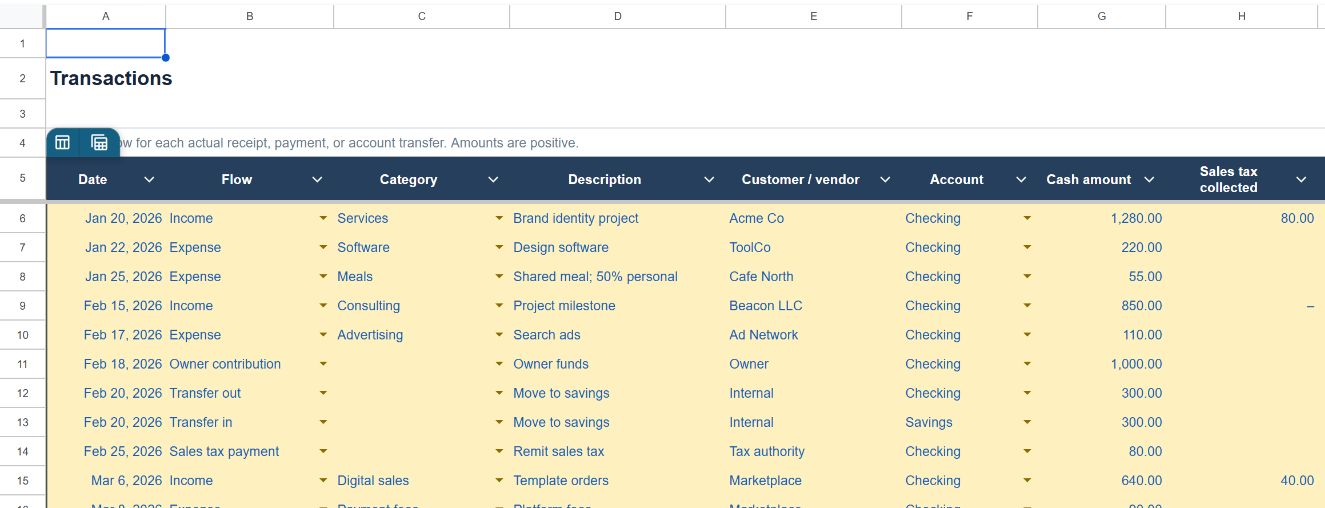
Use one row for each applicable cash movement. Include transaction or clearing date, source reference, account, counterparty, type, category, amount and any invoice or bill reference. Keep one convention for signs. For example, amounts can be positive with a separate inflow or outflow field. If the report uses signed numbers, document the rule and verify it with a payment, a receipt and a refund. Keep source evidence in an approved location and record a link or reference that the reviewer can access.
Keep categories small enough that two people would classify the same entry consistently. Start with the accounts and categories your business already uses. Use a dropdown for regular values, then create a review flag for new or ambiguous transactions. A transfer between your own accounts affects each account balance. Give both sides a reference and keep the movement out of operating revenue and expense totals according to your reporting method.
Keep invoice balances and settled cash apart
An invoice can be issued in March and paid in April. Keep the invoice reference, customer, amount and due date in the invoice register. Put the payment in the transaction log on the appropriate date for the cash view and link it to the invoice. If a customer pays in stages, record each payment once. The amount still open equals billed amount less amounts applied and any approved credits, with the same cutoff across the records.
For a service owner, this allows a month’s check to answer two separate questions. The cash view shows what actually cleared in that period. The open invoice view shows what is still due and helps the owner decide whom to contact. If an invoice is also counted in the paid-cash view on its issue date, a later collection may enter revenue twice. Confirm the management view and the accounting method with your bookkeeper or accounting workflow.
Worked example with a partial payment and a processor fee
Assume a studio starts the week with $2,500 in checking and has billed one customer $1,200. The buyer pays $800. A separate online sale of $420 is settled by a processor that charges $12. The studio also pays $310 for supplies. This illustration focuses on movements in one bank account. Record any clearing-account splits according to the workflow your bookkeeper uses.
| Cleared movement | Cash effect | Evidence and treatment |
|---|---|---|
| Customer payment on INV-042 | +$800 | Apply to $1,200 invoice. Remaining invoice balance $400. |
| Online payout | +$408 | Match $420 sale less $12 processor fee to the $408 payout. |
| Supplies | −$310 | Match the $310 supplier payment to its receipt. |
| Closing cash | $3,398 | Opening $2,500 plus $800 plus $408 less $310. |
Verify the $3,398 total against the bank through the same cutoff. Review the $400 open amount outside the cash total. For an operating report, make sure the $420 sale and $12 fee can be explained from the payout report without counting the $408 deposit a second time. If the processor held the deposit until the next week, the first week’s closing bank cash would be $2,990. Maintain that timing difference until the deposit appears.
Set up the shared Google Sheets workflow
- Make a working copy. Name it by business and period, and decide who owns it. Confirm you are editing your own working file.
- Designate entry areas. Show people the fields they should touch and the columns that contain formulas or summaries. Use a sample transaction to test the procedure.
- Agree roles. Limit editing to people who need it. Give other participants the level of access their task requires. Do not use a publicly accessible sheet to store real financial or customer data.
- Use individual filter views. Look at one account or owner without disrupting another user’s working view. See Google’s documentation on sorting and filter views.
- Protect formulas where appropriate. Select the report ranges that should be protected from accidental edits. Protected ranges manage editing. Treat sharing and permissions as the mechanism for deciding who gets access to the file. See Google’s guide to protected Sheets ranges.
Write a two-line handover rule beside the entry sheet. For instance: “Enter cleared movements by Thursday and attach the source reference. Flag any transaction whose category or related invoice is uncertain. The reviewer clears the flags and reconciles checking on Friday.” Keep review decisions and any corrections beside the affected records. If two people enter data, check for duplicate source references at the review.
Build a small weekly control that catches errors early
Filter the working log to last week and your main bank account. Compare the number of cleared movements with the statement. Select one customer payment and verify that both the cash total and open invoice balance changed by the applied amount. Look at duplicate references and transactions with no source document. Put one date and named person beside each uncertain item, then assign specific questions to the customer owner, supplier contact or bookkeeper.
Do a quick test any time you add a category or change a report range. On a copy, enter a small payment into the next unused row and check that both the month and account views include it. Change the period and confirm that the entry appears only in its own month. Enter a transfer between two owned accounts and confirm that both account balances move while the total operating result stays constant under your setup. Record what you checked near the handoff instructions so the next reviewer can repeat it in the next review cycle.
Close each month with a repeatable check
Export or save the month’s bank statements and compare closing balances on the same date. Investigate missing fees, pending receipts, duplicate imports and transfers. Keep actual corrections and timing items in separate lists. Check that open invoice and bill totals reflect the applied entries through the cutoff. Compare total income and expenses against the prior period only after checking the same scope and categories. Ask a reviewer to explain one unusual movement from the source through to the dashboard.
Save a dated review summary and the reports used to check it. If someone changes a past transaction later, keep a short correction record so the owner can explain why the report moved. Schedule another review for unsettled items after the next statement. The IRS small-business recordkeeping guide gives examples of the link between transactions and supporting documentation in the United States.
Should I start a new Google Sheet every month?
Keep one clearly defined history when the workbook supports it. Select the month you need and compare ending cash with the next period opening. Save dated reporting evidence where your process requires it. If the business changes tools or opens a new file, reconcile the opening and closing balances together.
What can I do with the manual edition?
Use it to practice entering transactions and keeping invoice and bank references. Calculate and review the totals in your workflow. The Pro edition provides linked monthly reporting and a dashboard. Try the same example in the version you use and confirm that a partial payment and bank charge appear where you expect.
Can the same file replace my accounting system?
Use the spreadsheet for the scope it supports. If the business needs multi-currency ledgers, payroll processing, formal double-entry reporting or specialised tax workflows, agree how the spreadsheet will feed the source system. Keep the reference that lets the reviewer recreate that handoff.
Open the Small Business Bookkeeping Google Sheets template. Start with one verified account, enter a receipt and a payment, check the balance and confirm that the person responsible for the next review can find the evidence.