



Description
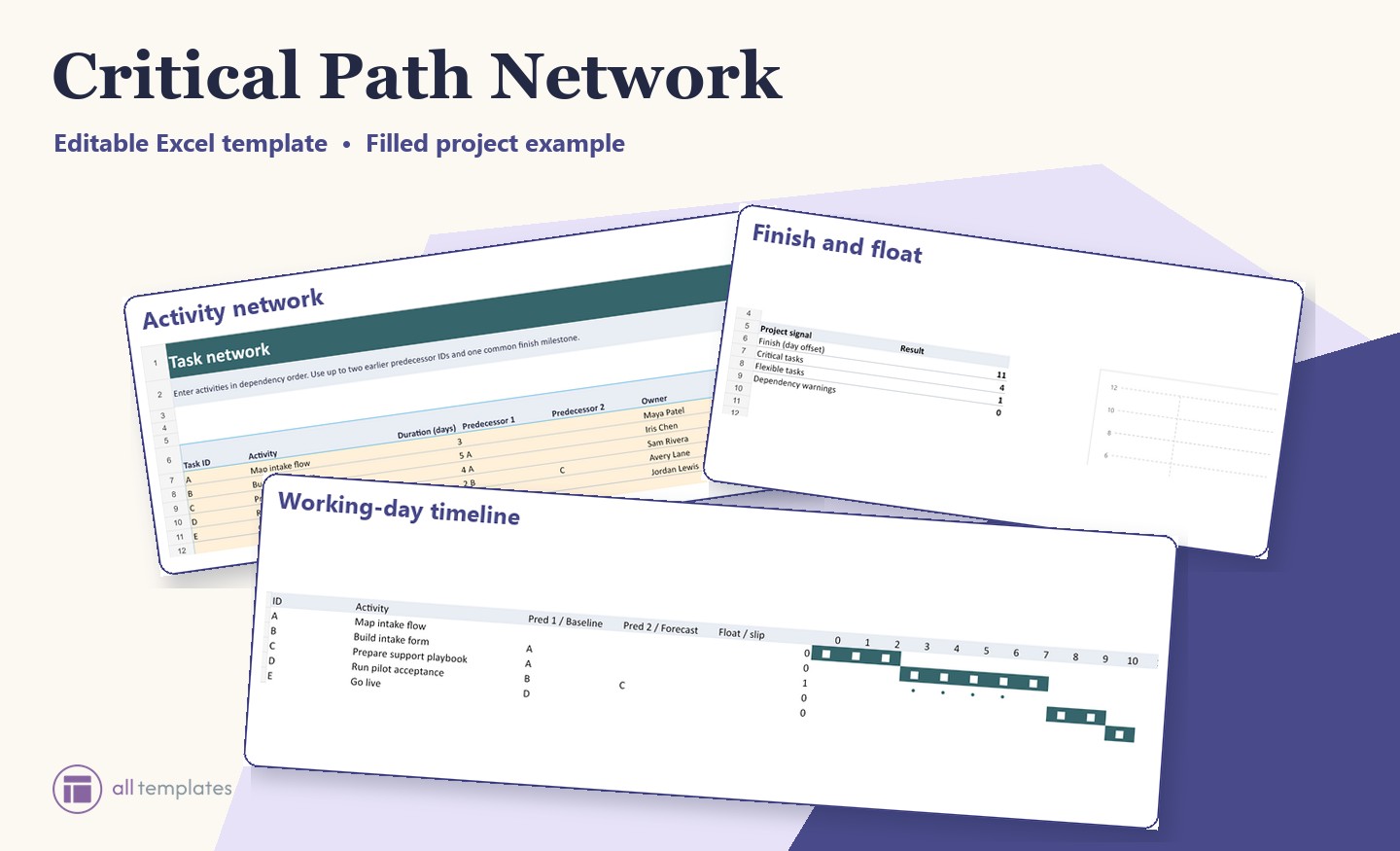
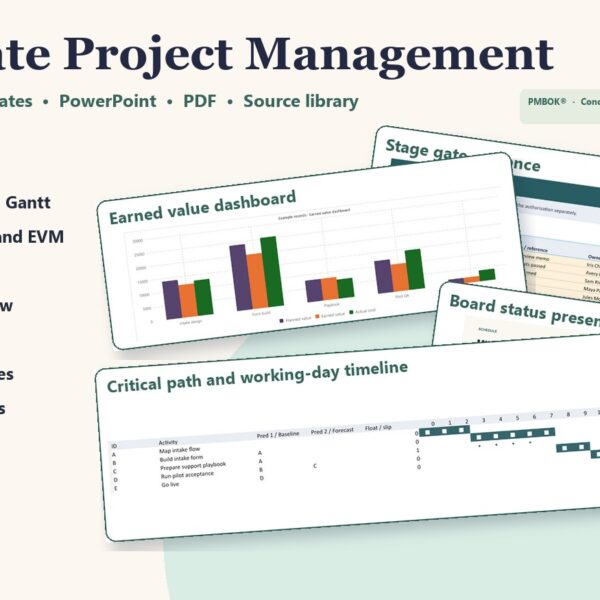
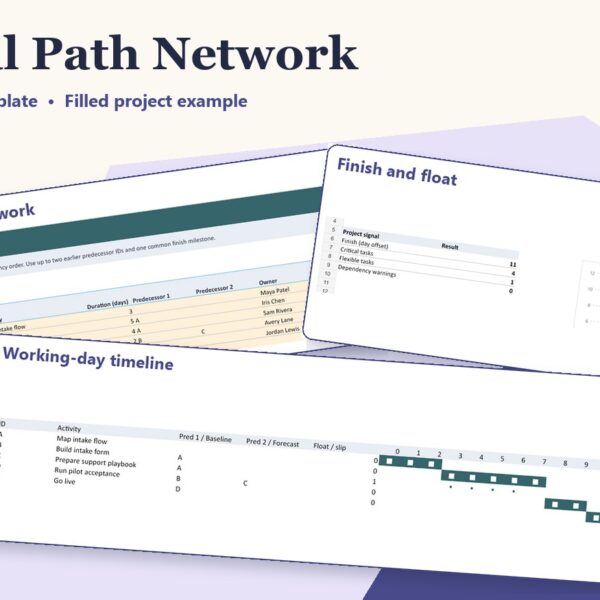
Identify the activities that govern the finish date and see where the schedule has room to absorb delay. Enter the dependency network once, then follow early dates, total float and the linked timeline.
- Calculate early start, early finish, late start and total float from task durations and predecessor IDs.
- Flag zero-float activities and surface invalid dependency inputs.
- Review the dependency IDs and day-by-day timeline from the same task data.
- Use the filled example to test when a parallel branch becomes critical.
Includes one editable Excel workbook (.xlsx) with a filled fictional example and a built-in guide. The model uses zero-lag finish-to-start logic. The linked timeline shows 16 working-day offsets and up to the first 40 rows. The calculation register covers 120 prepared rows.

Compare Free and Pro
| Feature | Free manual starter | Pro Excel workbook |
|---|---|---|
| Example data | Five sample records on one sheet | The example plus prepared working rows and supporting sheets |
| Calculations | Enter and review numbers manually | Early and late dates, total float and path status |
| Review and follow-up | Use the starter table as a reference | Critical path summary and Calendar assumptions |
| Instructions | Short notes inside the starter | Dedicated How to use sheet |
Download the free manual starter
How to use
- Enter each activity once, in dependency order, using unique IDs and working-day durations.
- Enter up to two earlier predecessor IDs for each activity and connect terminal branches to a common finish.
- Resolve input checks, then review the finish and zero-float activities.
- Change a duration and see how the finish and the critical branch respond.
Use cases
- A delivery lead deciding which late activities need escalation.
- A PM reviewing whether an accelerated branch can bring a launch forward.
- A small team building a dependency-aware schedule before committing a date.
Related Products
All you need to know about critical path and total float
- Give activities permanent IDs
Use an ID that stays with the activity while you filter or revise labels. Recheck calculation order after inserting rows. A moved predecessor can invalidate a register that requires topological order.
- Represent physical and decision dependencies
Ask which output or approval the successor genuinely needs. Include acceptance and security sign-off where required because decision wait time can govern a finish.
- Connect all governed work to the finish
Review the network for a required terminal branch that has no link to the common finish. Its delay should affect the finish if the project depends on its outcome.
- Validate input units and calendars
Use one shared interpretation of working days. If a supplier works a different calendar, model that explicitly before treating the result as a contractual commitment.
- Reconcile one forward calculation
Pick a merge activity and trace every predecessor. Use the longest early arrival to determine its start. Expect the latest predecessor to matter when upstream estimates change.
- Reconcile one backward calculation
Pick an activity with several successors and check the earliest allowable successor start. This identifies constraint mistakes before anyone commits to using reported float.
- Watch near-critical branches
Review low-float activities alongside the zero-float path. A small change can shift the controlling branch. Assign an owner to monitor any known source of uncertainty.
- Avoid treating float as a personal reserve
Several activities in a sequence can draw on the same margin. Check the effect on other packages before committing float to a team or changing promised dates.
- Check resource feasibility after logic
The network can assume simultaneous work by the same limited team. Apply capacity constraints and recalculate the full schedule before promising a date based on an unconstrained pass.
- Explain the changed forecast
Report the current finish, prior baseline, activities governing the difference and a proposed response. Preserve the dependency evidence needed to reproduce the schedule.
Worked example
Which branch governs the Harbor pilot’s planned finish, and what happens if preparing the playbook takes seven days?
| Task | Duration | Predecessor | Early start–finish | Late start–finish | Total float |
|---|---|---|---|---|---|
| A · Map | 3 | — | 0–3 | 0–3 | 0 |
| B · Form | 5 | A | 3–8 | 3–8 | 0 |
| C · Playbook | 4 | A | 3–7 | 4–8 | 1 |
| D · Acceptance | 2 | B and C | 8–10 | 8–10 | 0 |
| E · Launch | 1 | D | 10–11 | 10–11 | 0 |
The initial critical path is A–B–D–E and the finish is day 11. If C’s duration changes to seven days, it finishes at day 10. D now starts at day 10 and E finishes at day 13. The critical path becomes A–C–D–E and the current B branch has two days of total float.
Ask the support lead what drove the new estimate. With a real dependency, changing a date manually on the chart does not recover time. Instead, agree a feasible action such as approving early access to training materials, then enter the revised duration or relationship and recheck the path. Keep the approved baseline intact when presenting the change in forecast.
Frequently asked questions
Can a project have more than one critical path?
Yes. Equal-length branches can both govern the project finish. Check all zero-float branches under the model’s assumptions and avoid treating one highlighted chain as the only driver.
How is free float different from total float?
Free float is the delay possible without delaying the early start of an immediate successor. Total float addresses the project finish or imposed constraint. A task may have total float while delaying its next task immediately.
Can the critical path change after progress updates?
Yes. Update remaining durations and current logic using the common status date. A slip or duration reduction can change the longest remaining branch. Review a new path before choosing recovery actions.
What is negative float?
A schedule can show negative float if an imposed date is earlier than the feasible calculated date. The amount expresses a forecast shortfall. The basic example starts the backward pass at its calculated finish and does not impose a separate target date.
Can a task have multiple predecessors?
Yes. A successor often waits for several outputs. In the finish-to-start example it starts after the latest one finishes. The workbook supports two inputs per row, so use a justified join activity or a scheduling tool if more are needed.
Does a Gantt chart show the critical path automatically?
A chart displays timing, and some charts highlight critical activities when a valid network exists behind them. Verify the dependencies, calculated float and finish before relying on a visual line of highlighted bars.
Why do dependency cycles matter?
In a cycle, an activity eventually depends on its own finish. A forward and backward pass requires dependency order without cycles. Correct the schedule logic and verify that every referenced ID resolves.
Is every critical activity long or expensive?
No. A one-day approval may sit on the controlling chain. Classify project risk separately from critical-path status because low-float activities can also carry serious cost, quality or compliance exposure.
How should I model work calendars?
State whether duration means working time or elapsed time and account for weekends, holidays or shift patterns. When resources use different calendars, verify start and finish dates using a model with those calendars.
Does faster work always shorten the schedule?
Only if the change improves the common finish. Shortening a task on a branch with available float may leave the finish unchanged. When two critical paths coexist, both may need improvement.
Further reading
- Use the schedule guide for practical checks of logic, critical path and reasonable total float. GAO Schedule Assessment Guide.
- Use PMI guidance for the project planning and governance context. PMBOK® Guide.
.
Reviews
Clear filtersThere are no reviews yet.