


Description
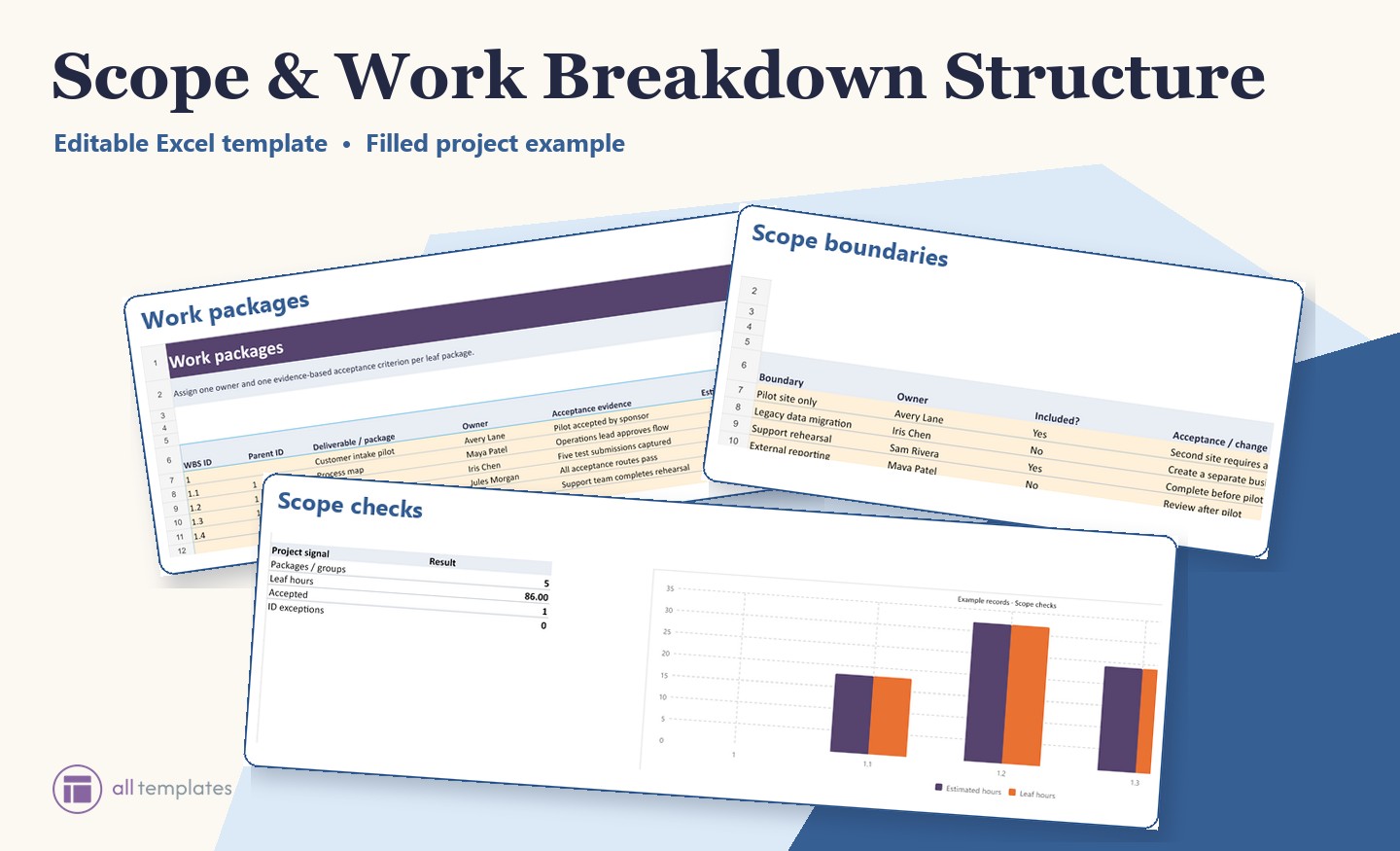
Turn an approved scope into a deliverable hierarchy the team can estimate, own and accept. Use stable WBS IDs to connect each work package to its parent and specify the evidence required for acceptance.
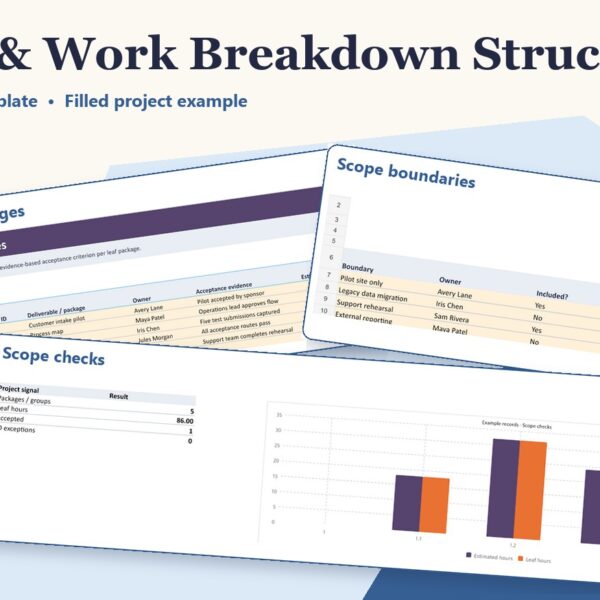
- Record deliverables, parent IDs, owners, acceptance evidence, estimated hours and status.
- Flag duplicate IDs, missing parents and self-parenting.
- Roll up leaf-package hours while excluding parent summary rows from the estimate.
- Document inclusions, exclusions and change rules on Scope boundaries.
Includes one editable Excel workbook (.xlsx) with a filled fictional example and a built-in guide. The workbook checks basic parent-ID problems. Review multi-level circular relationships and completeness with the team.
Compare Free and Pro
| Feature | Free manual starter | Pro Excel workbook |
|---|---|---|
| Example data | Five sample records on one sheet | The example plus prepared working rows and supporting sheets |
| Calculations | Enter and review numbers manually | Leaf hours, Parent / ID check |
| Review and follow-up | Use the starter table as a reference | Scope checks and Scope boundaries |
| Instructions | Short notes inside the starter | Dedicated How to use sheet |
Download the free manual starter
How to use
- Enter the root deliverable on Work packages and add child IDs for its components.
- Assign one owner and specific acceptance evidence to each leaf package. Estimate the leaf hours.
- Resolve the ID checks and review Scope checks before using the total in your plan.
- Use Scope boundaries to record exclusions and which proposals require approval.
Use cases
- A project manager decomposing the scope of a pilot into accountable packages.
- A client team translating a high-level statement of work into reviewable deliverables.
- A delivery lead reconciling estimates without counting parent totals twice.
Related Products
All you need to know about work breakdown structures
- Use one root for the approved project
Begin with one recognizable outcome. State whether the root covers the complete initiative or a formally authorized stage. This prevents teams from summing scopes from different decision records.
- Decompose by results or deliverables
Name the thing a stakeholder can inspect. Attach activities to the package in the schedule. This keeps scope stable when the team changes its delivery method.
- Document consequential exclusions
Examples can include rollout sites, reporting integrations or post-launch support periods. Include a named decision authority so additions follow the agreed change route.
- Review the 100% rule at each branch
Ask if any work is missing and whether two sibling packages claim the same deliverable. Scan for operational handover, accessibility checks and acceptance labor when relevant.
- Check boundaries with neighboring owners
Ask what one owner hands to the next and which team accepts shared outputs. A precise interface keeps a single task from being budgeted twice or omitted entirely.
- Choose a usable degree of detail
Split packages where the owner, estimate or acceptance evidence changes. Avoid detail that creates maintenance work without improving the project’s decisions or traceability.
- Preserve IDs when sorting
Treat an ID as a stable reference, and format IDs such as 1.10 as text. Spreadsheet conversions or row-dependent numbering can silently change how records match.
- Sum leaf estimates once
Keep parent estimate displays separate from manually entered work. Check totals after decomposition and resolve unexpected changes before updating the schedule or cost baseline.
- Trace evidence to acceptance
Specify a reviewer, test or sign-off reference. Confirm that the evidence is feasible to collect and that the reviewer recognizes the stated threshold.
- Keep cross-references current
Use WBS IDs in estimates, schedule entries and change records. Update the related records under change control when the underlying scope changes.
Worked example
How many estimated hours belong in the Harbor plan if the root summarizes four separately owned work packages?
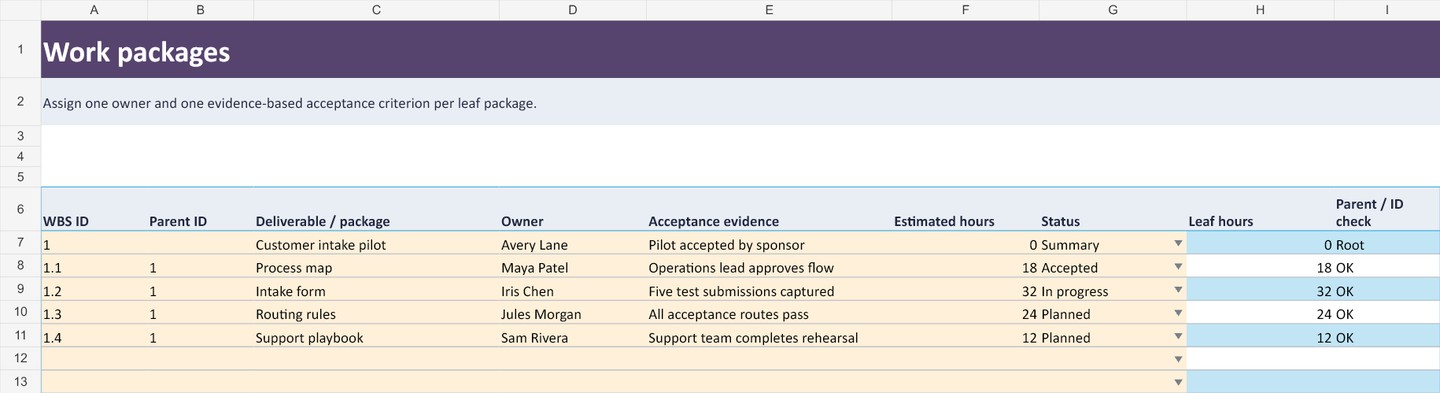
| WBS ID | Parent | Deliverable | Evidence | Leaf hours |
|---|---|---|---|---|
| 1 | — | Customer intake pilot | Sponsor acceptance | 0 |
| 1.1 | 1 | Process map | Operations approval | 18 |
| 1.2 | 1 | Intake form | Five test submissions captured | 32 |
| 1.3 | 1 | Routing rules | Acceptance routes pass | 24 |
| 1.4 | 1 | Support playbook | Rehearsal completed | 12 |
The four leaves total 86 estimated hours. If the form takes 40 hours instead of 32, the total rises to 94. If the form is split into configuration and testing, estimate the new children and reconcile their total with the previous 32 hours. The original form becomes a parent and contributes zero leaf hours.
The table is a worked scope calculation. A separate calendar determines when activities can start and finish. Before approving the line-up, ask who demonstrates integrated pilot acceptance and where that effort appears. If the owner confirms that integrated testing is separate from the four packages, add it as a distinct package under the pilot and update the estimate before authorization.
Frequently asked questions
What is the difference between a WBS and a project schedule?
A WBS organizes the total agreed scope. A schedule sequences activities, durations and dependencies in time. Link them through a stable WBS code so you can trace a late activity to the deliverable it affects.
Does the WBS have to follow the organization chart?
Use the structure that helps participants understand deliverables and control scope. Teams may contribute across branches. Assign a lead to the result and separately record supporting functions in the responsibility or resource plan.
What is a work package?
A work package is a lowest-level component of a WBS at the chosen level of detail. It gives the project a manageable unit for estimating, assignment and control. Link its activities and acceptance evidence to that unit.
What is a WBS dictionary?
It documents information the hierarchy alone cannot express, such as the package boundary, owner, assumptions and acceptance criteria. A small project can maintain these fields inline in a register and link supporting records as needed.
Can a WBS include agile delivery?
Yes. Use it to document scope boundaries and deliverables when those controls are needed. Refine implementation in the backlog. Keep item-level traceability where it supports governance, estimating or formal deliverable acceptance.
What if we cannot estimate a package yet?
Record the unknown, the assumption behind any placeholder and the planned date for refining it. Ask the sponsor how much scope or expenditure can be authorized before the uncertainty is reduced.
Should project management and training appear in the WBS?
Include them if they are part of the approved project scope. Training might have its own acceptance standards. Project management may include governance, reporting and closure work needed to deliver the project.
How can I spot overlap?
Compare sibling packages’ evidence and deliverables. If two entries rely on the same item as their primary output, verify whether they represent distinct parts of scope or one shared package.
Can a package have more than one parent?
In a tree, give each package one structural parent and reference other impacted deliverables separately. This helps the estimate roll up once while preserving visibility of cross-cutting work.
How often should the WBS change?
Update it when an authorized scope change or planned refinement changes the decomposition. Handle estimate changes under applicable control rules and retain a baseline snapshot where the project tracks variance.
Further reading
- Consult PMI’s WBS practice standard for decomposition and dictionary guidance. PMI Practice Standard for Work Breakdown Structures.
- Consult PMI for the surrounding project management practices. PMBOK® Guide.
.
Reviews
Clear filtersThere are no reviews yet.