



Description
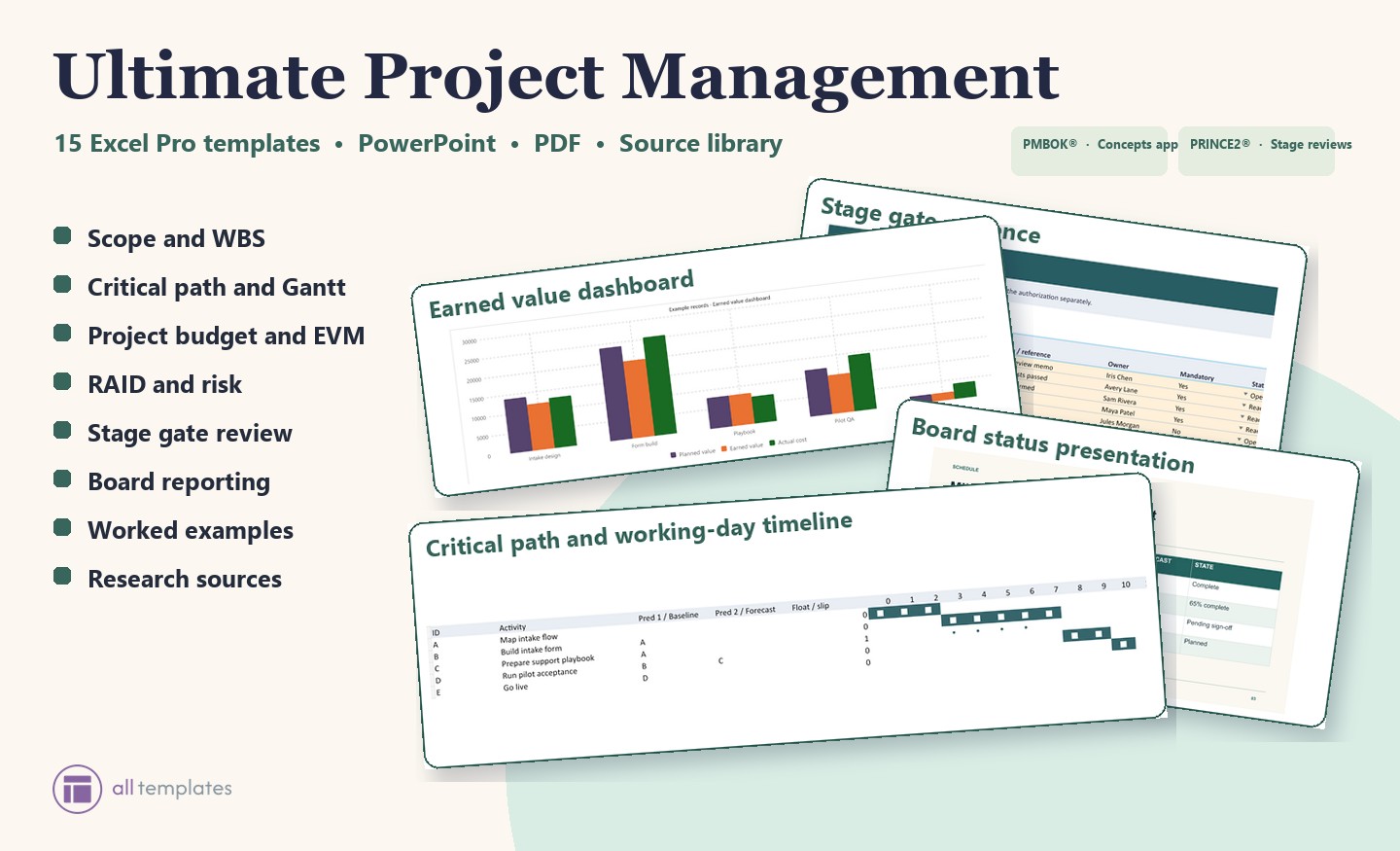
The Ultimate Project Management brings together 15 editable Pro Excel workbooks for project managers, PMOs and team leads. Each workbook answers a delivery question, from whether to fund the project to whether a new stage can begin.
- Plan scope, milestones, critical path, uncertain durations and team capacity.
- Review cost and schedule performance, risks, changes and stage decisions.
- Support predictive, Scrum, Kanban and hybrid workstreams.
- Explore the filled Harbor Intake Pilot example and follow the instructions in each workbook.
- Download the 15 Pro workbooks in a single ZIP. The Excel files are independent.
Included resources
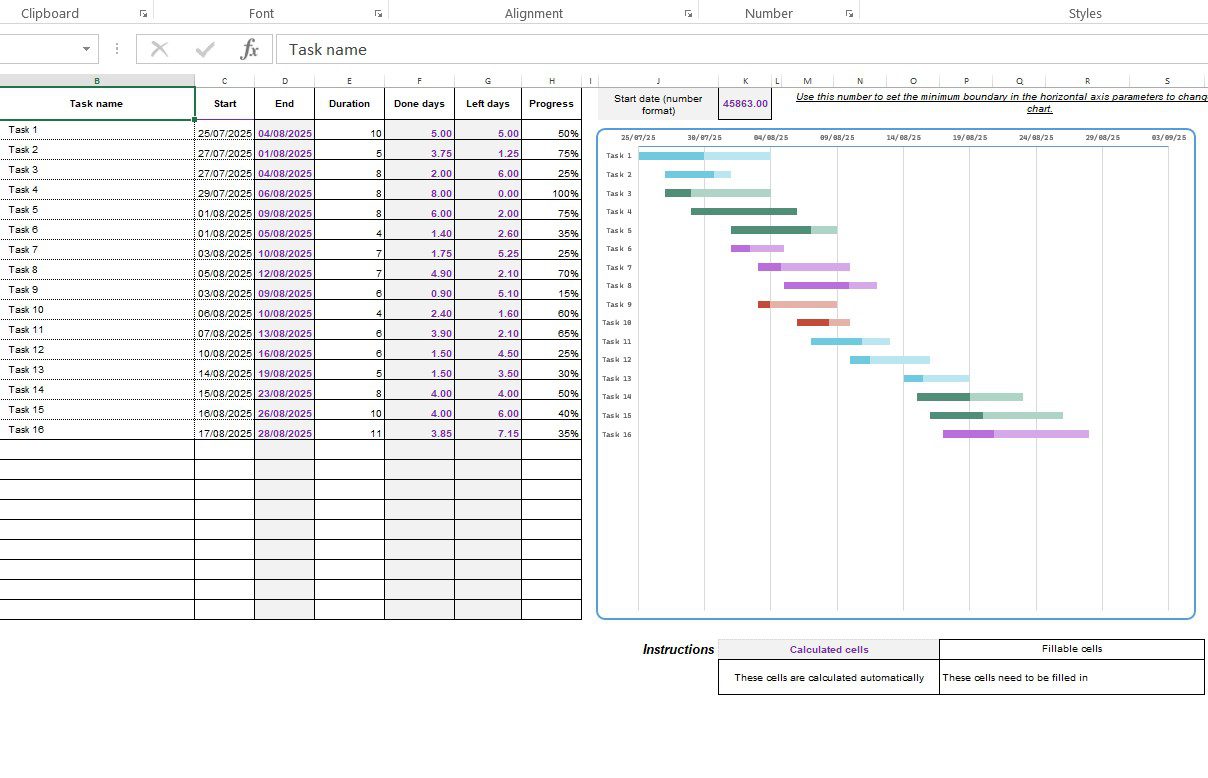
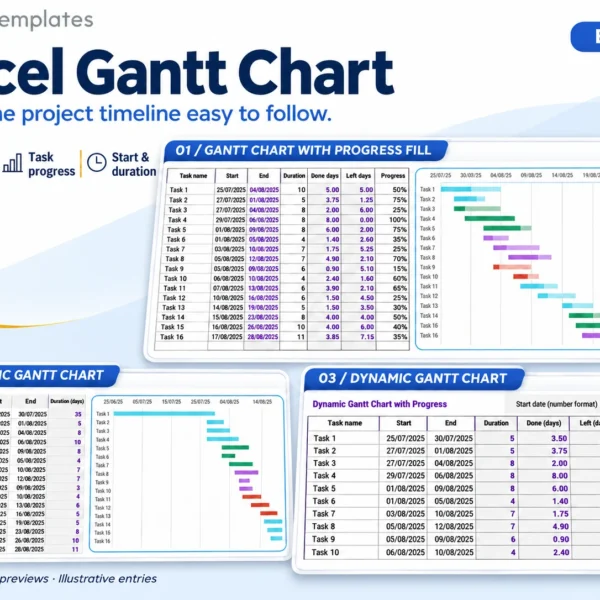
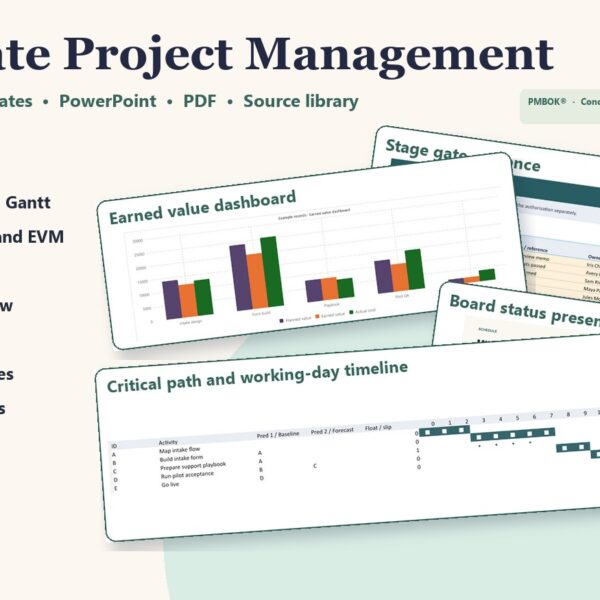
Excel Gantt Chart
Turn planned activity dates into a schedule view with the full All Templates Excel Gantt Chart workbook.
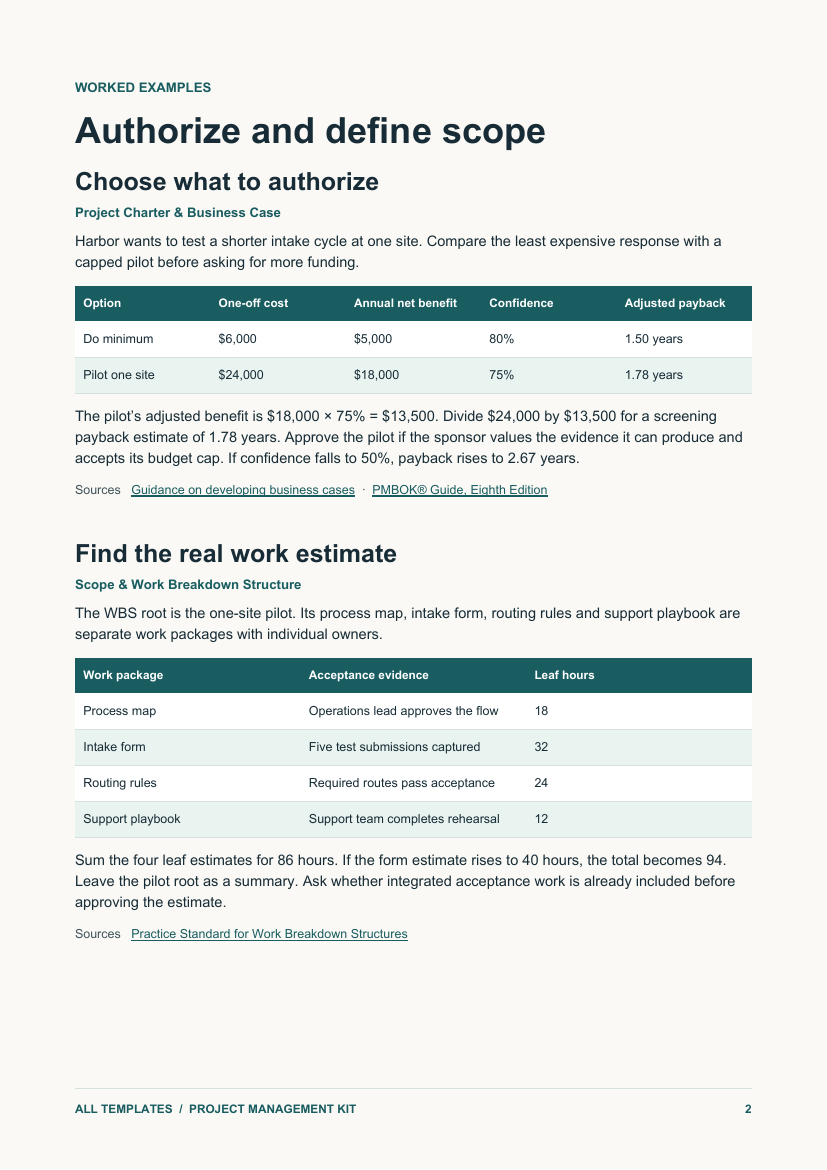
Project Management Sourcebook (.pdf)
Work through six scenarios covering the business case, scope and WBS, critical path and total float, earned value, RAID and a stage boundary decision. The sourcebook connects each example to the questions a project manager needs to answer and to references from PMI, PeopleCert and GAO.
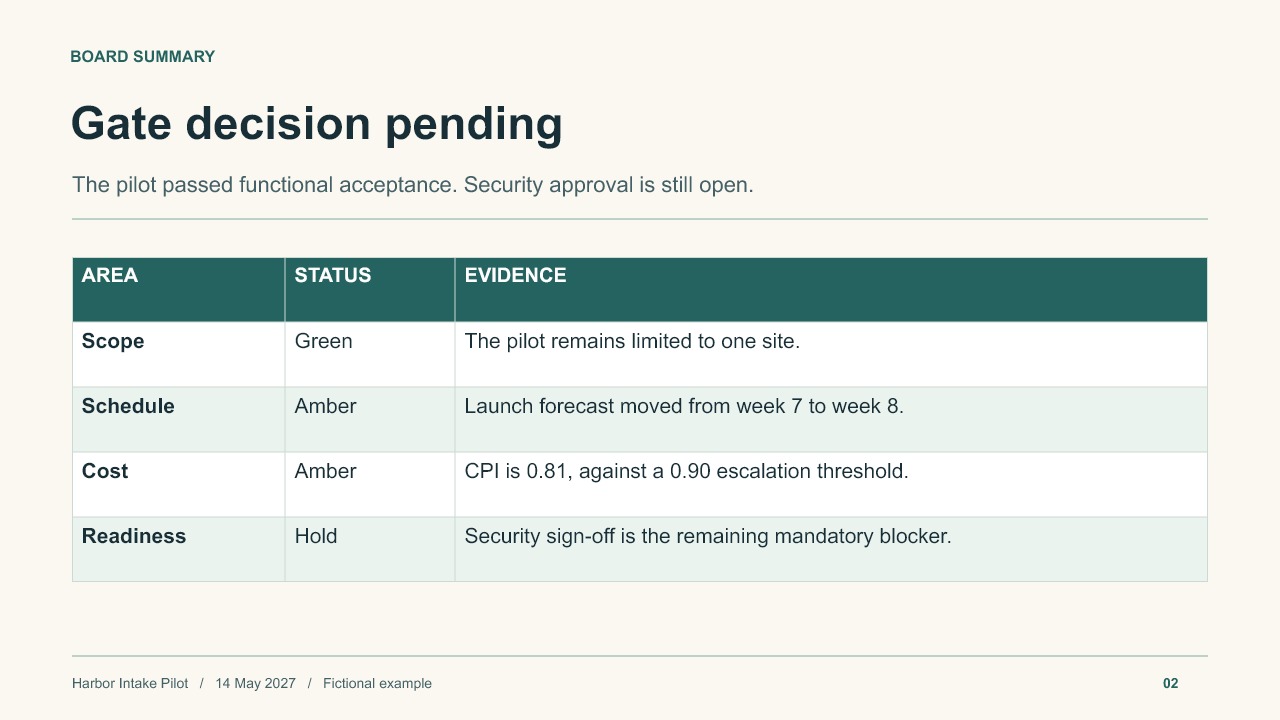
Project Status and Board Review (.pptx)
Prepare a regular status meeting or a board review in an editable PowerPoint deck. Bring the evidence, delivery and cost position, risks and decisions together for the audience that needs to act.
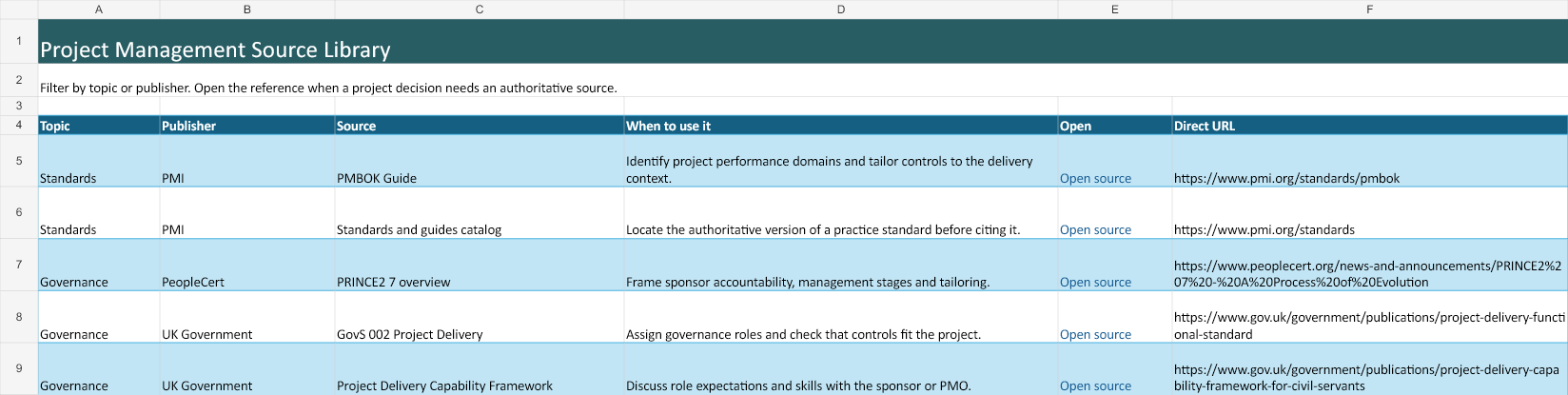
Project Management Source Library (.xlsx)
Find 28 sources from PMI, PeopleCert, GAO, government agencies and the authors of Scrum and Kanban. Filter by topic and use the notes to choose a source for your next project decision.
What’s included
Project Charter & Business Case
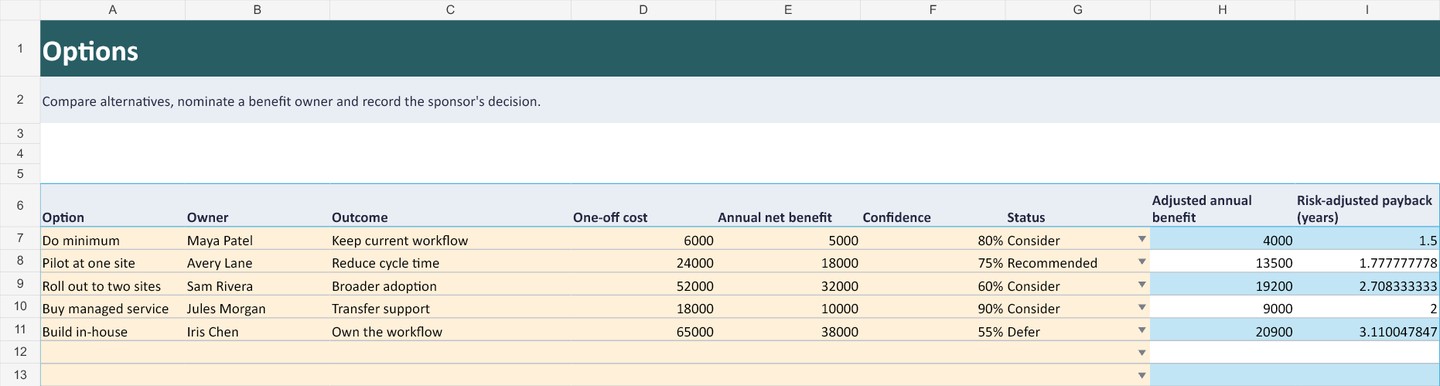
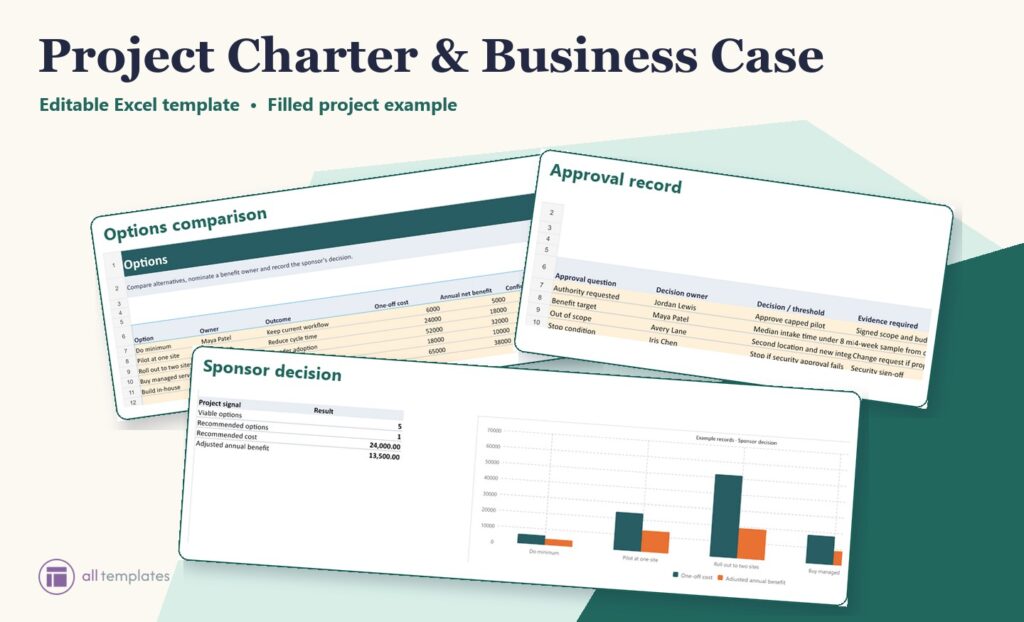
Rank viable proposals before a sponsor commits people, time and money. Use Options to capture the data, Sponsor decision to review the result, and Approval record for supporting decisions or evidence.
Compare alternatives, nominate a benefit owner and record the sponsor’s decision.
Stakeholder & Communications Plan
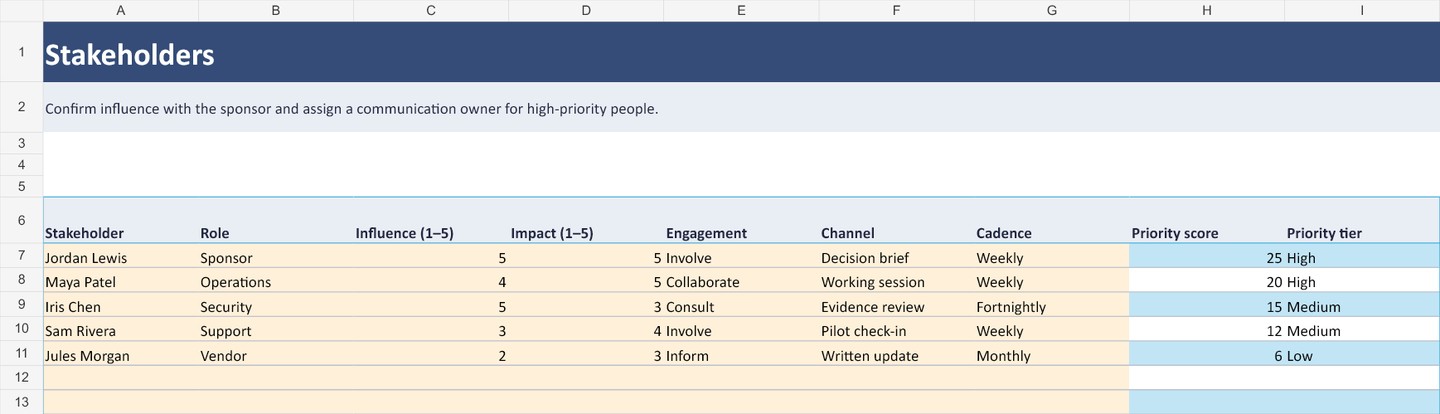
Identify people who can change the decision and agree how to involve them. Use Stakeholders to capture the data, Engagement priorities to review the result, and Communication log for supporting decisions or evidence.
Confirm influence with the sponsor and assign a communication owner for high-priority people.
Scope & Work Breakdown Structure
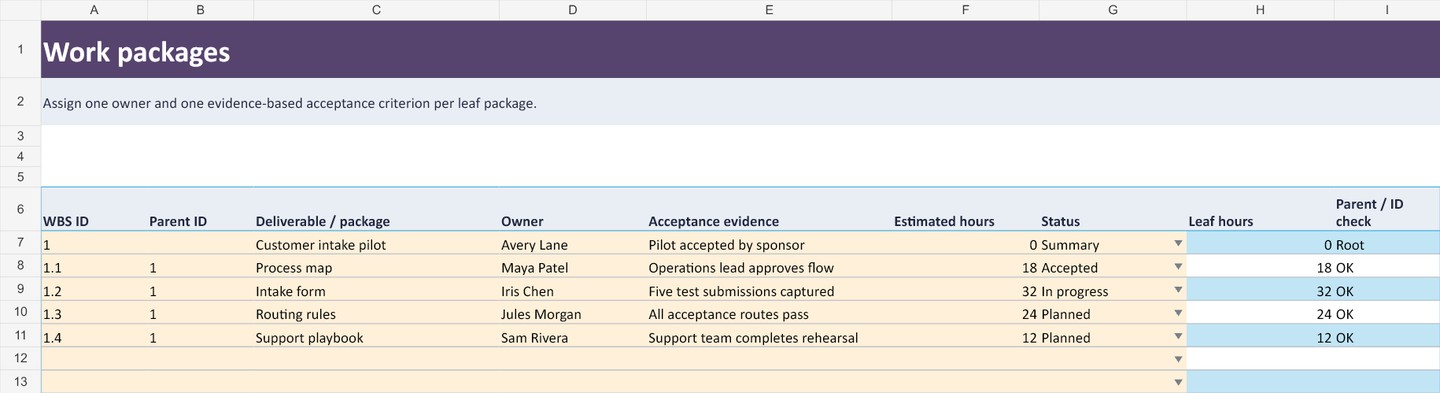
Break a deliverable into accountable work packages with testable acceptance evidence. Use Work packages to capture the data, Scope checks to review the result, and Scope boundaries for supporting decisions or evidence.
Assign one owner and one evidence-based acceptance criterion per leaf package.
Milestone Roadmap & Gantt
Separate delivery commitments from weekly scheduling details. Use Milestones to capture the data, Milestone status to review the result, and Approval log for supporting decisions or evidence.
Keep the approved baseline fixed while forecast weeks move.

Critical Path Network
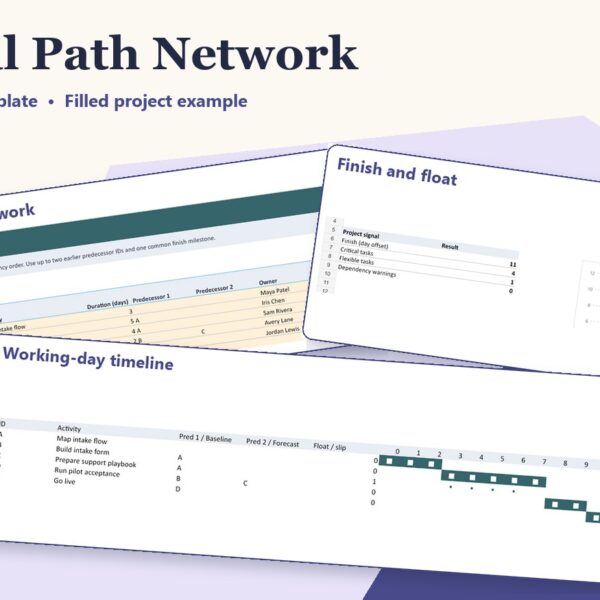
Find which tasks move the project finish and see how much float each one has. Use Task network to capture the data, Critical path summary to review the result, and Calendar assumptions for supporting decisions or evidence.
Enter activities in dependency order. Use up to two earlier predecessor IDs and one common finish milestone.

PERT Schedule Risk
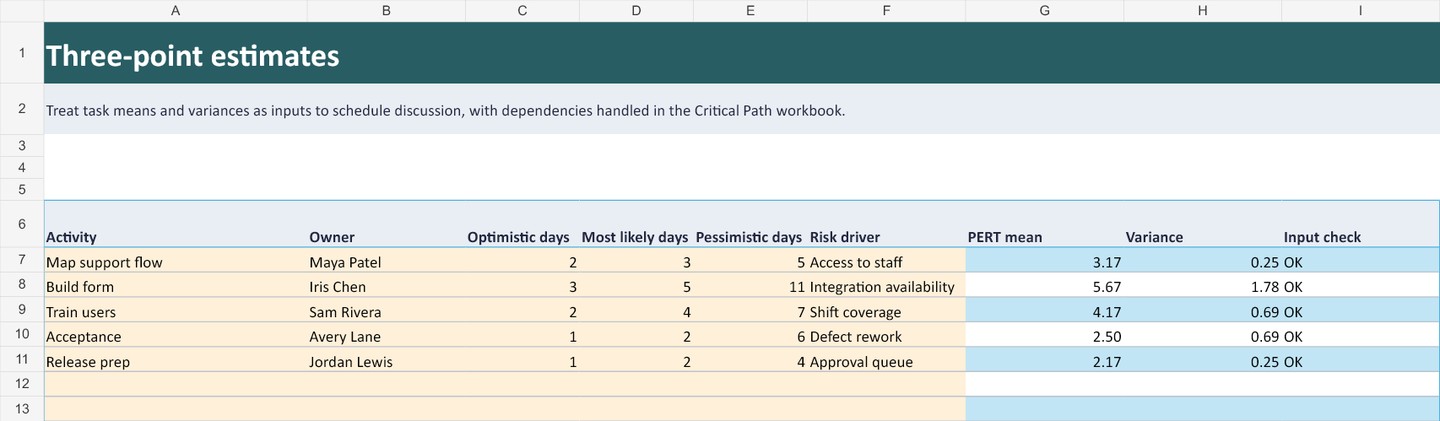
Use three estimates to discuss uncertain work and identify where to validate assumptions. Use Three-point estimates to capture the data, Estimate review to review the result, and Assumptions log for supporting decisions or evidence.
Treat task means and variances as inputs to schedule discussion, with dependencies handled in the Critical Path workbook.
Resource Capacity & Leveling
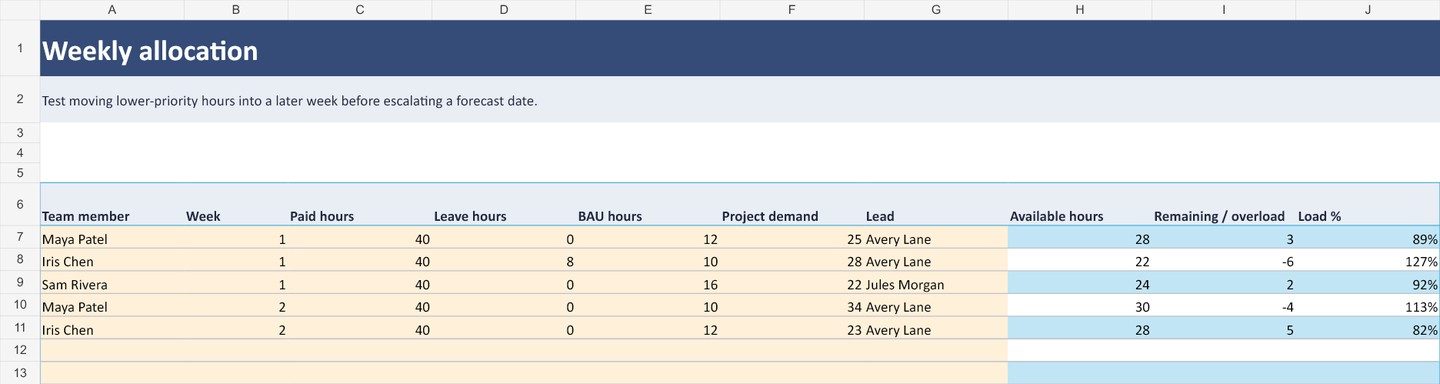
Compare effective availability with planned hours before promising work. Use Weekly allocation to capture the data, Capacity review to review the result, and Leveling decisions for supporting decisions or evidence.
Test moving lower-priority hours into a later week before escalating a forecast date.
Project Budget & Earned Value
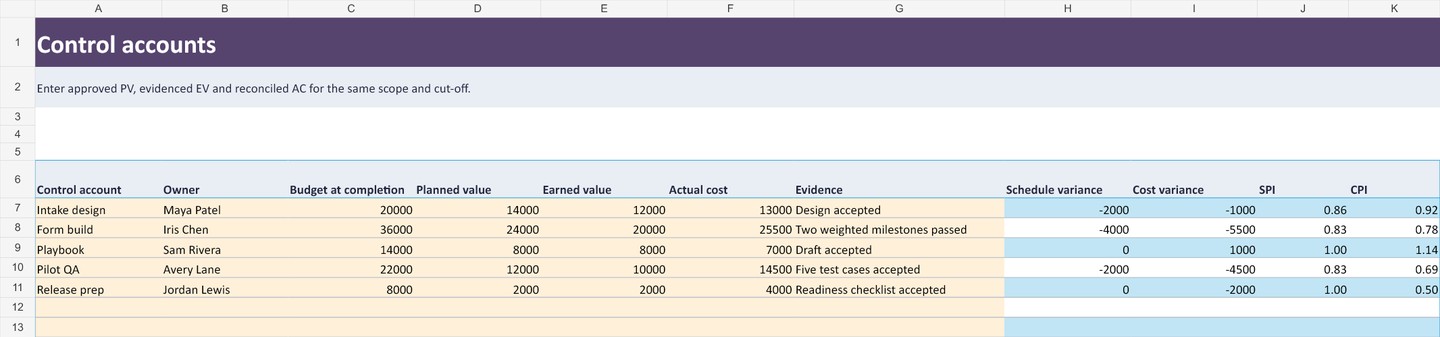
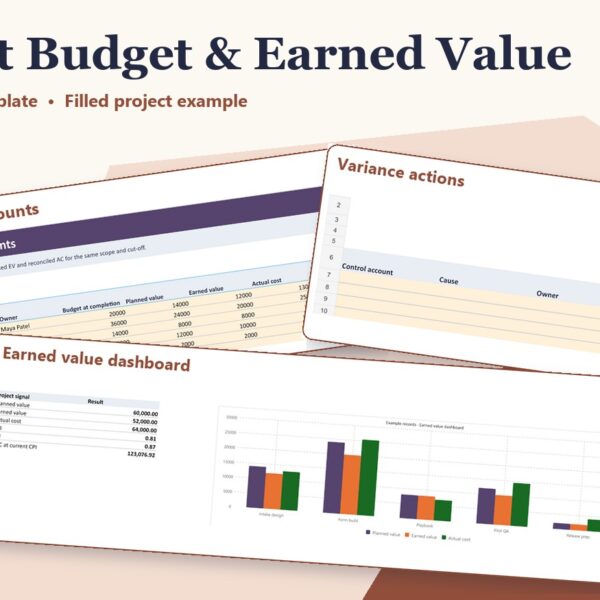
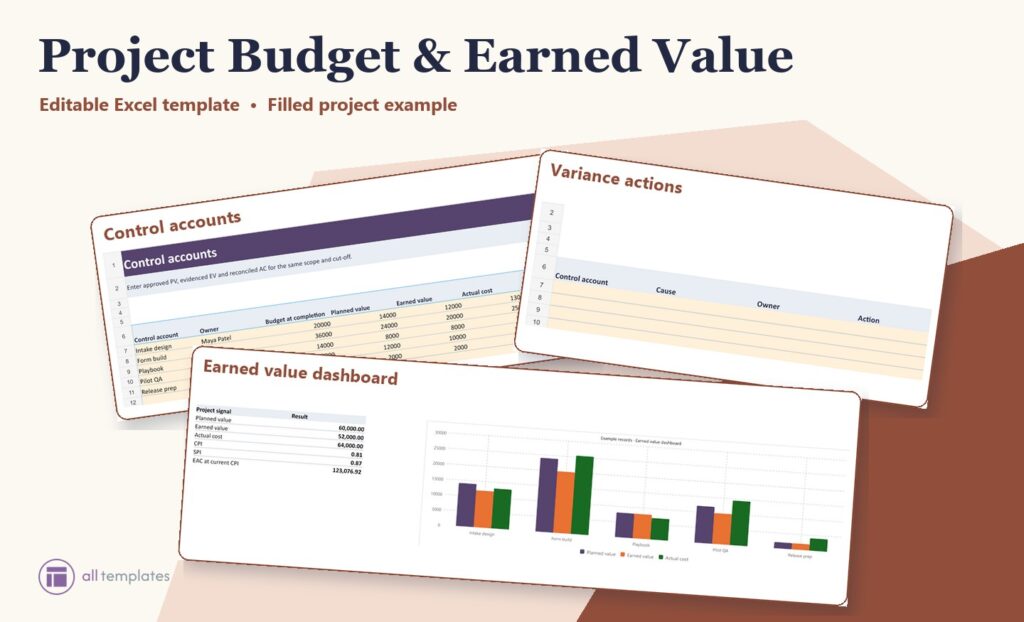
Compare baseline value, accomplished work and actual cost at one status date. Use Control accounts to capture the data, Earned value dashboard to review the result, and Variance actions for supporting decisions or evidence.
Enter approved PV, evidenced EV and reconciled AC for the same scope and cut-off.
RAID & Risk Register
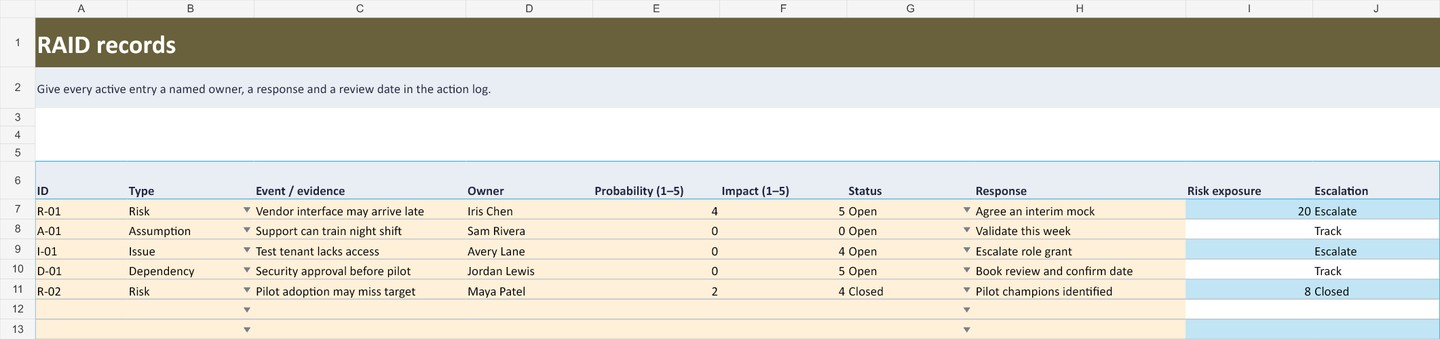
Turn risks, assumptions, issues and dependencies into owner-led actions. Use RAID records to capture the data, Exposure overview to review the result, and Action log for supporting decisions or evidence.
Give every active entry a named owner, a response and a review date in the action log.
Change Control & Decisions
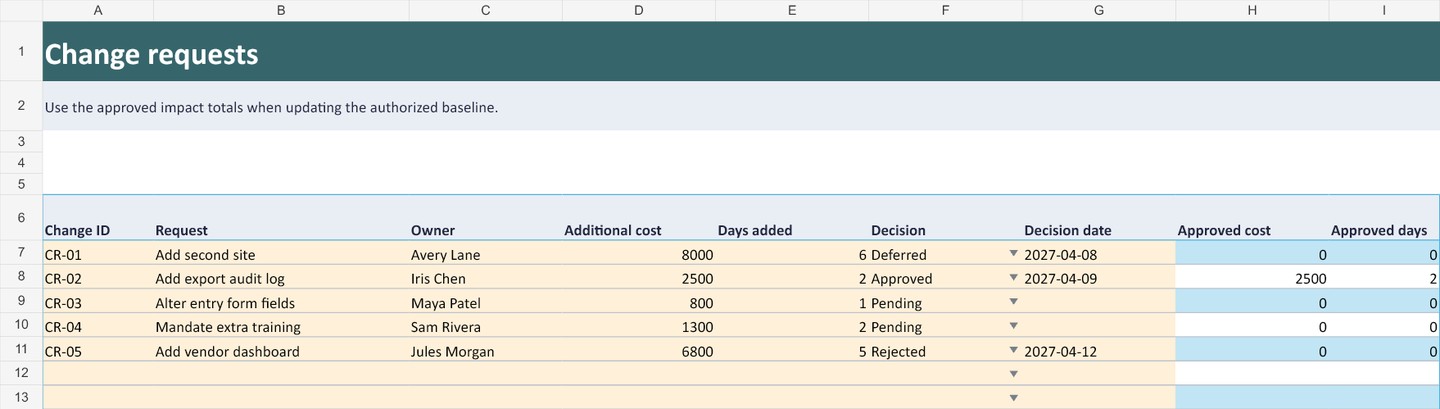
Make the cost, schedule and acceptance implications visible before approving a change. Use Change requests to capture the data, Decision queue to review the result, and Decision trail for supporting decisions or evidence.
Use the approved impact totals when updating the authorized baseline.
Stage Gate Review
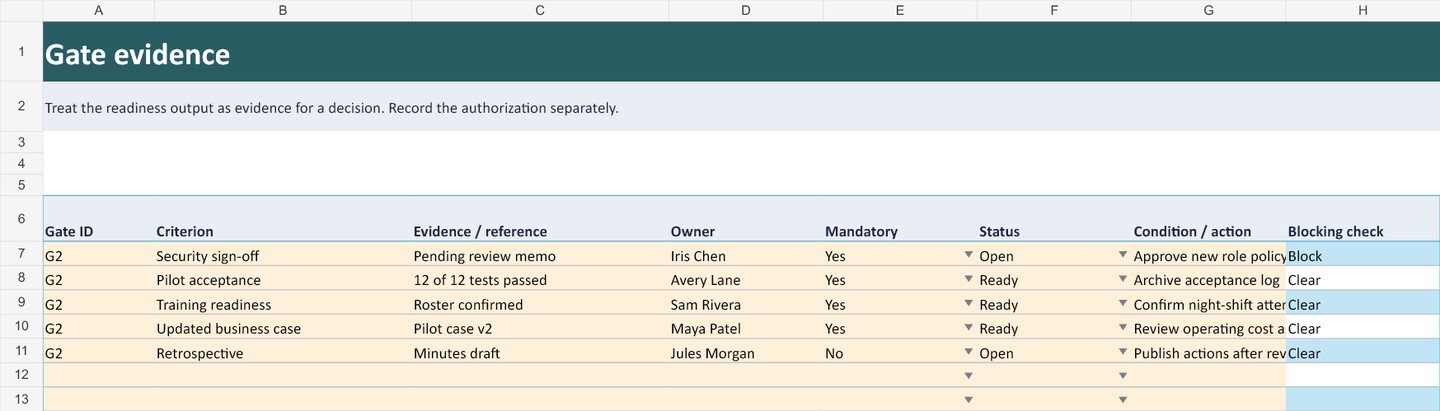
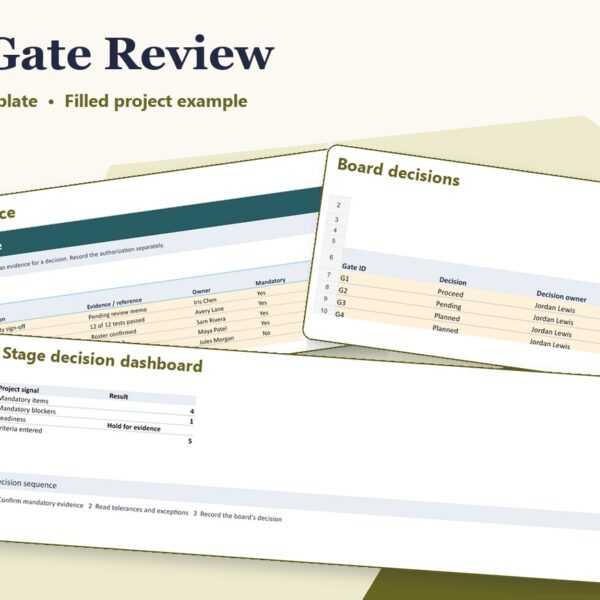
Bring evidence, tolerances and unresolved decisions to a sponsor or board review. Use Gate evidence to capture the data, Stage decisions to review the result, and Board decisions for supporting decisions or evidence.
Treat the readiness output as evidence for a decision. Record the authorization separately.
Scrum Backlog & Sprint Plan
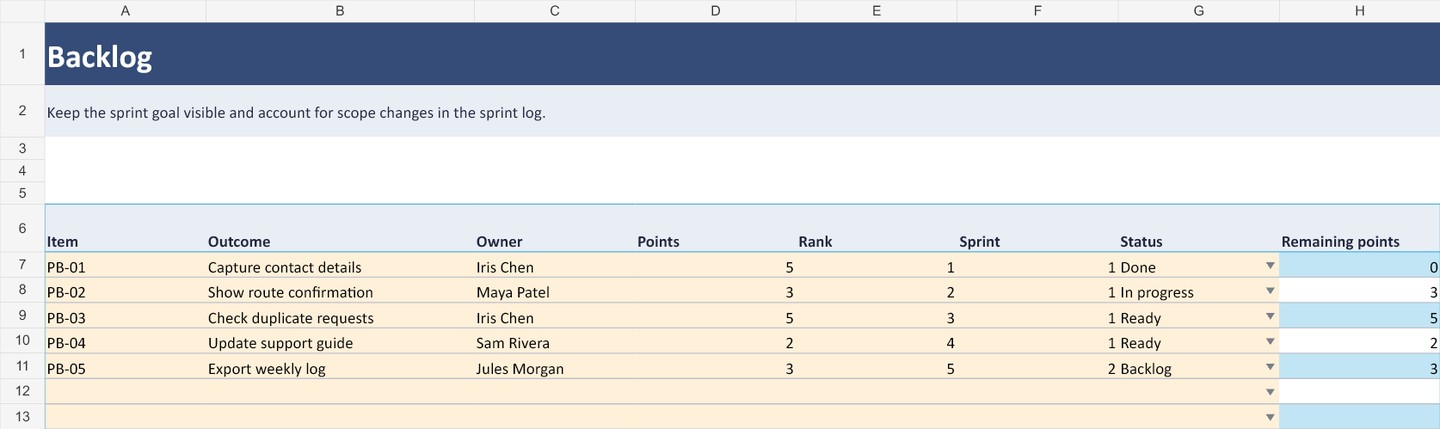
Plan a coherent sprint around a goal and review remaining scope visibly. Use Backlog to capture the data, Sprint view to review the result, and Daily sprint log for supporting decisions or evidence.
Keep the sprint goal visible and account for scope changes in the sprint log.
Kanban Flow & WIP
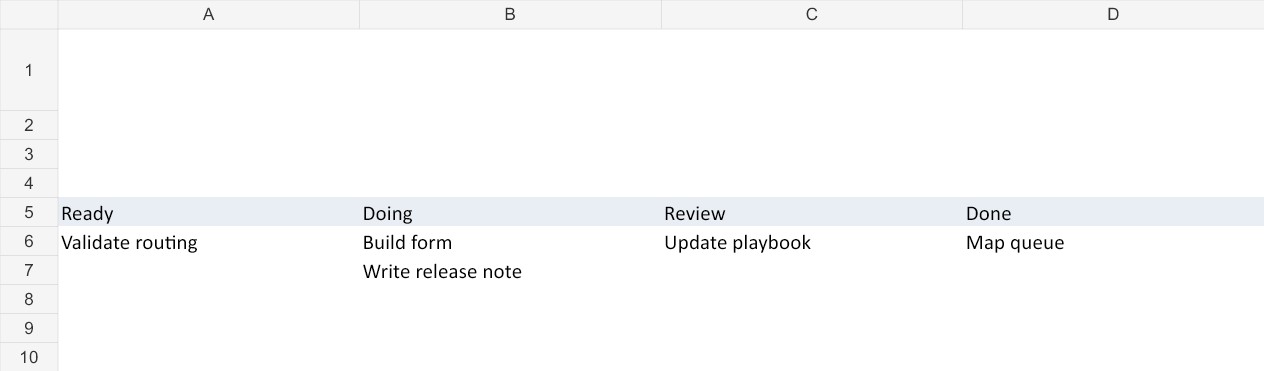
Make WIP, blocked work and completed work visible before starting more. Use Cards to capture the data, Flow control to review the result, and Column policy for supporting decisions or evidence.
Set WIP limits before planning what to pull and investigate aging work before adding items.
Hybrid Delivery & Status
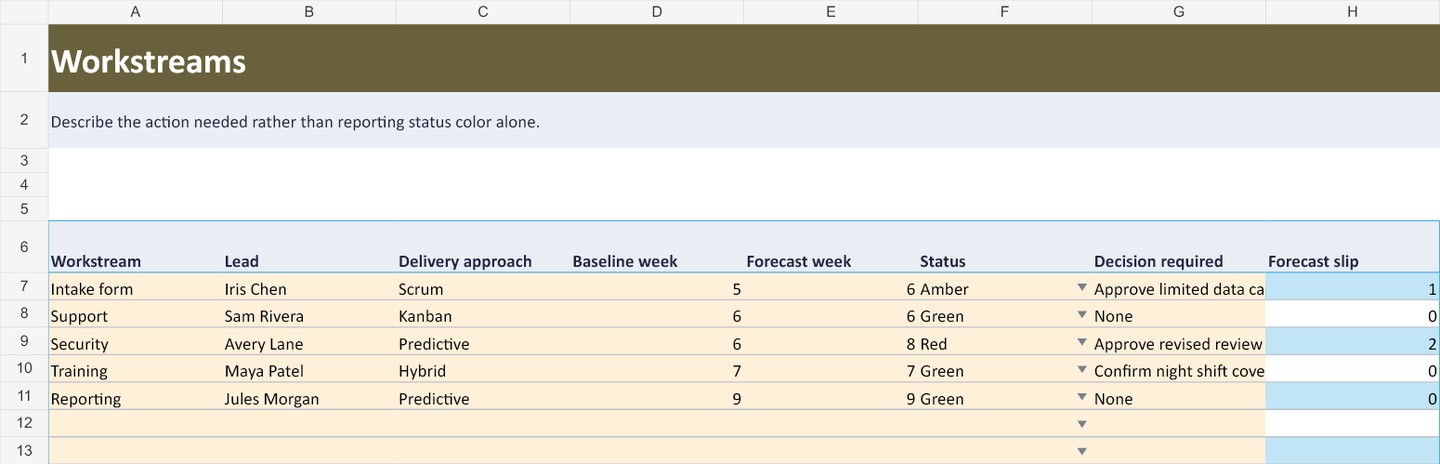
Report agile evidence and milestone forecasts against one agreed status date. Use Workstreams to capture the data, Sponsor snapshot to review the result, and Sponsor decisions for supporting decisions or evidence.
Describe the action needed rather than reporting status color alone.
Route & Scenario Optimizer
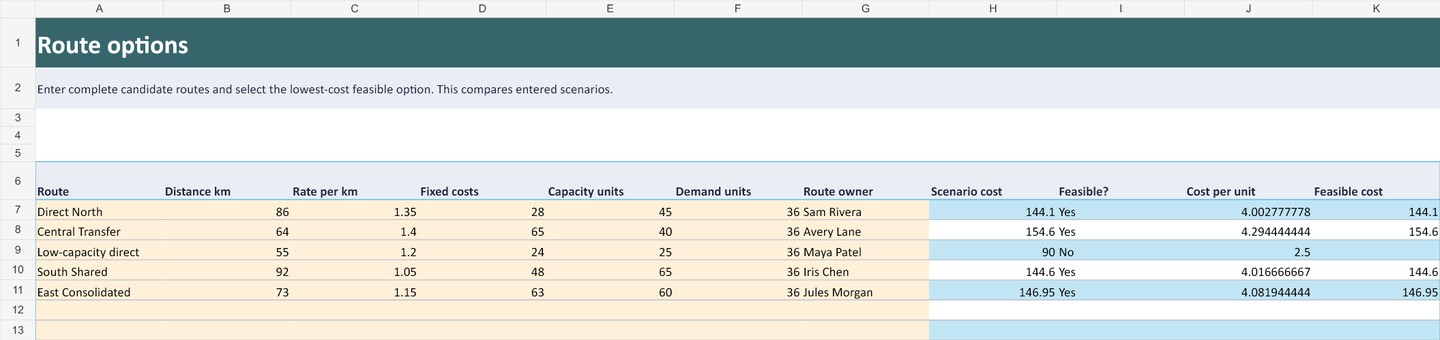
Compare feasible route scenarios using one capacity constraint and cost assumptions. Use Route options to capture the data, Scenario ranking to review the result, and Decision assumptions for supporting decisions or evidence.
Enter complete candidate routes and select the lowest-cost feasible option. This compares entered scenarios.
Kit and individual pricing
The 15 core Excel workbooks total $65 at individual list prices, including planned prices for the books available through the kit at launch. The full kit costs $29, a difference of $36 (55%). The calculation values the 15 listed Excel workbooks.
| Workbook | Individual price | At launch |
|---|---|---|
| Project Charter & Business Case | $4 | Individual and kit |
| Stakeholder & Communications Plan | $4 | In kit |
| Scope & Work Breakdown Structure | $5 | Individual and kit |
| Milestone Roadmap & Gantt | $5 | In kit |
| Critical Path Network | $5 | Individual and kit |
| PERT Schedule Risk | $4 | In kit |
| Resource Capacity & Leveling | $4 | In kit |
| Project Budget & Earned Value | $5 | Individual and kit |
| RAID & Risk Register | $4 | Individual and kit |
| Change Control & Decisions | $4 | In kit |
| Stage Gate Review | $4 | Individual and kit |
| Scrum Backlog & Sprint Plan | $4 | In kit |
| Kanban Flow & WIP | $4 | In kit |
| Hybrid Delivery & Status | $4 | In kit |
| Route & Scenario Optimizer | $5 | In kit |
How to use
- Open the ZIP and save a working copy of the workbook that addresses your next decision.
- Start on How to use and walk through the fictional example before entering live data.
- Set a regular status date. Bring the agreed scope, schedule and cost figures into the same review.
- Maintain an owner, due date and evidence for each decision you hand off between files.
Use cases
- Set up controls for a new client implementation or internal operations pilot.
- Prepare a joint schedule, cost and risk review for an existing project.
- Run a sponsor review to approve a next stage or request more evidence.
- Share common work habits across teams using different delivery methods.
Related Products
All you need to know about project controls
- Keep a dated sponsor decision with the approved funding limit and scope boundary.
- Use stable WBS IDs so package owners can match acceptance evidence to the current plan.
- Review the longest dependency chain and near-critical tasks before forecasting a milestone.
- Estimate uncertain activities with a plausible range and write down the source of uncertainty.
- Subtract leave and business-as-usual commitments before treating a person’s hours as available.
- Reconcile planned value, earned value and actual cost on the same reporting date.
- Give every open RAID item a review date and evidence that would support closure.
- Apply approved changes to the baseline and record the version that was revised.
- Review gate readiness against evidence and record authority in the decision log.
- Use work-in-progress limits in flow teams and keep the shared delivery decision visible.
Worked example: Harbor Intake Pilot
Can the sponsor authorize pilot release at the stage review? Start with one shared status date and bring the evidence behind each signal.
| Signal | Example evidence | Decision implication |
|---|---|---|
| Scope | One pilot site approved | Defer scope requests for a second site pending change approval. |
| Schedule | The dependency model forecasts 11 working days | Escalate changes to zero-float activities on the release path. |
| Cost | PV $60,000, EV $52,000 and AC $64,000 | Investigate the $12,000 unfavorable cost variance and $8,000 schedule variance. |
| Gate | Mandatory security sign-off still open | Keep the release decision pending until the board reviews the evidence. |
Put the security criterion on the decision agenda with an owner and due date. Review the cost and delivery impacts at the same meeting so the sponsor can decide whether to authorize the next stage once the criterion is satisfied.
Reference standards in practice
Use the PMBOK Guide to frame scope, schedule, finance and risk decisions. Apply the separate PMI WBS and earned value practice standards when defining work packages and performance measures. The GAO schedule guide provides a practical reference for validating critical path logic. Use PRINCE2 guidance on continued business justification and managing by stages to frame the questions for a board review. The Excel and briefing materials are independently produced by All Templates.
PMI · PMBOK Guide · PMI · Work Breakdown Structures · PMI · Earned Value Management · GAO · Schedule Assessment Guide · PeopleCert · PRINCE2 project governance
Frequently asked questions
Which workbook should I open first?
Use Charter & Business Case if you need a funding decision. If the project is already authorized, use the workbook that answers the next unresolved decision.
Can a project have more than one critical path?
Yes. Branches with the same longest duration can both control the finish. Check the dependency logic when reviewing the result.
Which tasks belong in a scope estimate?
Estimate leaf packages and roll them up once. Keep summary packages for grouping and accountability.
When should we record an issue?
Record it when the condition has occurred. Keep a separate risk if there is a distinct uncertain consequence still ahead.
Can we run Scrum and report milestones together?
Yes. Capture sprint evidence and use it to inform a milestone forecast and the decisions sponsors need to make.
What is the difference between readiness and approval?
Readiness describes the evidence collected. Approval records the authorized decision maker’s decision and any conditions.
How do you set a gate tolerance?
Agree what variance can be managed within the stage and what requires escalation. Record the units, owner and trigger.
How do I explain a late schedule with underspend?
Check whether work was deferred. Compare earned value with planned value and actual cost for the same cut-off before calling an underspend favorable.
Do the workbooks share data automatically?
The Excel files are separate. Copy approved IDs, decisions or values into the next workbook and verify the handoff.
Can this kit be used for a regulated release?
Use it as a planning and review aid. Preserve formal evidence and use the authorized decision and approval process for that release.
Read the Stage Gate guide
Reviews
Clear filtersThere are no reviews yet.