


Description
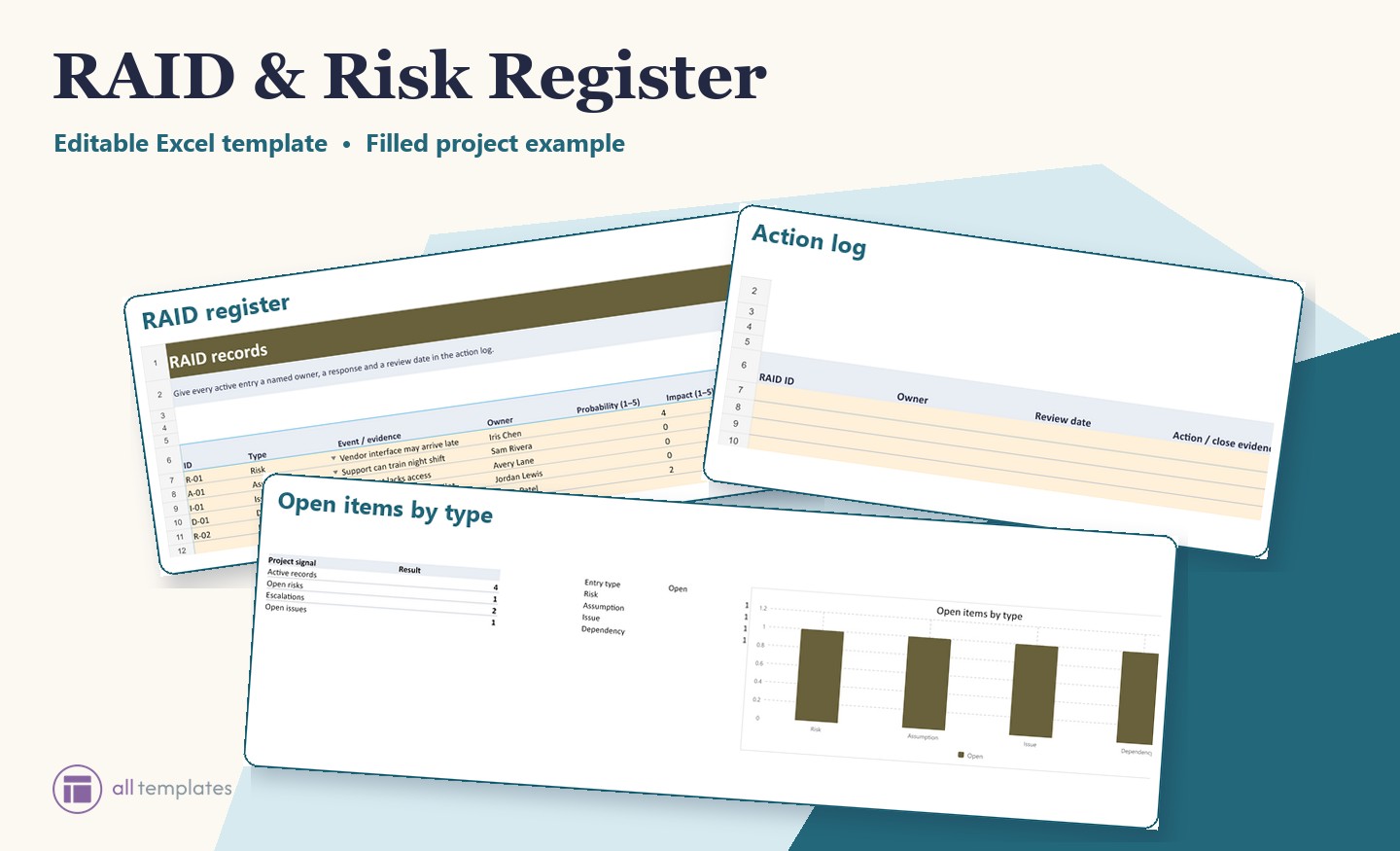
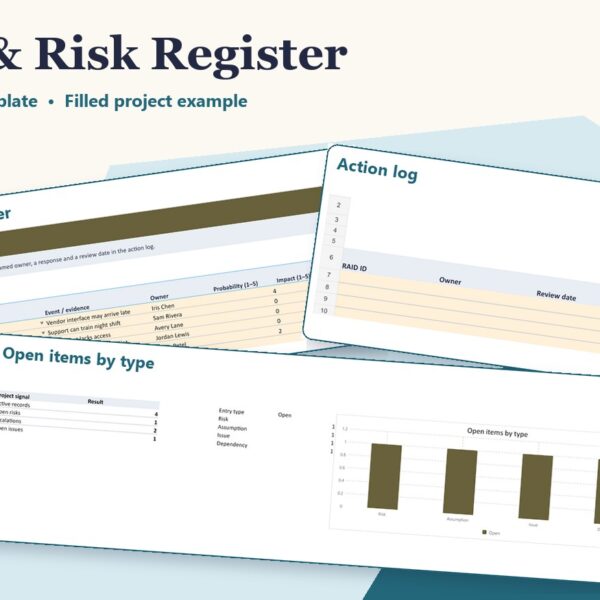
Give risks, assumptions, issues and dependencies an owner and a next action. Use one register for the weekly review and an action log to track the evidence needed for follow-up or closure.
- Maintain four entry types with a named owner, status and response.
- Calculate risk exposure on a five-point probability and impact scale.
- Flag qualifying open risks and high-impact issues for escalation.
- See open items by type and record decision or closure evidence.
Includes one editable Excel workbook (.xlsx) with a filled fictional example and a built-in guide. The priority thresholds are built into the example logic. Check them against your governance before treating an escalation flag as policy.
Compare Free and Pro
| Feature | Free manual starter | Pro Excel workbook |
|---|---|---|
| Example data | Five sample records on one sheet | The example plus prepared working rows and supporting sheets |
| Calculations | Enter and review numbers manually | Risk exposure, Escalation |
| Review and follow-up | Use the starter table as a reference | Exposure overview and Action log |
| Instructions | Short notes inside the starter | Dedicated How to use sheet |
Download the free manual starter
How to use
- Enter each item with a unique ID and select its type before scoring it.
- Score probability and impact for uncertain risks. Record impact for issues where useful.
- Review escalation flags and record an action and a review date for each active item.
- Close an item when the evidence is available, keeping its ID for the audit trail.
Use cases
- A team preparing a weekly project controls meeting.
- A programme lead monitoring a dependency on an external team.
- A PM converting a key assumption into a validation action with an owner and date.
Related Products
All you need to know about RAID logs and risk registers
- Give every entry a stable ID
Use an ID that follows the record across the register, decisions and minutes. When a risk becomes an issue, link the related IDs to preserve history.
- Write cause, event and consequence for major risks
The consequence should identify an affected commitment. Pair the description with a response the owner can actually perform and a trigger that has a measurable meaning.
- Make assumptions testable
State what evidence would validate the premise and when the decision needs it. If it is disproved, specify who updates the affected part of the plan.
- Capture the actual issue condition
Include when it started and what work is currently affected. A concrete statement such as missing test tenant permissions tells the owner what to verify.
- Get a named dependency commitment
Record who provides the deliverable and when the project needs it. Agree an earliest fallback date or escalation point with the party who controls the handoff.
- Anchor risk rating definitions
Publish examples for levels across the categories you monitor. Use them during calibration so two teams can apply the same rating scale to comparable exposures.
- Review urgency alongside exposure
If an approval window closes tomorrow, review the entry today even when its score is below the usual threshold. Use judgment alongside the score.
- Escalate a specific decision
Give the appropriate person options, dates and consequences. Ask for an authorization, commitment or choice that allows the issue owner to take the next step.
- Record residual exposure after mitigation
Check whether the response changed the likelihood or impact and keep evidence of the original rating. Reassess residual risk using the defined scale.
- Close with evidence and an owner
Set a closing note, date and supporting reference for resolved items. Keep closed entries for pattern analysis and prevent them from competing with open decisions.
Worked example
Which Harbor RAID entries warrant escalation immediately, and which need validation or monitoring?
| Entry | Type | Score or impact | Action |
|---|---|---|---|
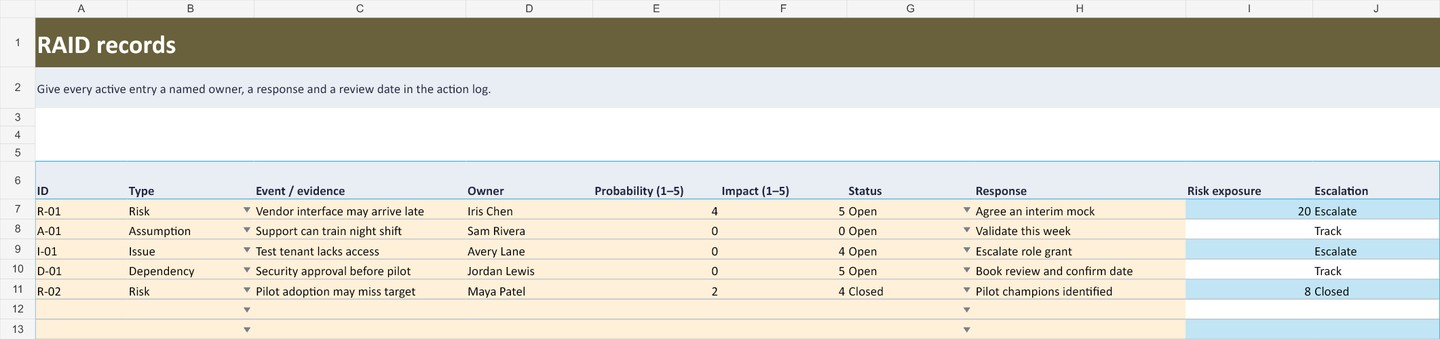
| R-01 · Vendor interface | Risk | 4 × 5 = 20 | Escalate and agree fallback mock |
| A-01 · Night-shift training | Assumption | — | Validate with shift lead |
| I-01 · Test access missing | Issue | Impact 4 | Escalate access grant |
| D-01 · Security approval | Dependency | Impact 5 | Book review and confirm required date |
| R-02 · Pilot adoption | Risk | 2 × 4 = 8, closed | Retain closure record |
R-01 and I-01 meet the example thresholds. Ask the integration and access owners what concrete decision they need, then send those requests to the appropriate authority. A-01 needs an owner and a validation date. D-01 needs the security reviewer’s commitment before the project can rely on its availability. If that date threatens launch, raise a decision even though the scoring formula does not flag dependencies.
Suppose the vendor misses its date. Open a linked issue with the actual missed date, the affected acceptance activity and the required decision. Mark the original risk as realized in the record or closure evidence according to the team’s convention. Keep both references so later reviewers can see what was anticipated, which action was taken and whether the fallback worked.
Frequently asked questions
Is the RAID log also a risk register?
The risk rows can serve that function on a small project when they contain the agreed fields. Large or regulated programs may maintain a separate controlled register and link the relevant risk ID in RAID.
What separates a blocker from a risk?
A blocker is usually something already stopping or materially restricting work. Track it as an issue when it exists today. The possibility of becoming blocked in future belongs in a risk entry.
Who owns a risk involving an external supplier?
Assign an internal owner who can monitor and influence the response. Put external commitments in the dependency record and route decisions through procurement or governance when the project lead lacks authority.
Should a RAID log include assumptions that seem obvious?
Include assumptions that could materially change cost, schedule, acceptance or decision authority if false. Routine facts that can already be verified may be better recorded in the plan or supporting notes.
How often should a team review the log?
Choose a routine review that matches delivery pace and expose exceptions earlier. Review entries before irreversible commitments and when agreed triggers fire. Confirm next actions even if the status is unchanged.
Can I track positive risks?
Yes, if the project’s risk process covers opportunities. Use impact language appropriate to benefits and label the opportunity explicitly. Agree whether priority scoring can be compared with threat ratings.
Should I add the risk scores together?
Treat each score as an ordinal priority indicator. Summing ratings obscures how probability and impact were chosen and can double-count shared drivers. Use a suitable quantitative model when portfolio exposure in money or time is needed.
When can an assumption be closed?
Close or retire it when you have evidence of its outcome and have addressed effects on the plan. Link related issues or changes rather than leaving them implicit.
When does a dependency need escalation?
Escalate when the needed commitment is beyond the owner’s authority, when a forecast violates tolerance or when the dependency’s resolution date threatens a required outcome. Document the decision request and deadline.
What should sponsors see at each review?
Show material changes, decisions needed, owners and upcoming deadlines. Keep the underlying log available for traceability so reviewers can see how an item was scored and which response was agreed.
Further reading
- Consult PMI’s project management guidance for governance and risk concepts. PMBOK® Guide.
- Consult PeopleCert on the PRINCE2 method and managing risks and issues within project governance. PRINCE2 7 overview.
.
Reviews
Clear filtersThere are no reviews yet.