


Description
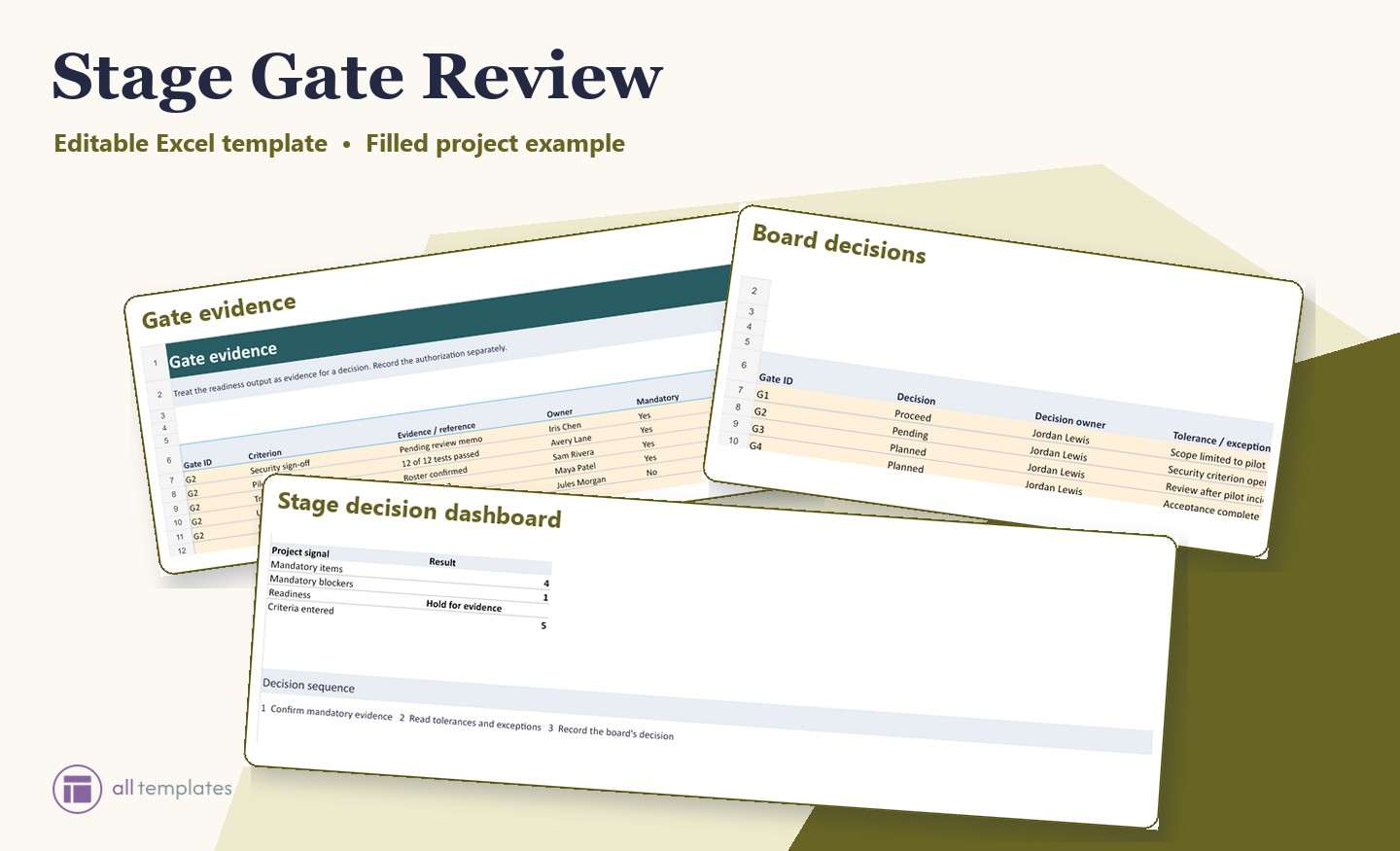
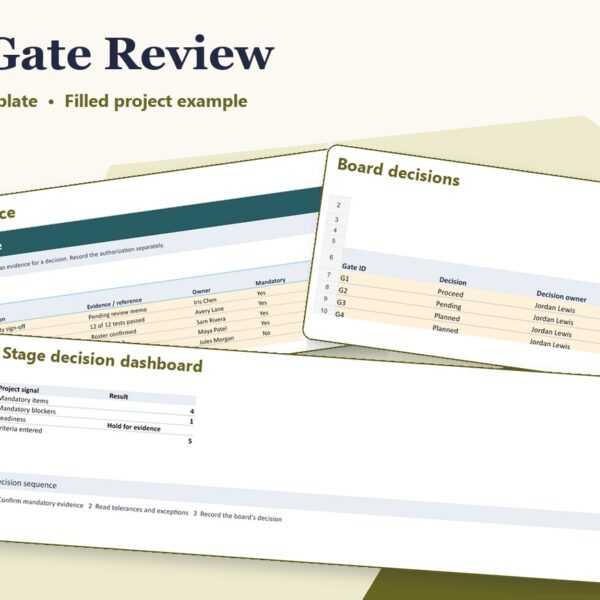
Prepare a decision-ready stage review. Track which readiness criteria are mandatory, who owns the evidence and what the board has authorized for the next stage.
- Log readiness criteria, evidence references, owners and conditions by gate.
- Flag mandatory criteria that are still open.
- Review readiness separately from the recorded decision and next-stage authority.
- Capture tolerances or exceptions alongside the decision record.
Includes one editable Excel workbook (.xlsx) with a filled fictional example and a built-in guide. The workbook supports preparation and recording. Apply the approval roles and escalation rules your organization uses.
Compare Free and Pro
| Feature | Free manual starter | Pro Excel workbook |
|---|---|---|
| Example data | Five sample records on one sheet | The example plus prepared working rows and supporting sheets |
| Calculations | Enter and review numbers manually | Blocking check |
| Review and follow-up | Use the starter table as a reference | Stage decisions and Board decisions |
| Instructions | Short notes inside the starter | Dedicated How to use sheet |
Download the free manual starter
How to use
- Agree which gate you are reviewing and list its acceptance evidence and mandatory criteria.
- Have each evidence owner update the status and record any open conditions.
- Review the blocking checks, updated business case and next-stage tolerances with the board.
- Record the decision and the authority granted on Board decisions.
Use cases
- A board deciding whether to move from prototype to pilot.
- A PM preparing a PRINCE2-style end-stage review.
- A release lead coordinating a cross-functional readiness sign-off.
Related Products
All you need to know about stage gate reviews
- Send the decision pack early
Share the request, evidence links and options before the meeting. Make changed evidence conspicuous and give specialists enough time to challenge claims within their areas of accountability.
- Match each gate to a specific investment
Name the money, people and scope that would be committed by proceeding. Separate authority for reversible preparation from authority to expose the organization to major rollout risk.
- Write unambiguous criteria
Describe proof that can be inspected. Link an approved acceptance report, signed memo or named control test. A general status update is weaker evidence than a dated record.
- Identify the person who judges the evidence
Document the approving authority and the evidence owner. A person collecting results may have no authority to accept the residual risk. Make the handoff visible.
- Show the effect on the business case
Update assumptions for costs, benefits and delivery dates before asking for new approval. Include the impact of delay and the consequences of stopping so stakeholders can compare choices.
- Use tolerances as actionable bounds
State what the delivery team may absorb and when escalation is due. If a forecast already exceeds tolerance, record the issue and proposed actions for the appropriate authority.
- Treat a blocker as a decision input
Show which mandatory condition is open and what resolves it. A workbook formula surfaces evidence gaps. A named decision-maker grants authority under the project’s rules.
- Write conditional decisions with limits
State the permitted activity, the evidence still required and the date that authority expires. If a condition is missed, the delivery and support teams should know what to pause.
- Follow open advisory work
Assign an owner and due date for any non-blocking action. Keep those actions visible alongside other stage follow-ups so the next review can see what was completed.
- Keep prior approvals auditable
Retain the decision reference and evidence version. If scope or forecast changes during the next stage, review the original conditions before proposing a revised authorization.
Worked example
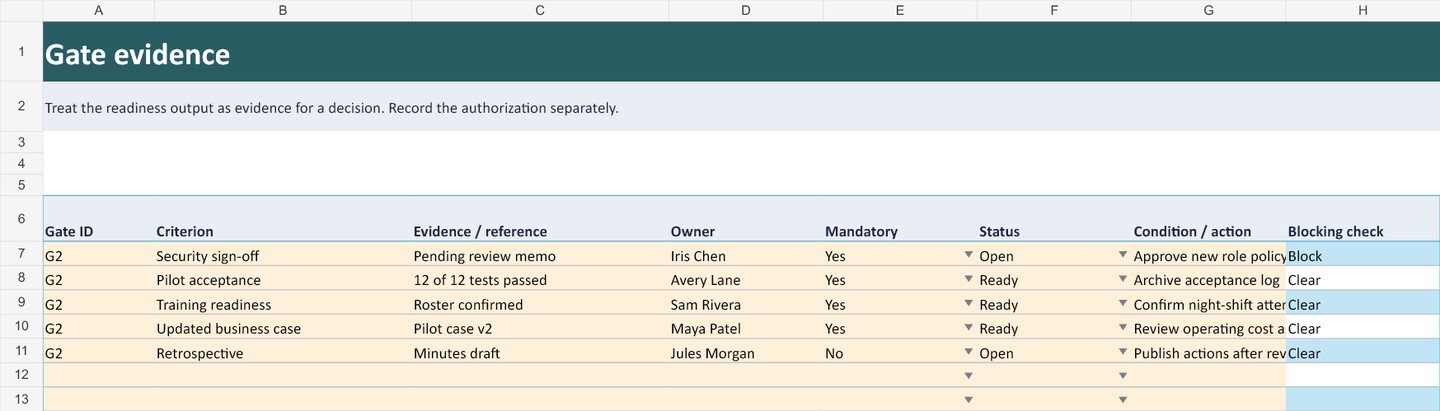
Can Harbor authorize pilot launch when the acceptance tests pass and the role policy remains unsigned?
| Criterion | Mandatory | Evidence | Status |
|---|---|---|---|
| Security sign-off | Yes | Pending review memo | Open |
| Pilot acceptance | Yes | 12 of 12 tests passed | Ready |
| Training readiness | Yes | Roster confirmed | Ready |
| Updated business case | Yes | Pilot case v2 | Ready |
| Retrospective | No | Minutes draft | Open |
Security is the one mandatory block in this example. The board can hold launch and let training continue within the authority already granted. Record a dedicated security owner, a due date and the evidence required to clear the block. Keep the follow-up decision pending until the applicable authority approves the launch. The retrospective can remain an open advisory item with its own owner and review date.
When the signed policy appears, change only the associated evidence row and rerun the readiness check. Confirm which version was signed and whether the approval applies to the exact environment planned for release. Then record the board’s launch decision, including any limits on rollout volume, staffing or operating hours.
Frequently asked questions
Is a stage gate the same as a milestone?
A milestone marks a significant event or outcome. A stage gate includes an authorization decision and defines what may follow. You can put a gate milestone in the schedule and retain its evidence and recorded decision in the gate register.
Who should attend a gate review?
Include the decision authority, the person presenting the next-stage plan and the people responsible for material evidence and risks. Technical experts can join for relevant criteria while the board retains authority for the decision.
How far ahead should the next-stage plan look?
Plan the next stage in enough detail to authorize funding, assignments and risk responses. Keep later stages at the level useful for current decisions. PeopleCert discusses tailoring the planning horizon to the confidence available at each point.
How should a gate work for agile delivery?
Use working product, outcome measures and delivery forecasts as evidence. Choose review dates that match financing, risk and major commitments. Keep iterative delivery and feedback working within the authorized stage.
Can a board proceed when a mandatory criterion is open?
Follow the organization’s exception rules. If a valid authority explicitly accepts an exception, record its scope, duration and residual risk. A mandatory external requirement may have no exception route available to the board.
What if the board is unavailable?
Check delegation and authorization policies early. Continue only work already permitted while arranging a decision. Record any schedule effect and the person responsible for securing the earliest appropriate decision.
How do you distinguish a hold from rework?
A hold freezes a specific commitment until named evidence or an external event is available. Rework calls for a revised plan, design or case. Record the next review date and the authority available in the meantime for either outcome.
What belongs in the audit trail?
Keep the evidence version, authority, decision date, approved scope and funding, limits, conditions and owner of any follow-up. Link or store the authoritative record where future reviewers can assess it.
How many criteria should a gate include?
Use enough to address the decision’s material risks and controls. Merge overlapping questions and separate items judged by different authorities. Keep precise acceptance tests even if they are grouped under a short report heading.
How do you handle a major change between gates?
Use the project’s exception and change-control routes. Forecast the impact, check delegated tolerances and seek a timely decision when the change exceeds them. A scheduled gate is one review point in an ongoing governance process.
Further reading
- Use PeopleCert’s overview for the current PRINCE2 method and tailoring. PRINCE2 7 overview.
- Read about shorter planning horizons and decisions at stage boundaries. PeopleCert on planning horizons.
- Consult PMI for related governance and value-delivery guidance. PMBOK® Guide.
Reviews
Clear filtersThere are no reviews yet.