
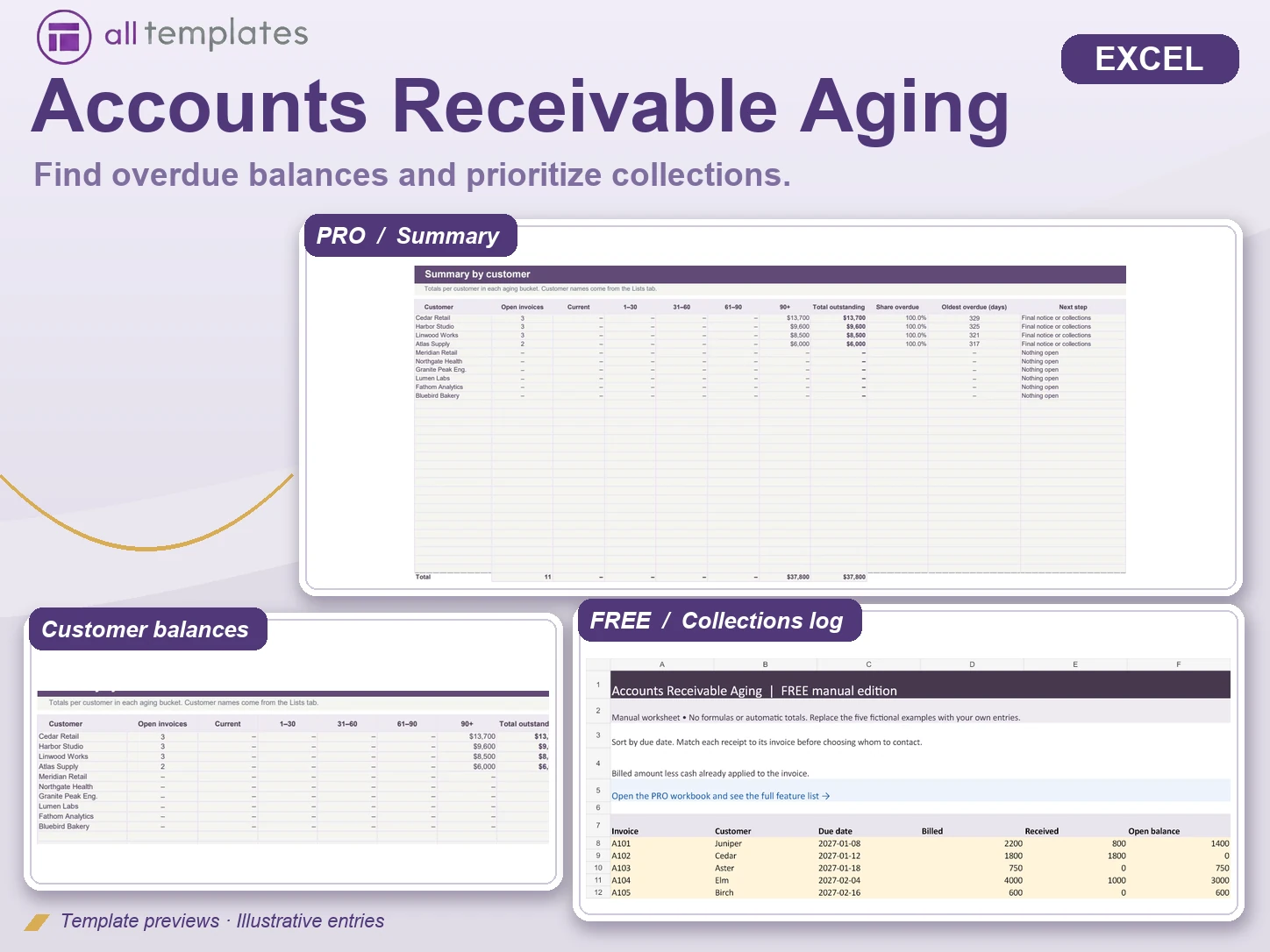


What’s inside the Accounts Receivable Aging workbook
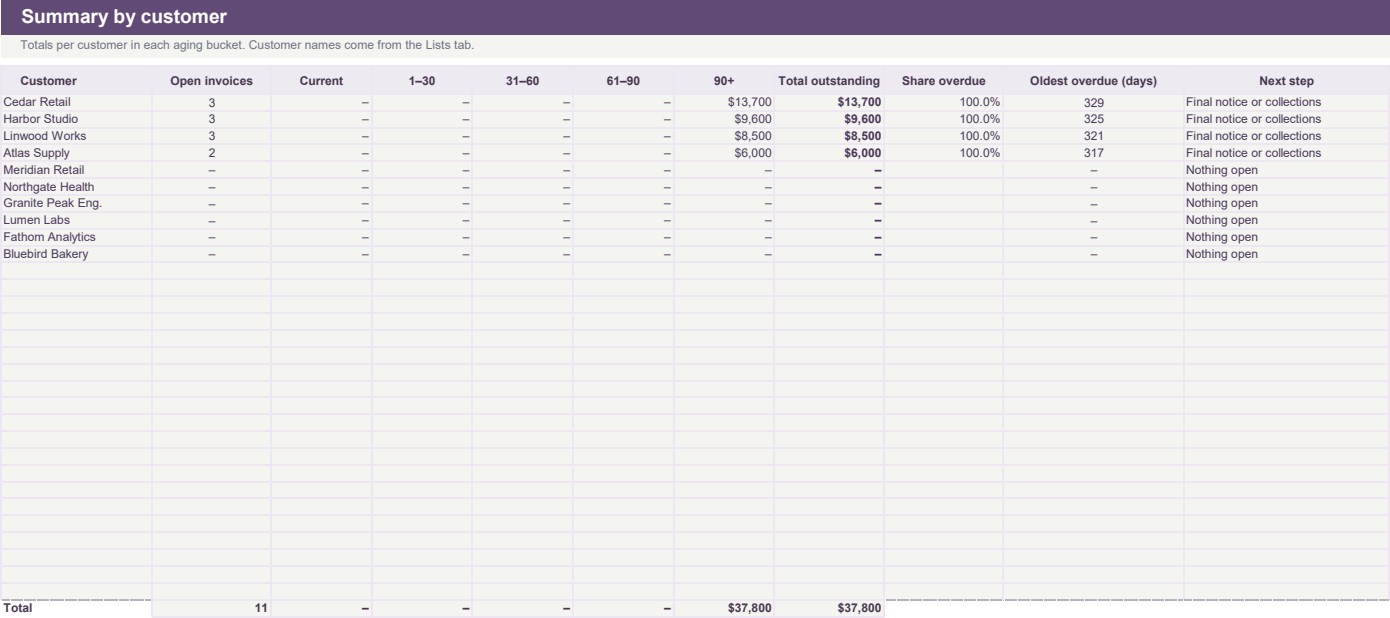
Owners and collections teams reviewing unpaid customer invoices. PRO provides an aging summary, priority views and invoice-level tracking. Record receipts cumulatively per invoice and use one review date when comparing records.
Free versus PRO
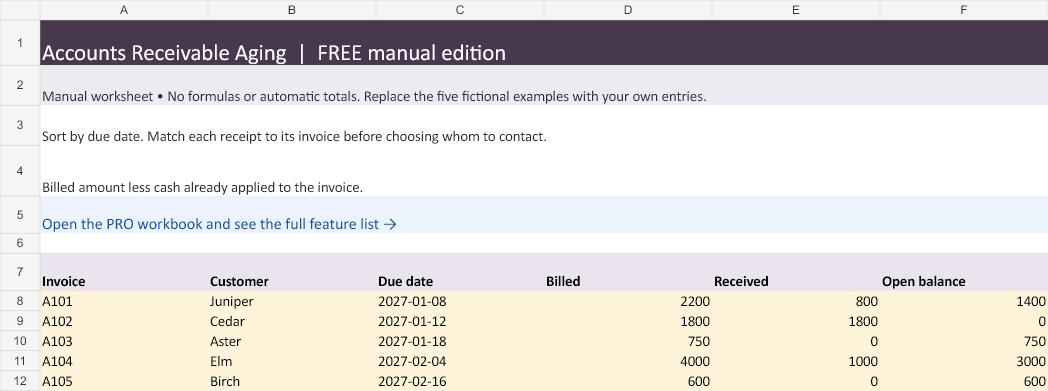
| Feature | Free manual starter | PRO workbook |
|---|---|---|
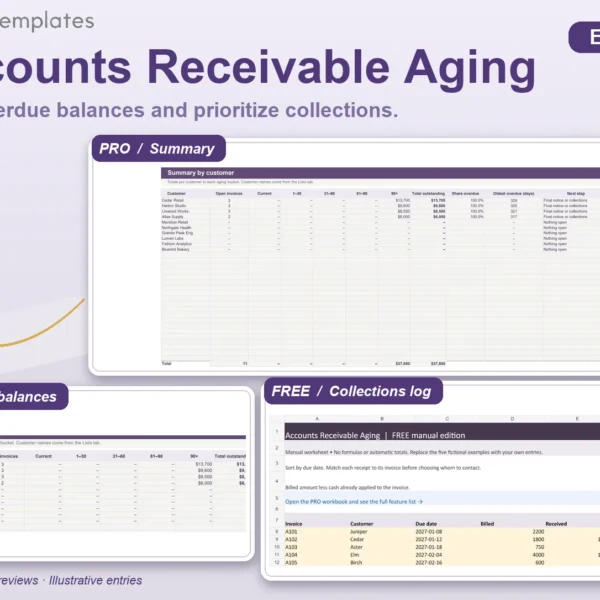
| Working views | Collections log with five fictional rows | Invoices · Summary · Priority · Collections dashboard |
| Calculations | Enter results manually. No worksheet formulas. | Calculates open balances and aging by due date |
| Download | One editable .xlsx file | One .xlsx file with instructions and example data |
Download the Free manual worksheet (.xlsx)
How to use it
- Verify customer, invoice date, due date and payment information in Invoices. For the record-level workflow, enter gross invoice, cumulative cash collected and review date in Work.
- Use Summary and Priority to identify overdue balances. Select a Work record in Control panel to review its outstanding amount.
- Tie open balances back to the ledger and assign the next action for overdue or disputed items.
Use cases
- Weekly collections. Choose which due balances warrant a call.
- Month-end close. Explain which balances are in each due-date bucket.
- Customer dispute. Confirm the amount under dispute and follow up on the undisputed portion separately.
Build an Excel accounts receivable aging report and turn it into a collections list
Try it with a worked example
Pick one reporting date and an invoice due 35 days earlier. After a partial payment of $200 against $500, the open amount is $300. Age that remaining balance from the due date and assign the next collection action.
All you need to know about accounts receivable aging
Turn an open-invoice list into a collection queue based on due dates and unpaid balances.
Build the foundation
- Fix the aging cut-off and use the same snapshot date for the ledger tie-out.
- Use the contractual due date and preserve the original invoice date separately.
- Apply partial receipts to the invoice the payment actually covers.
- Log unapplied receipts and resolve them before changing invoice balances.
- Match issued credit notes before calculating the amount to collect.
Put it into practice
- Keep disputed and undisputed amounts distinguishable in the follow-up list.
- Use open balance and days overdue together when choosing call order.
- Record promised payment dates without overwriting original due dates.
- Assign a collector and a next-contact date before closing the review.
- Archive a dated aging report and reconcile its total to the receivables ledger.
Templates and references
Frequently asked questions
When does an invoice become overdue?
On the day after its agreed due date, assuming an open amount remains.
What belongs in the current bucket?
Outstanding balances whose due dates have yet to pass as of the review date.
How do I age a part-paid invoice?
Keep the original due date and include only the outstanding amount in the bucket.
Where does an unidentified bank receipt go?
Hold it as unapplied cash while confirming the invoice reference. Avoid closing an invoice without a match.
Should I move a disputed invoice to a newer bucket?
Keep its contractual age visible and record the dispute status separately.
Does a customer's promise to pay reset aging?
Keep the due date unless the parties actually agree revised terms. Record the promise as a collection action.
How do I handle a customer credit?
Match it to the correct invoice or document it as unapplied until you can allocate it.
Should I start with the largest balance?
Use size alongside age, dispute status and confirmed payment plans when deciding whom to contact.
Why does aging differ from the ledger total?
Compare cutoff dates, unapplied cash, posted credits and manual adjustments before investigating invoices individually.
How do I track slow-paying customers with fully paid invoices?
Keep payment history and compare paid dates with original due dates. A snapshot of open invoices alone hides that behavior.
1 review for Accounts Receivable Aging Excel
Clear filters
Sanne Visser –
I like the priority view. A partly paid or disputed invoice needs a different next step, and the preview makes that distinction clear.
Tara Choudhary –
Nice that disputed and part-paid amounts get their own treatment. A larger screenshot of the priority list would make the preview better.