
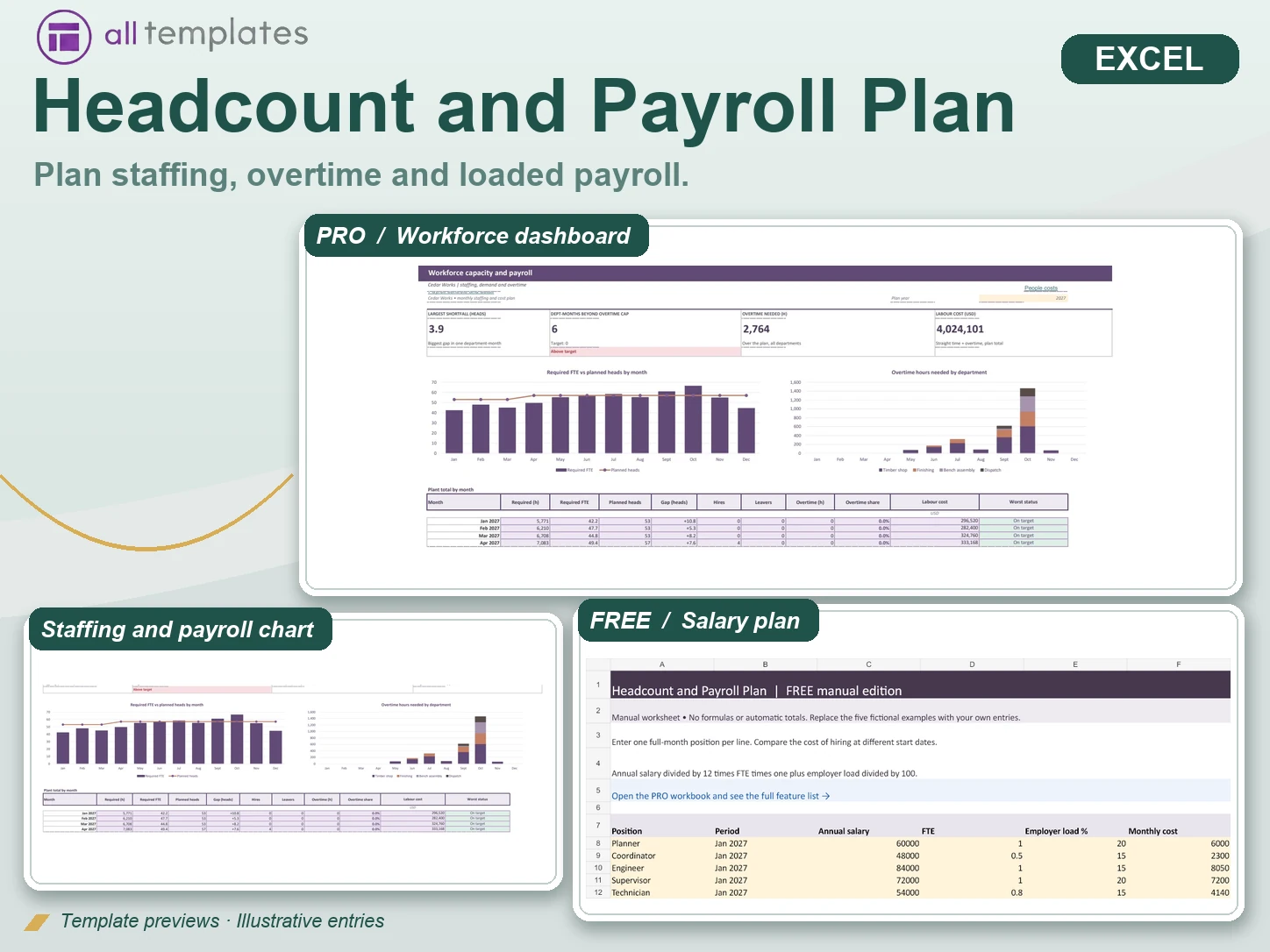

What’s inside the Headcount and Payroll Plan workbook
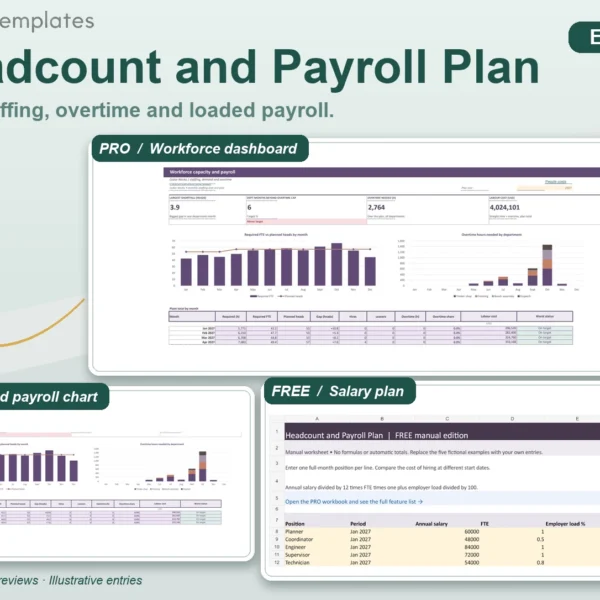
Operations, HR and finance planners budgeting by month and role. PRO models demand, capacity, overtime and employer costs. It uses one reporting currency and serves as a planning workbook. Check statutory payroll and employee payments in your payroll system.
Free versus PRO
| Feature | Free manual starter | PRO workbook |
|---|---|---|
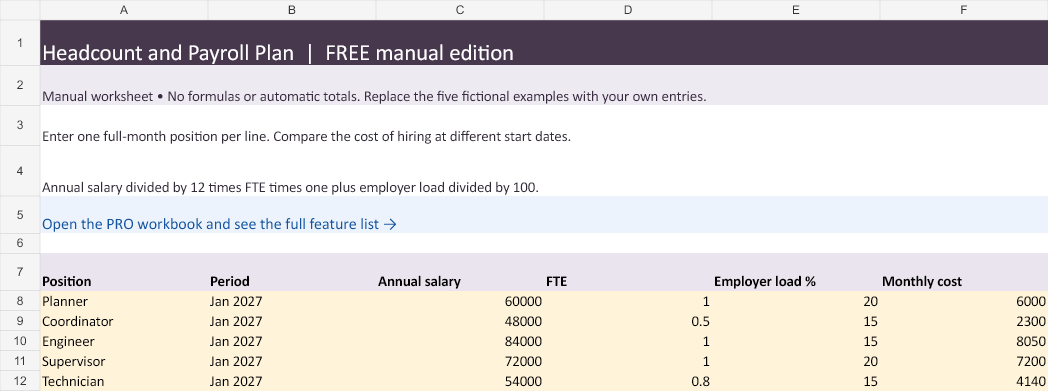
| Working views | Salary plan with five fictional rows | Headcount Plan · Salary register · Workforce dashboard · People cost bridge |
| Calculations | Enter results manually. No worksheet formulas. | Calculates staffing needs, overtime and loaded payroll by role |
| Download | One editable .xlsx file | One .xlsx file with instructions and example data |
Download the Free manual worksheet (.xlsx)
How to use it
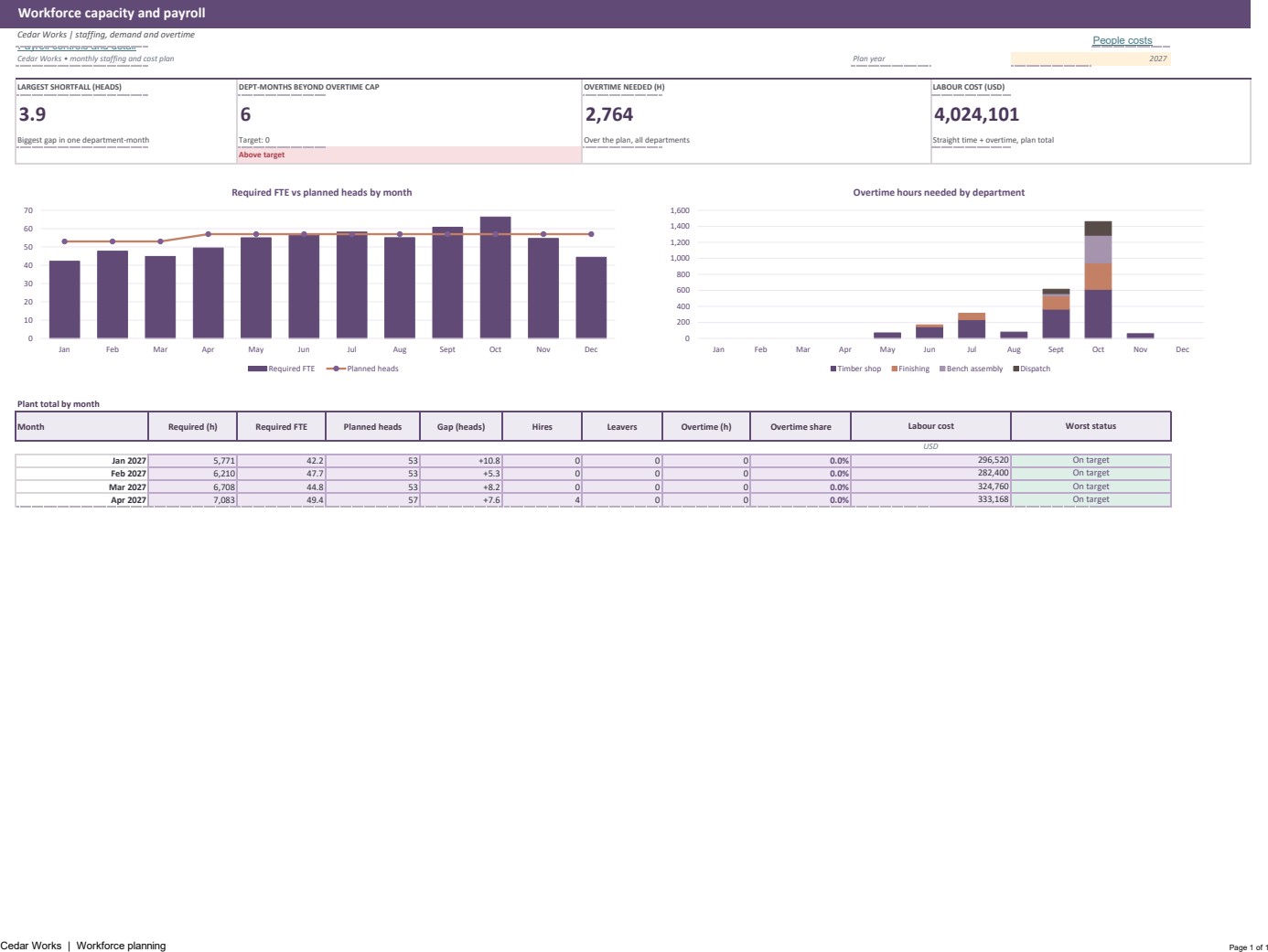
- Select the plan year and check settings for available days, productivity, absence, overtime and rates.
- Enter demand, hires and leavers by department in Headcount Plan. Use Salary register for nonproduction position-month rows, annual salaries, FTE and employer load.
- Review labor and overtime on Workforce dashboard, then confirm the combined cost on People cost bridge.
Use cases
- Plant staffing. Test overtime and hires for a temporary demand increase.
- Support budget. Compare a part-time coordinator with a full-time role.
- Annual planning. Reconcile the monthly production and support totals to the combined budget.
Build a headcount plan and payroll budget in Excel, with two hiring scenarios
Try it with a worked example
Compare a mid-month hire with a full-month hire at the same salary. Enter the dates and pay assumptions explicitly, then review the effect on monthly payroll and the capacity available to the team.
All you need to know about headcount and payroll plan
Estimate production staffing and salaried support cost before committing to a hiring plan.
Build the foundation
- Define one full-time equivalent and the hours it represents in your organization.
- Use full-time annual salary in the base field when FTE is applied separately.
- List recurring employer charges and benefits before setting an employer load.
- Model fixed per-person benefits separately if they do not scale with FTE.
- Check the period convention for hires and departures and document partial months.
Put it into practice
- Adjust production working days for closures, holidays and local shifts.
- Use productive hours after absence and efficiency assumptions when testing capacity.
- Test overtime demand against the hours and rates your team can support.
- Assign each role to production or support once and reconcile the monthly bridge.
- Compare scheduled and actual payroll each month and explain rate, headcount and timing changes.
Templates and references
Frequently asked questions
What is the difference between headcount and FTE?
Headcount counts people. FTE represents the share of standard full-time hours.
How do I budget a half-time salaried role?
Use the full-time salary and an FTE of 0.5. Keep any fixed per-person benefits visible separately.
What is employer load?
An estimate of costs paid by the employer above base wages, such as employer contributions and benefits.
What if a worker starts mid-month?
Use your planning convention for the partial month and verify the first-month cost separately against the intended start date.
Should overtime be added to base capacity?
Show regular capacity first. Add separately capped overtime and apply the relevant rate to those hours.
How do holidays affect staffing needs?
Fewer working days reduce available hours. Capture the lost days before using the dashboard to estimate extra staffing.
Should a vacancy count before its start date?
Include it in the hiring plan and start salary cost in the expected start period.
How should I model a future raise?
Apply the new rate from its planned effective month and retain the old rate for earlier months.
Where do I put a team lead who also works on production?
Use one documented allocation across production and support so combined payroll counts the cost once.
Does changing the currency label convert salaries?
Use rates and salaries already expressed in the chosen reporting currency. Apply any exchange-rate conversion before input.
1 review for Headcount and Payroll Plan Excel
Clear filters
Héloïse Bernard –
Having a capacity calendar and payroll by role is handy. I’d love a screenshot that followed one role through both views.