
How to Build a Headcount Plan and Payroll Budget in Excel

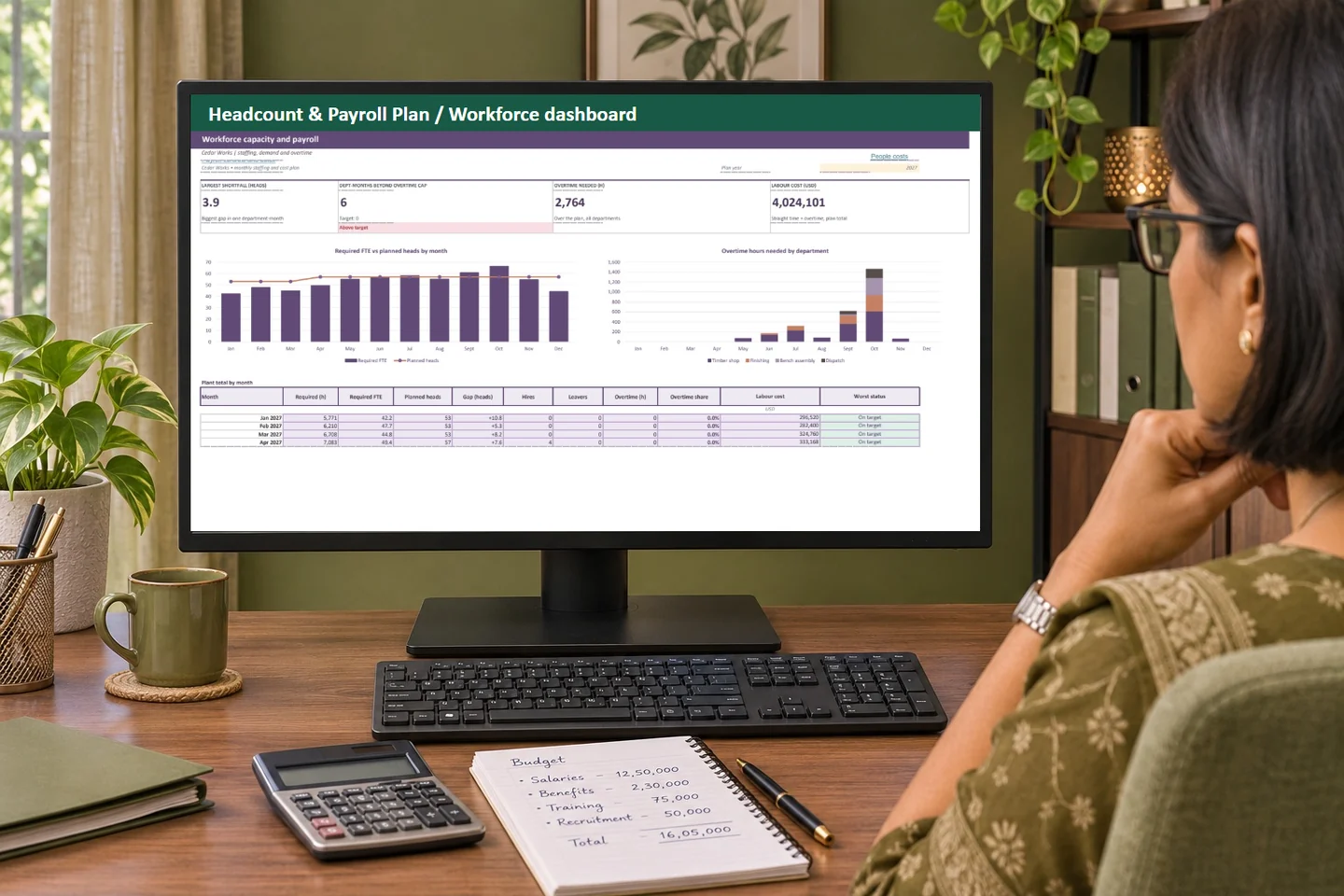
A headcount plan helps you decide which roles you need, when to hire and how much payroll the plan adds. Start with the work that needs to be done. Translate it into staffing capacity, place the roles on a monthly calendar and estimate the employer cost. Review all three together so you can explain whether a change closes a capacity gap in time and whether the business can fund it.
Separate people, FTE and productive hours
Headcount is the number of people or positions. Full-time equivalent, or FTE, expresses scheduled workload relative to your full-time definition. A full-time and a half-time role represent two people and 1.5 FTE. Productive hours are the hours that can actually go to the activity you are planning after allowing for training, leave, meetings, handoffs and other commitments. Document the basis for each. A headcount number alone cannot explain how many jobs a team can complete.
For a simple service team, begin with demand in work units and an observed or agreed time per unit. If forecasting 450 jobs at 40 minutes of productive work each, the plan needs 300 productive hours. If one full-time role can supply 120 productive hours that month under your staffing assumptions, the work calls for 2.5 FTE. Check whether a mix of roles or shifts can supply that time at the point of demand.
Separate team capacity by skill or activity if different roles cannot cover each other. An extra sales coordinator does not increase the number of installation hours a technician can deliver. If a role works across several teams, distribute the person’s hours or cost using a documented allocation. Check that allocations add back to the original role and that the headcount report counts the same person once.
Build the roster with a monthly schedule
Give each role a stable ID, department, planned start and end, full-time salary or hourly rate, FTE and employment type. Separate approved, vacant and proposed positions. For existing staff, reconcile the roster with your authorised HR or finance data. For planned hires, capture a target start date and the approval state. Include cost centre or team allocation when the output feeds a departmental budget.
Use one date convention for plan periods. A full-month salary calculation is appropriate for a role active throughout the month. For a partial month, choose the company’s planning convention and label it. It could be scheduled paid days over the relevant period or another standard the finance team already uses. Track when a new hire becomes productive separately from when pay begins. An earlier start can add payroll before it closes the capacity gap.
Calculate a loaded employer cost
For a simple salaried role in a complete month, take annual full-time salary divided by 12, multiply by FTE and add the expected employer costs. A percentage can estimate wage-linked costs for planning. Itemise fixed benefits, bonuses, allowances or one-off recruitment and equipment costs when they materially affect the decision. Confirm whether any benefits follow eligibility conditions, vary by location or start later than the employee’s pay. Keep the source and date beside each estimate.
For hourly work, start with expected paid hours and base rates. Show overtime and premiums on separate lines or include their incremental cost in a documented assumption. Check whether your planning model already counts an employee’s base pay in recurring payroll. If so, adding the full hourly cost again for hours included in salary would overstate the budget. Use current payroll records or agreed assumptions for your business. The BLS employer compensation methodology gives examples of wage and benefit categories used in U.S. reporting.
Worked example for a half-time hire
Two full-time planners can each supply 120 productive hours in April. Demand requires 300 hours. The gap is 60 hours. A coordinator can cover the applicable work at half time after onboarding. Their annual full-time salary is $48,000 and the example uses a 15% wage-linked load. The half-time salary is $2,000 for a full month. Loaded monthly cost is $2,300. The example assumes no separate fixed benefits or recruitment costs.
| Scenario | April coordinator cost | April hours available | April remaining gap |
|---|---|---|---|
| Two existing planners only | $0 | 240 | 60 |
| Hire at beginning of April, fully productive | $2,300 | 300 | 0 |
| Hire halfway through April, fully productive when present | $1,150 | 270 | 30 |
The half-month case assumes half of a full month’s costs and 30 productive hours. In practice, the start date can create training time for the new employee and for an existing planner. Add those hours to the plan if they affect April. The recruitment date can also be uncertain. Add a later start scenario so the team can see the week at which pending demand will require action. For instance, ask operations whether it can move lower-priority work or whether a limited temporary allocation is available.
Give each scenario a decision and an owner
- Hold current staffing. Show when expected work exceeds capacity and what can wait under the operating plan. Put service or delivery consequences next to the gap.
- Hire on the target date. Include recruiting lead time, pay start, productive ramp and any one-off expense. Confirm who needs to approve the role and by when.
- Start later or cover temporarily. Identify what role or activity the short-term coverage actually supports. Check which overtime or external cost changes this month’s budget.
- Compare across months. Show the end-of-quarter FTE, loaded expense and uncovered hours for each case. A one-month saving followed by a bigger service issue can change the approval decision.
Mark the forecast version or payroll period used for each input. Keep approved budget and latest hiring forecast in separate columns. If a role slips from April to May, update the forecast and preserve both the original approval and the reason it moved. Use the difference to explain timing on the departmental budget variance report. Confirm whether a contractor or overtime cost offsets any apparent saving.
Translate the payroll plan into near-term cash dates
Ask payroll for the payment calendar and note which outflows happen together. Wages can be paid on one schedule while employer charges, benefit invoices or recruiter payments leave later. A monthly employer cost represents the planned expense for a period. The cash review needs the amount and clearing week of each item. In the April example, the $2,300 loaded planning cost can produce multiple debits. Ask who owns each date so you can update the forecast if onboarding or an invoice moves.
For the hiring conversation, bring the planned start, first pay date, productive start, expected monthly loaded cost and hours added as five separate fields. If the team postpones, show which field changes and what work remains uncovered. This helps managers compare an earlier hire, short-term support and rescheduling using the same assumptions.
Run three checks before sharing the workbook
First, test the roster boundaries. Move one test role across a month-end on a copy and confirm the two affected months show the change. Next, reconcile FTE and assigned people by department. Resource allocations should add up across teams and each person or approved position should be present once in the master roster. Finally, trace payroll totals to individual assumptions and compare with the last actual payroll at a consistent scope. Explain differences in calendar, employment status, benefits, rates and allocation separately.
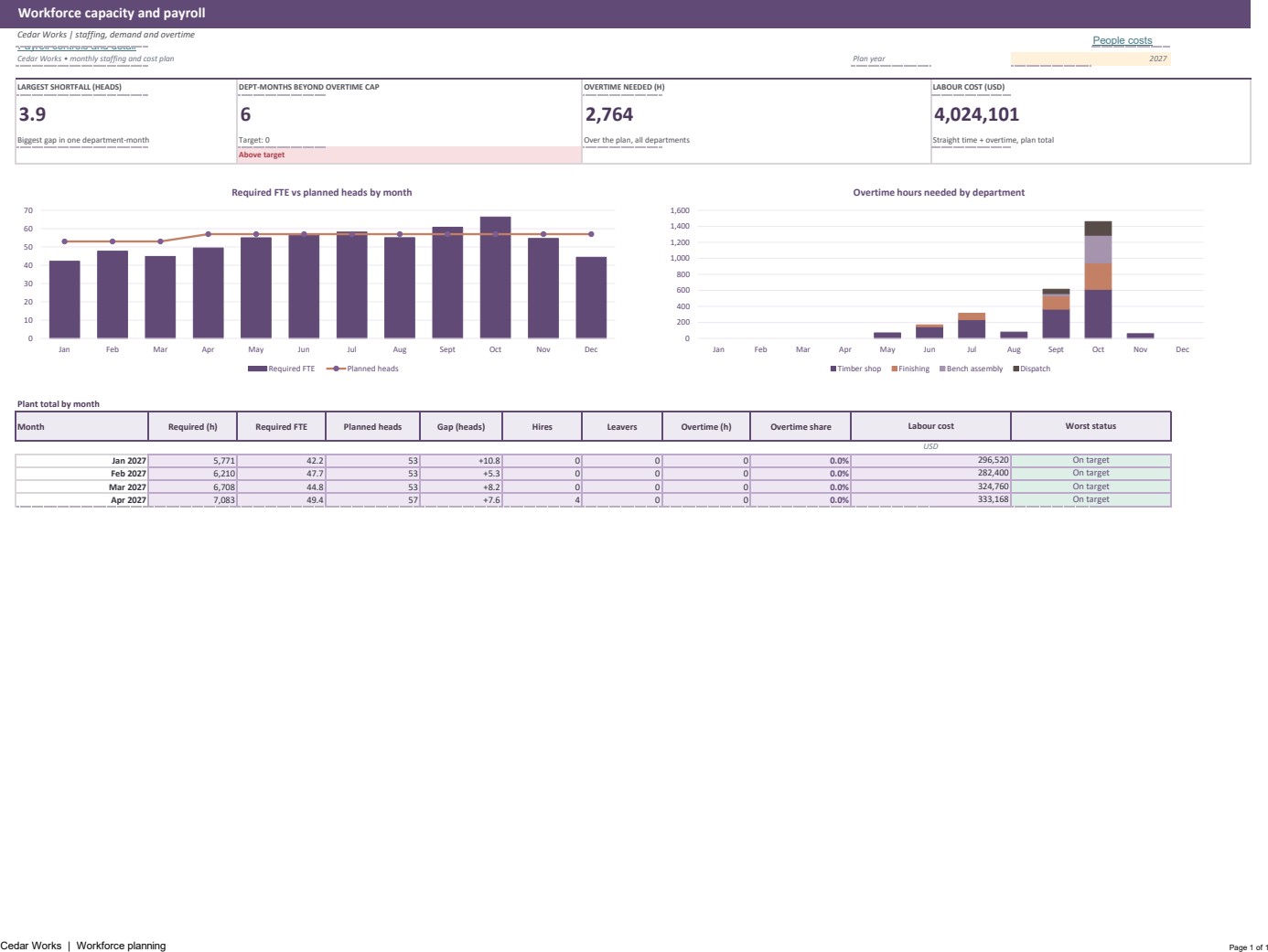
Review workload assumptions alongside payroll. If demand rises by 20%, the previous capacity does not automatically translate to 20% more staff. Investigate which skill, shift or location runs out first. Ask the team to estimate where cycle time can improve and show which work requires qualified coverage regardless of average utilisation. A productive-hours dashboard is most useful when the underlying work assumptions are available to challenge.
Does FTE tell me what appears on the actual payslip?
FTE is a staffing and planning ratio. The actual payroll process applies agreed pay terms, any employer or employee deductions and the relevant rules for that employee. The model can help plan costs and capacity. Use a supported payroll process to compute and administer actual pay.
How do I plan bonuses and variable compensation?
Put the expected expense and expected cash date in separate schedules where needed. Include target, estimated payout and the evidence supporting the estimate, and document whether the cost is already included in a loaded rate. Keep periods visible so the monthly budget and cash forecast can each use the appropriate dates.
How often should the plan be updated?
Confirm the roster during the monthly close and revise the forecast when a hire, departure or workload change materially affects capacity or spending. Preserve the approved budget for comparison and mark the owner and effective date for each material change.
Open the Headcount and Payroll Plan Excel template. Use the manual salary plan to understand FTE and loaded monthly cost. The Pro workbook adds workforce and payroll-by-role views. Enter one team’s roster, check the month boundary, and review the first hiring decision using both cost and productive hours.